How do you get property lead lists in Pittsburgh and Allegheny County, Pennsylvania?
The Western Pennsylvania Regional Data Center at data.wprdc.org publishes Allegheny County sheriff sale listings, Pittsburgh code violations, and City of Pittsburgh tax-delinquent properties for free. Each dataset has a browsable table you can filter, sort, and download as a CSV.
How do I pull sheriff sales records step by step?
The Western Pennsylvania Regional Data Center — the official open data portal for Allegheny County and the City of Pittsburgh — lists every property posted for auction at a Sheriff Sale, most of them mortgage and tax foreclosures.
Go to the Western Pennsylvania Regional Data Center
Navigate to data.wprdc.org, the official open data portal for Allegheny County and the City of Pittsburgh. On your first visit a Data Use Agreement pops up — click I Agree to the Terms of Use to continue.
Open the Allegheny County Sheriff Sales dataset
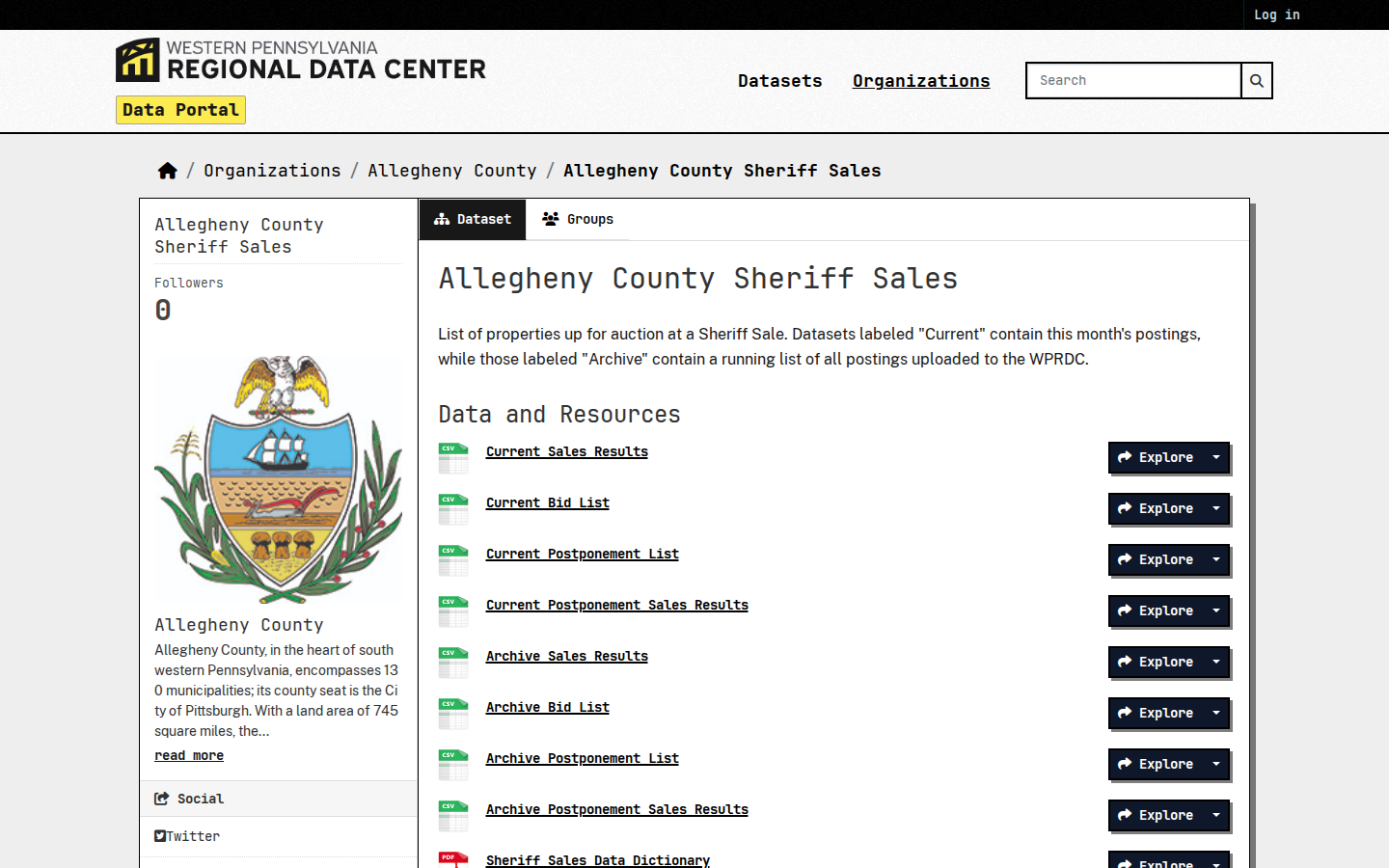
Use the search bar to find Allegheny County Sheriff Sales, or go straight to the dataset page. It lists every property posted for auction at a Sheriff Sale — most are mortgage and tax foreclosures.
Explore the Current Bid List
Under Data and Resources, click Explore next to Current Bid List — this is the list of properties posted for the upcoming sale. The Current Sales Results and Archive Bid List resources on the same page hold past sales if you want history.
Sort by sale date and scan the table
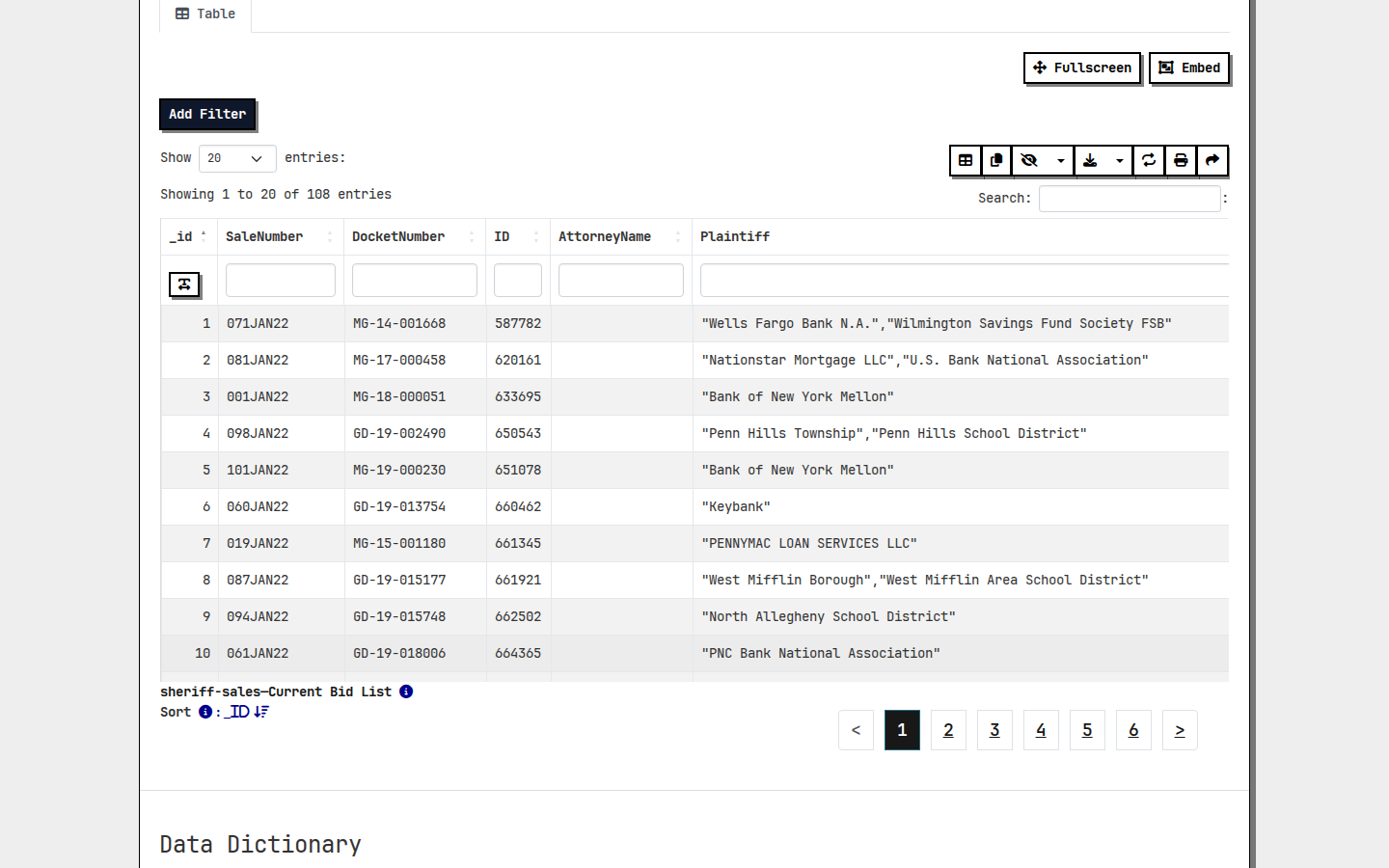
Scroll to the data table and click the SaleDate column header to sort with the newest sale dates first. Use the Add Filter button or the search boxes under each column header if you want to narrow to a city, ZIP code, or sale status.
Download the list as CSV
Click the download icon above the table (or the Download button on the resource page) to save the full bid list as a CSV you can open in Excel or Google Sheets.
Record the Data
For each property, capture the DocketNumber (case number), SaleType, SaleStatus, Street, City and ZIPCode (property address), Defendant (the owner being foreclosed on), and SaleDate. The defendant name plus the property address is your starting point for skip tracing and outreach.
How do I pull code violations records step by step?
Pittsburgh's PLI/DOMI/ES Violations Report — code violations issued by the Department of Permits, Licenses and Inspections and other city departments, refreshed daily on the WPRDC portal — flags owners facing citations and repair orders, a classic motivated-seller signal.
Go to the WPRDC data portal
Navigate to data.wprdc.org, the Western Pennsylvania Regional Data Center — the official open data portal for Pittsburgh and Allegheny County. Search for PLI Violations.
Open the violations dataset
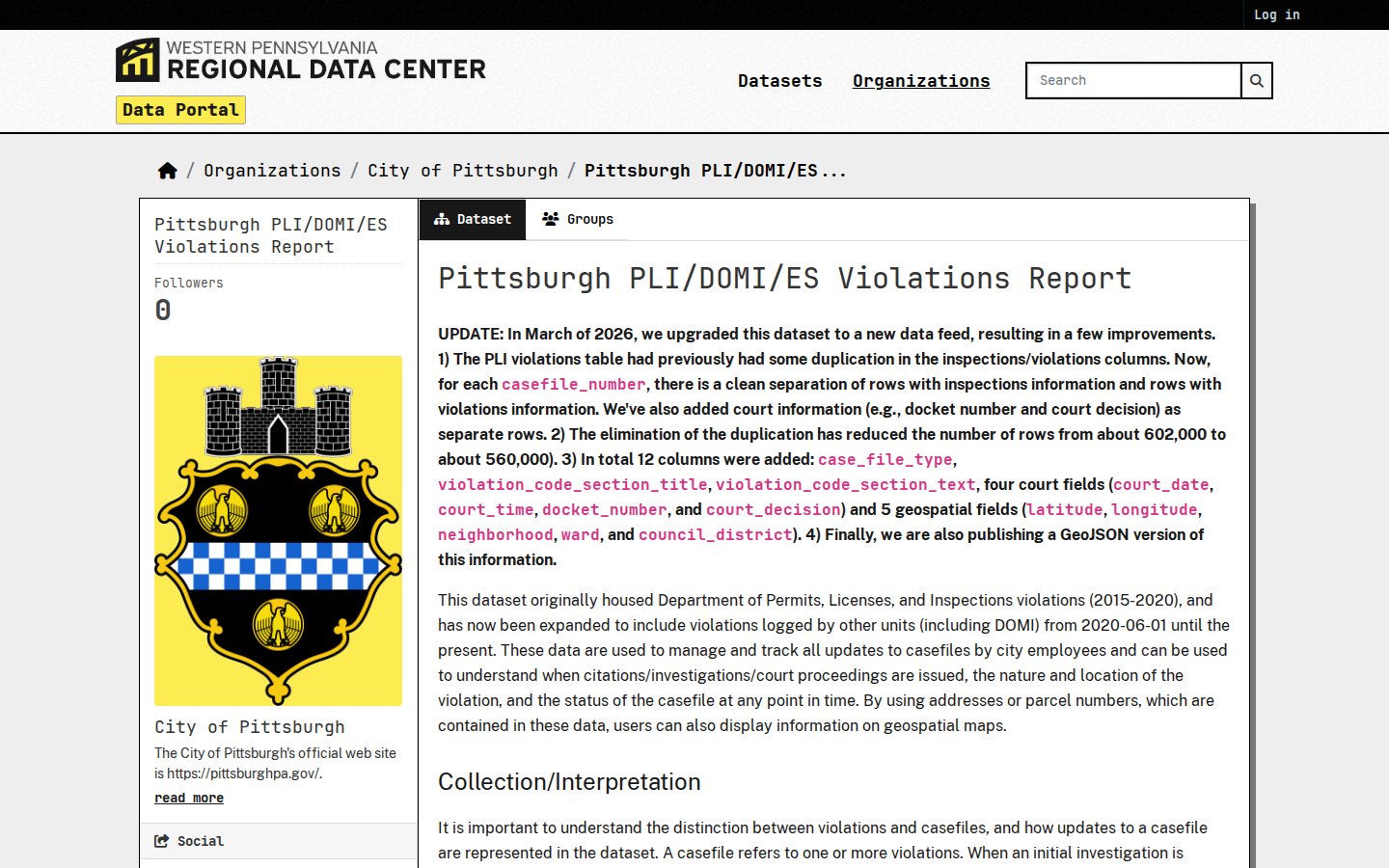
Open the dataset named Pittsburgh PLI/DOMI/ES Violations Report. It holds code violations issued by the Department of Permits, Licenses and Inspections and other city departments from mid-2020 to the present, refreshed daily.
Open the Violations table
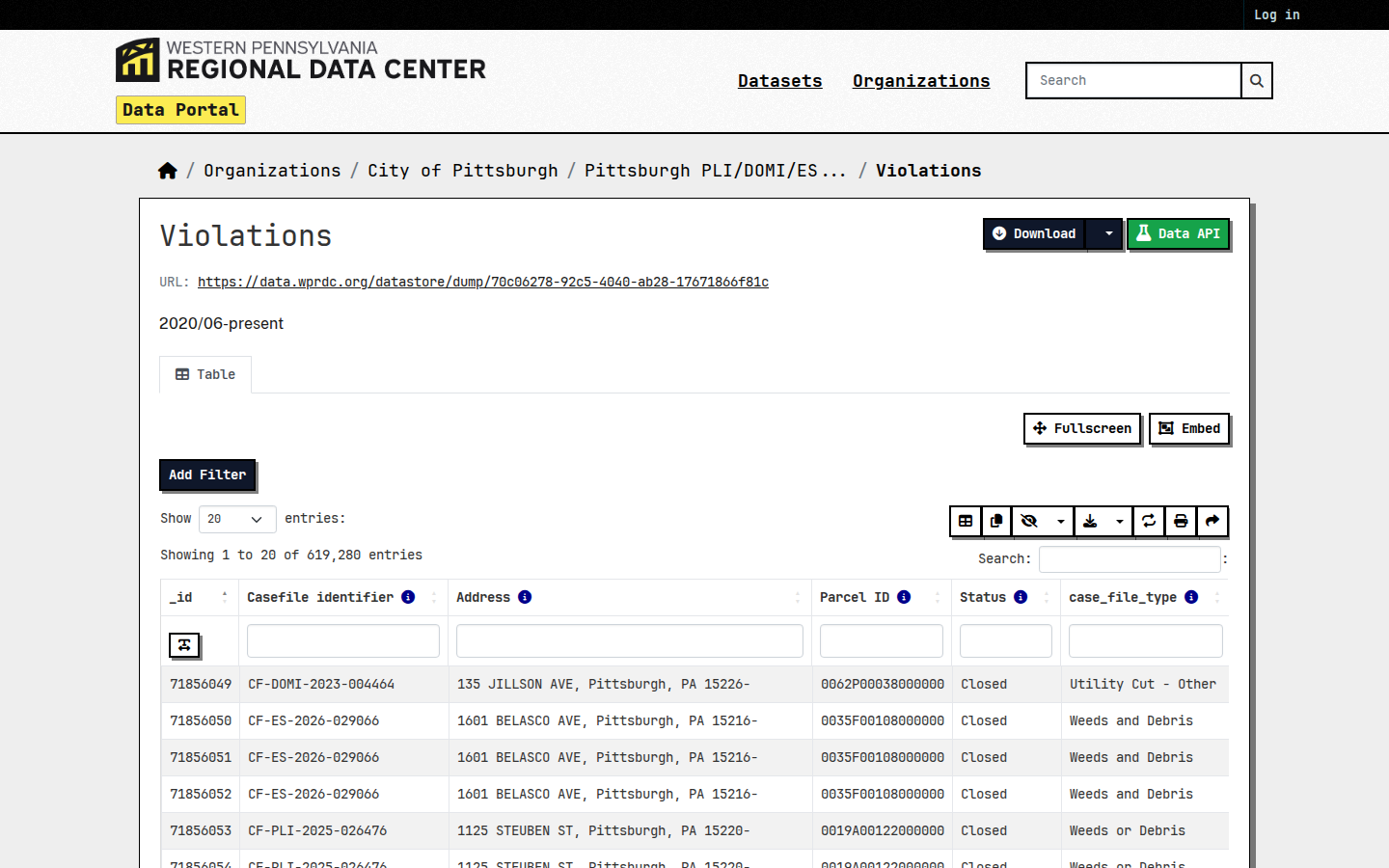
In the dataset's resource list, click the resource named Violations. The resource page shows a live preview table with every violation record and paging controls at the bottom.
Check the columns and filter
Scroll down to the Data Dictionary to see what each column means, then use the preview's search box to narrow records. Filter the status column to open cases such as IN VIOLATION (skip anything marked Closed) and look at the newest investigation_date entries first.
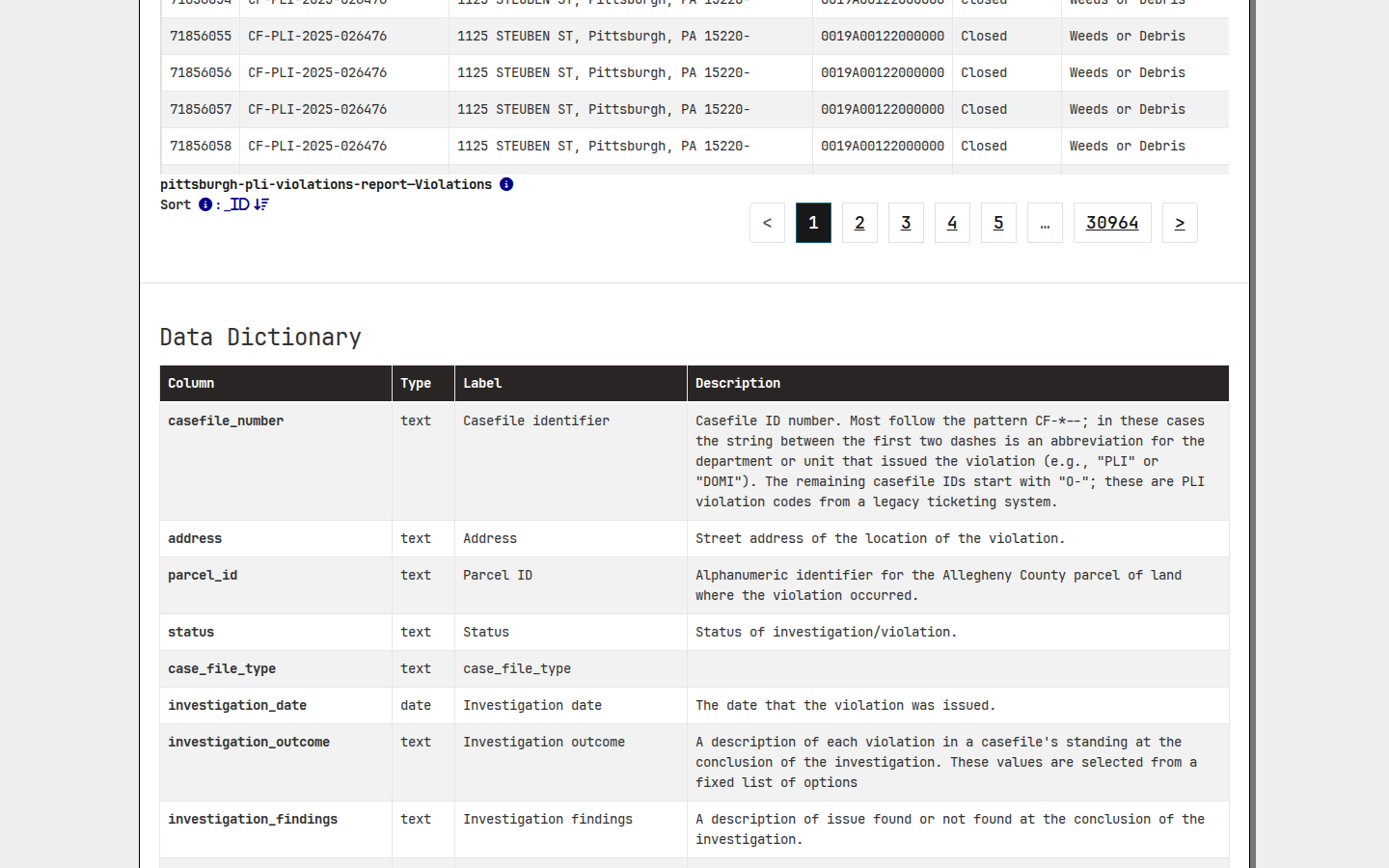
Download the CSV
Click the green Download button at the top of the resource page to save the full table as a CSV. Open it in Excel or Google Sheets, filter out Closed rows in the status column, and sort investigation_date newest first.
Record the Data
For each lead, capture the casefile number, case type, status, property address, parcel ID, and investigation date. Properties carrying open violations mean the owner is facing citations and repair orders — a classic motivated-seller signal.
How do I pull tax delinquent records step by step?
The City of Pittsburgh Property Tax Delinquency dataset on the WPRDC portal lists properties with delinquent city real estate taxes, as reported by the city's tax collector — every row in the table is already a tax-delinquent property.
Go to the WPRDC data portal
Navigate to data.wprdc.org, the Western Pennsylvania Regional Data Center — the official open data portal for Pittsburgh and Allegheny County. Search for Property Tax Delinquency.
Open the tax delinquency dataset
Open the dataset named City of Pittsburgh Property Tax Delinquency. It lists properties with delinquent City of Pittsburgh real estate taxes, as reported by the city's tax collector.
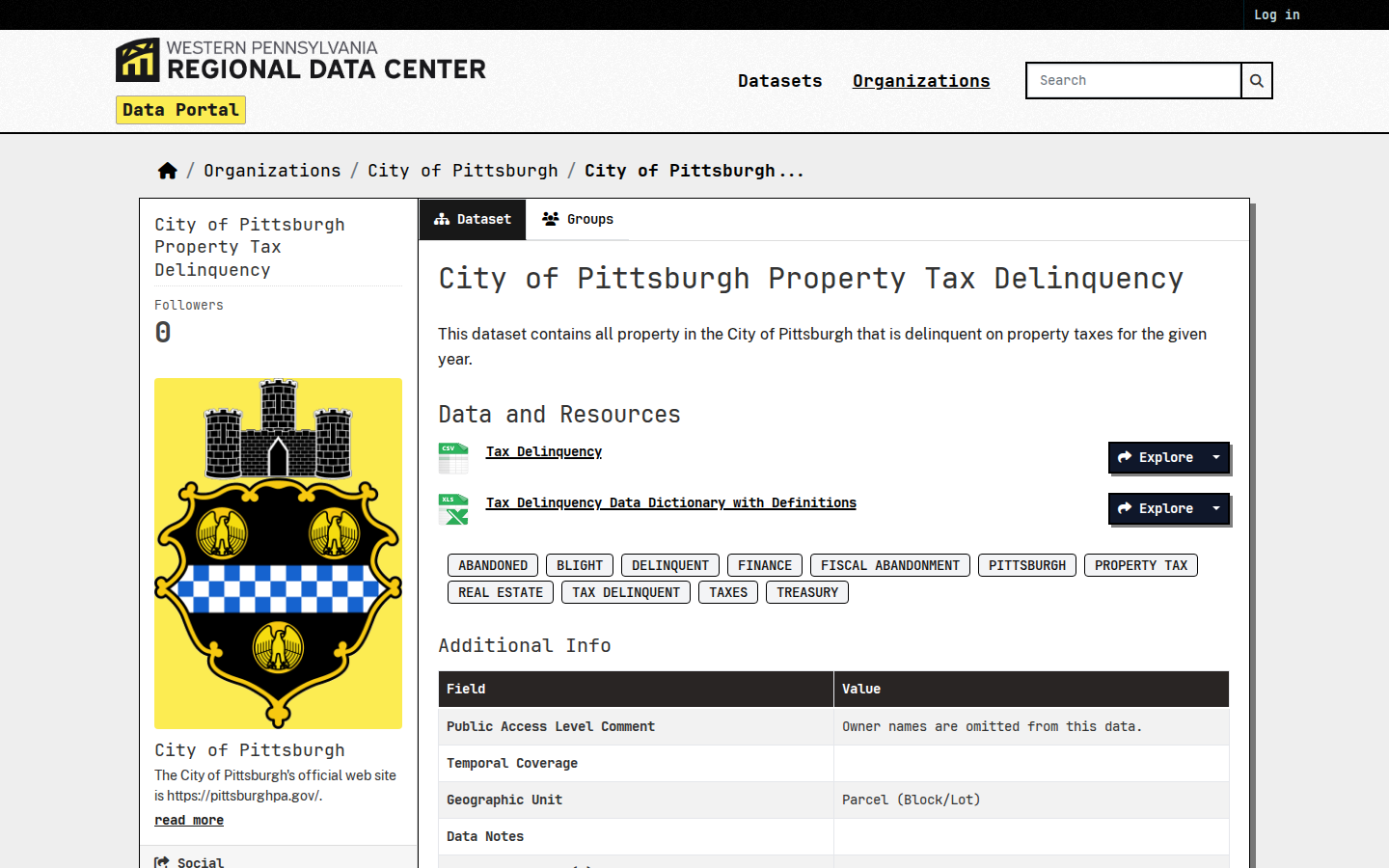
Open the Tax Delinquency table
In the dataset's resource list, click the resource named Tax Delinquency. The resource page shows a live preview table of every delinquent property with paging controls, plus a data dictionary further down.
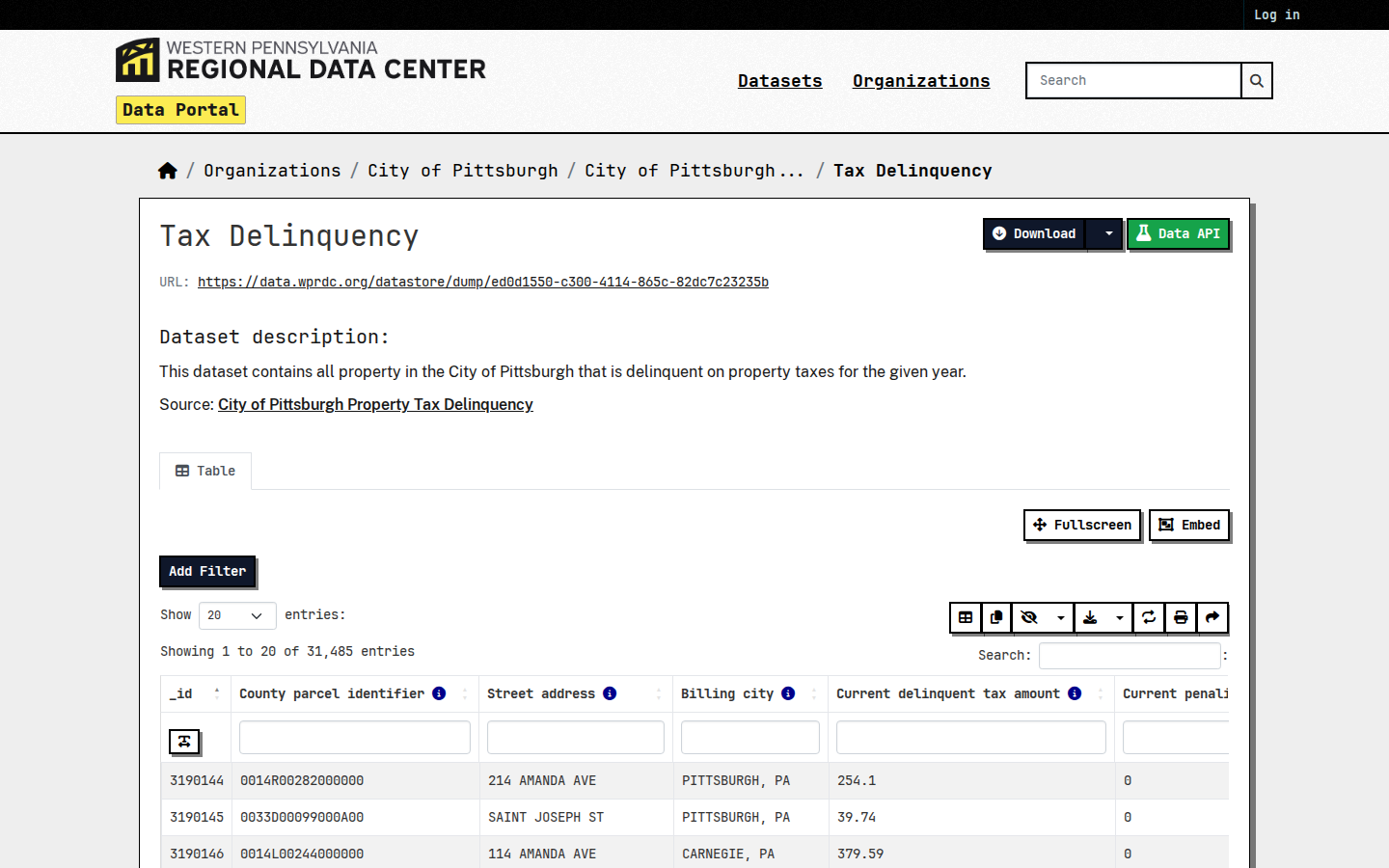
Browse and narrow the list
Every row in this table is already a tax-delinquent property, so no status filter is needed. Use the preview's search box to narrow to a neighborhood or street you invest in, and page toward the highest record numbers — the most recently added properties sit at the end of the table.
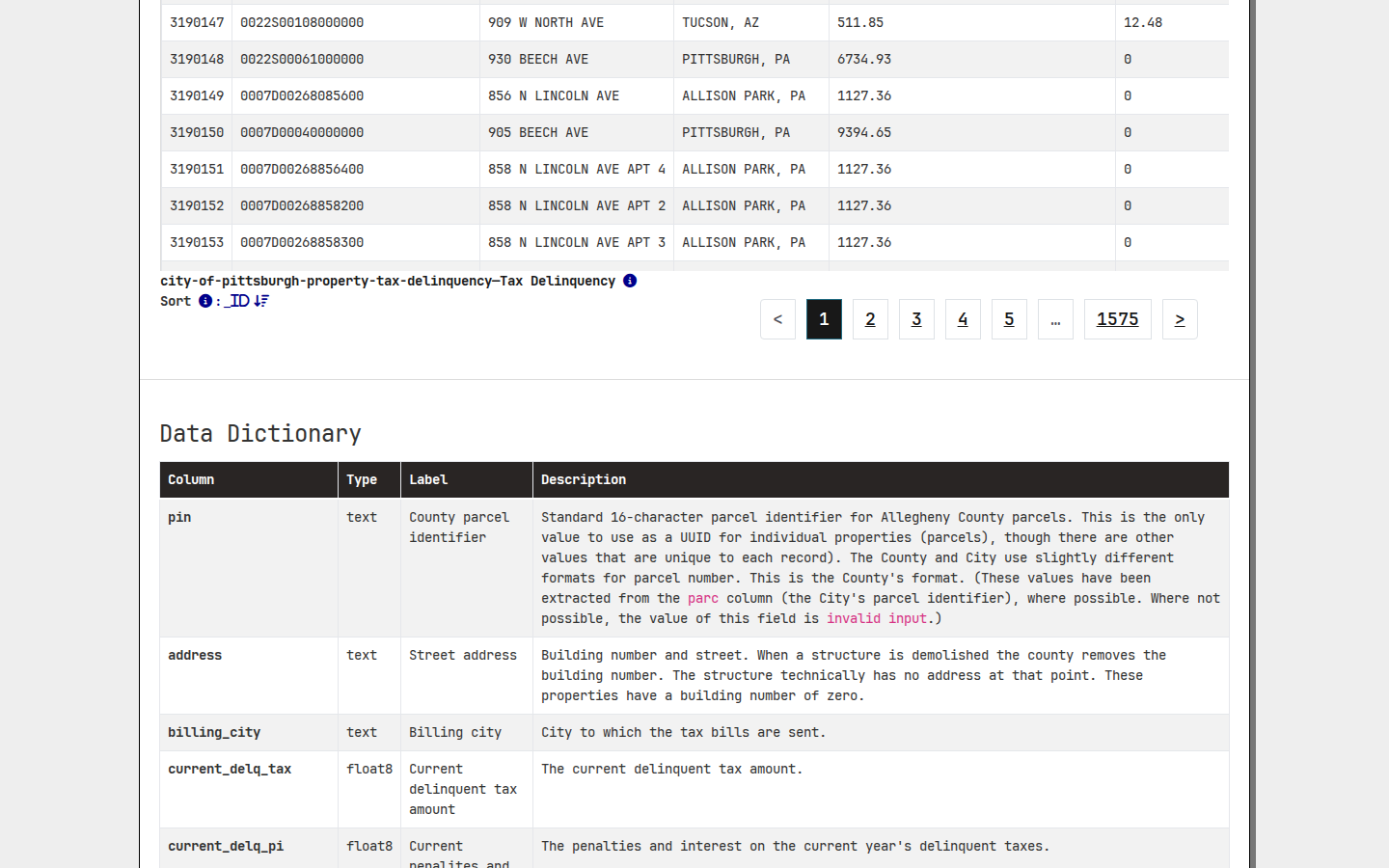
Download the CSV
Click the green Download button at the top of the resource page to save the full list as a CSV, then open it in Excel or Google Sheets to sort and dedupe against lists you already own.
Record the Data
For each lead, capture the property address, billing city, and the parcel PIN. Look the PIN up on the Allegheny County real estate site to get the current owner and mailing address — owners behind on city taxes are prime candidates for an off-market offer.
What property data does Allegheny County publish?
| Sheriff Sales | data.wprdc.org · CKAN · FREE |
| Code Violations | data.wprdc.org · CKAN · FREE |
| Tax Delinquent | data.wprdc.org · CKAN · FREE |
Common questions
Live in CountyPull for Allegheny County right now
| List type | Records | New in 30 days |
|---|---|---|
| Tax Delinquent | 25,825 | 2 |
| Code Violation | 12,037 | 52 |
| Foreclosure | 102 | 0 |
CountyPull pulls Allegheny County fresh every morning — cleaned, deduped, skip-trace ready. The free plan includes 100 rows every month.
Get 100 Free Leads →