How to Pull Code Violation County Data for Adams County, CO
A code violation list shows cases a city opens when a property breaks local building or safety rules. To find code violation records for Adams County, Colorado (CO), use City of Aurora Open Data. No account is needed. It is free to use. No VPN is needed. You can download a CSV file.
Also known as: code enforcement, code enforcement cases, building code violations.
What you need
What it is
Code violations written by the City of Aurora in about the last six months. Older rows drop off.
Why it matters
An owner with an open violation may face fines and repair costs. Many of these owners are open to selling.
The fields you get
- Case number (FolderRSN)
- Violation
- Violation code
- Violation date
- Property ID (PropertyRSN)
- Address
- Case status (folderstatus)
The newest violation date we saw on November 5 was November 3, 2026.
Follow these 6 steps
-
Open the Code Enforcement Violations page
Go to City of Aurora Open Data. A table opens on the right side of the page.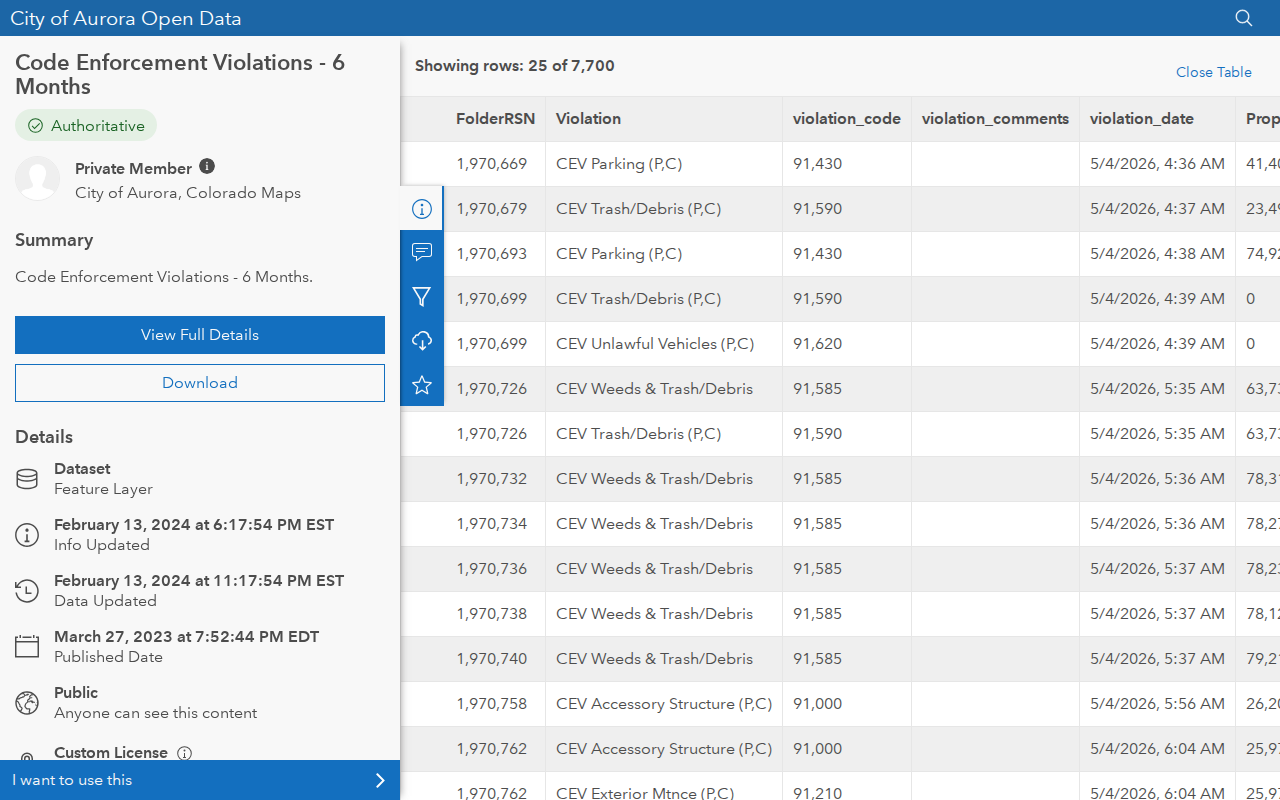 Enlarge
-
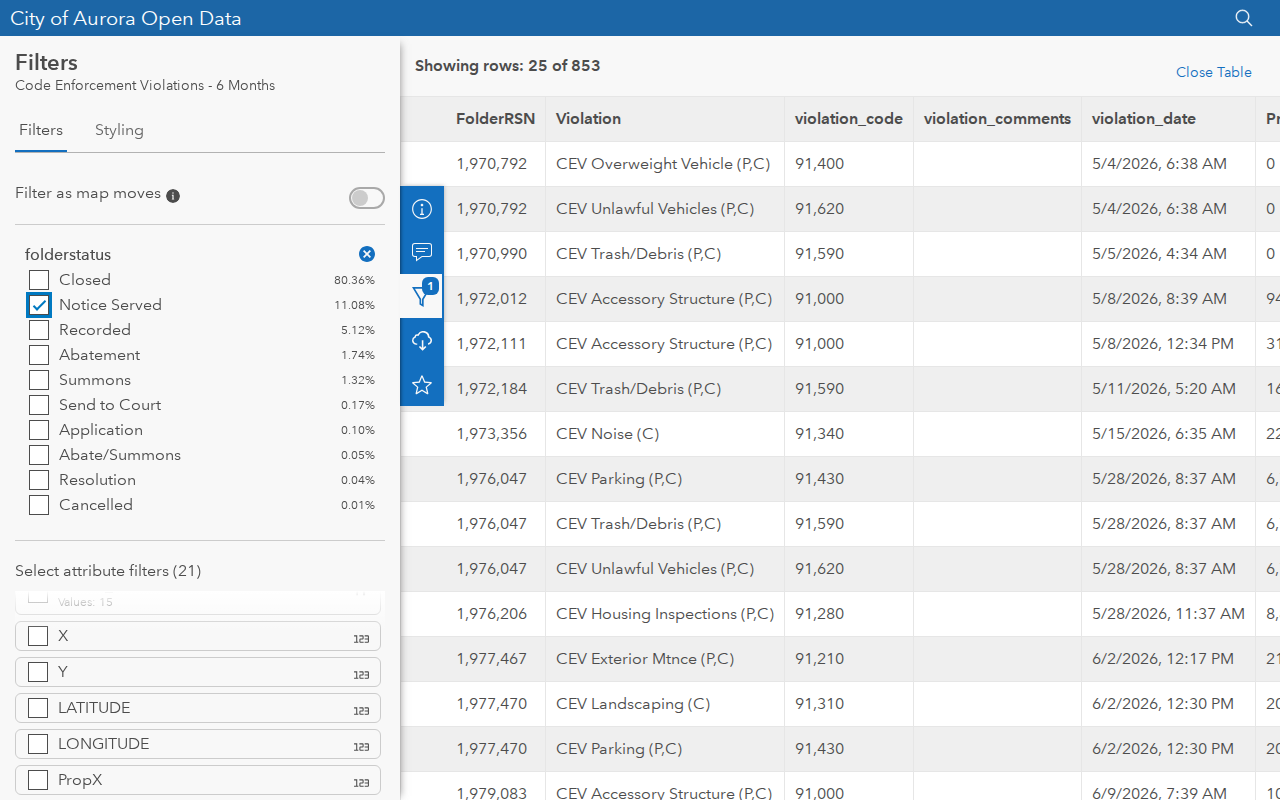
Open the filters
Click the funnel icon on the blue bar next to the table. In the list of columns, tick folderstatus.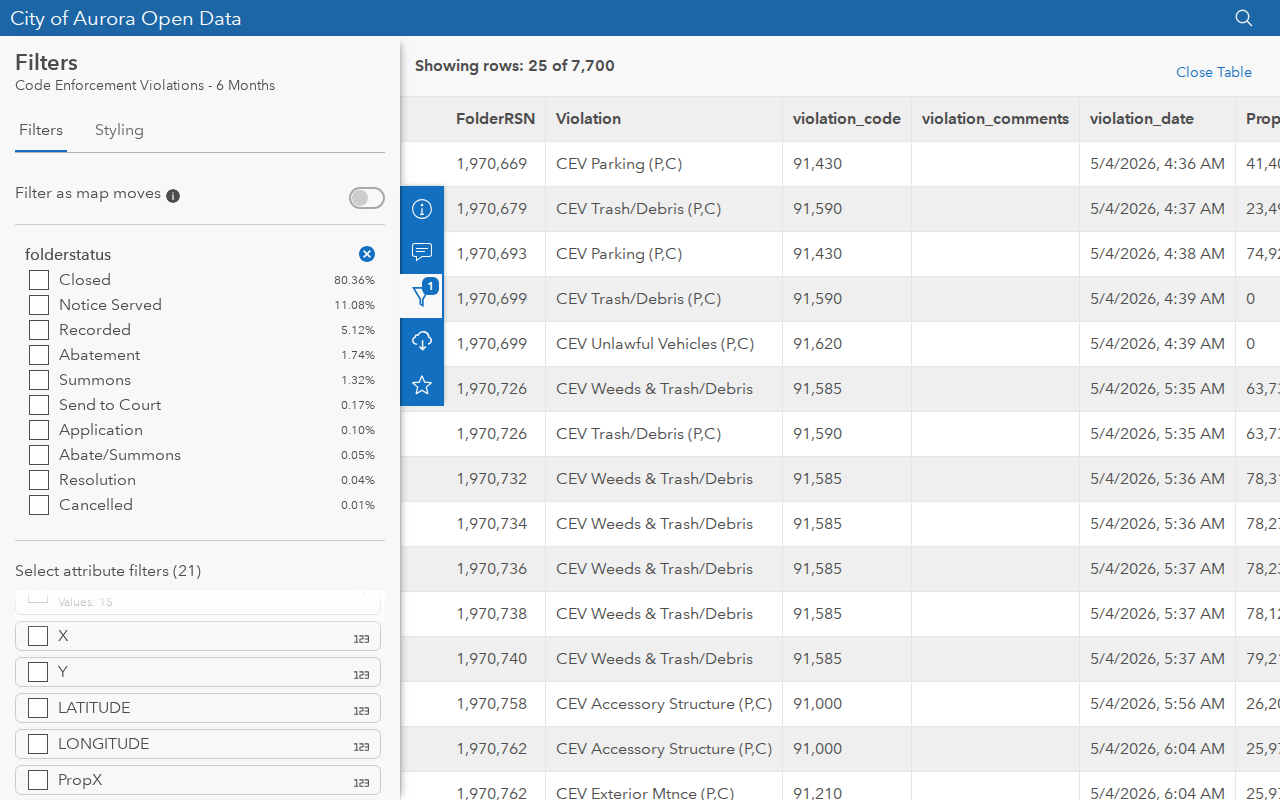 Enlarge
-
Put the newest records first
Scroll the table to the right. Click the violation_date column name two times. The newest date moves to the top.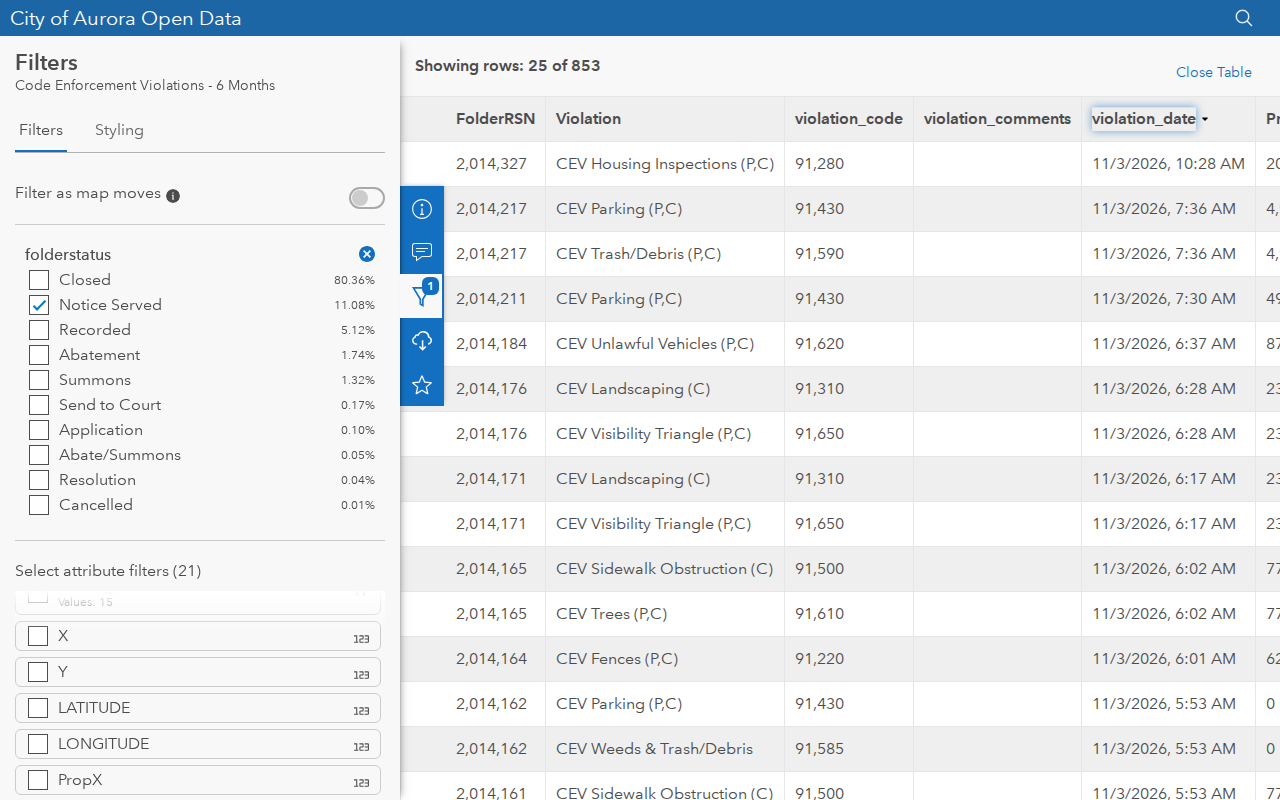 Enlarge
-
Download the filtered file
Click the cloud icon on the blue bar. Turn on Toggle Filters so Records shows the word Filtered. Under CSV, click Download.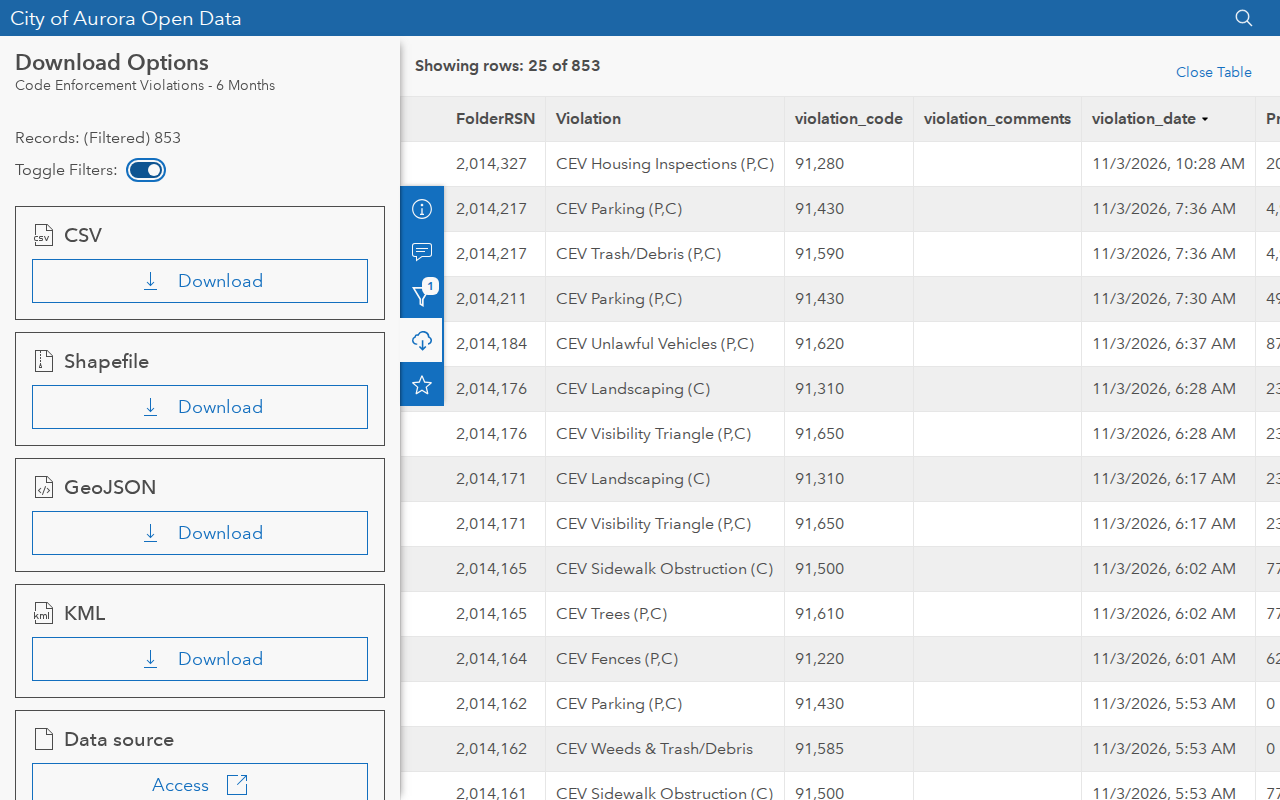 Enlarge
-
Check your records
Open the CSV in Excel or Google Sheets. Sort it again by date, because the file does not keep the sort from the screen. Keep FolderRSN, Violation, violation_date, ADDRESS and folderstatus. Our test file had all 853 rows, up to November 3, 2026.
Watch out for these
- The list only goes back about six months. Pull it regularly if you want a longer history.
- This is a City of Aurora list. It does not cover the rest of Adams County, and it can include parts of Aurora in other counties.
- Some rows have a blank address or a property ID of 0.
- There is no owner name. Use the address on the county assessor site.
Other lists in Adams County
We only have this list for Adams County so far. See all Colorado guides.
Code Violation in other states
See every guide
Do not want to do this by hand?
CountyPull pulls this list for you automatically.