How to Pull Code Violation County Data for Orange County, FL
A code violation list shows cases a city opens when a property breaks local building or safety rules. To find code violation records for Orange County, Florida (FL), use Orange County Code Enforcement and City of Orlando Open Data. No account is needed. It is free to use. No VPN is needed. You can download an Excel file.
Also known as: code enforcement, code enforcement cases, building code violations.
What you need
What it is
Properties with code cases, such as junk cars, overgrown lots, or housing problems. Orange County has a file of open cases, and the City of Orlando has its own file.
Why it matters
An owner with open violations may have a neglected property, and may face fines. This can mean the owner wants to sell.
The fields you get
- Incident ID
- Parcel ID
- Incident address
- Incident type
- Incident status
- Violation recorded date
The county file name carries the date it was made. The City of Orlando page says it is refreshed daily.
Follow these 6 steps
-
Download the county file
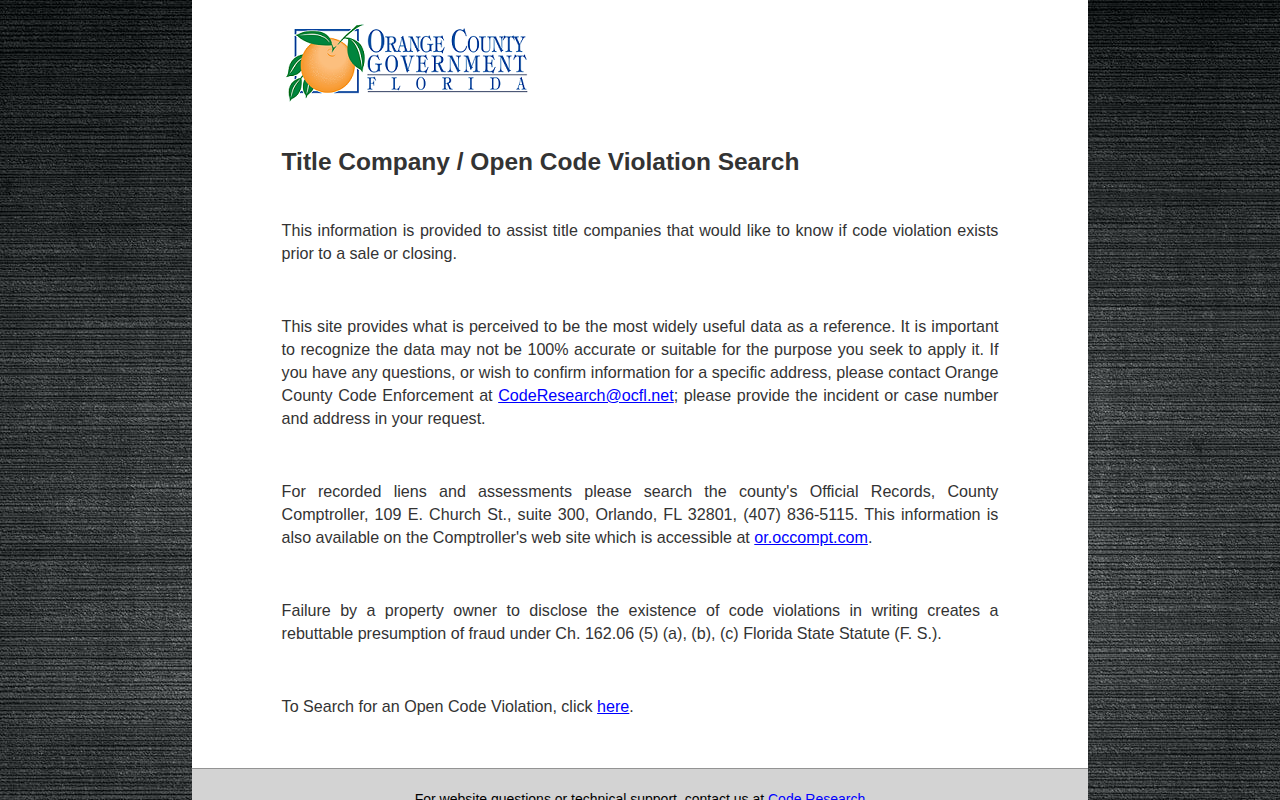
At the bottom, next to To Search for an Open Code Violation, click here. An Excel file downloads, named likeOpenActiveCodeEnforcementCases_11042026.xlsx. -
Open and filter the county file
Open the file in Excel. The headers are on row 5. Filter Violation Recorded Date for recent cases, and Incident Type for the types you want. We saw Zoning, Housing, Lot Cleaning and Junk Cars. -
Open the Orlando page
The county file and the city file are separate. For Orlando, go to the City of Orlando Code Enforcement Cases page.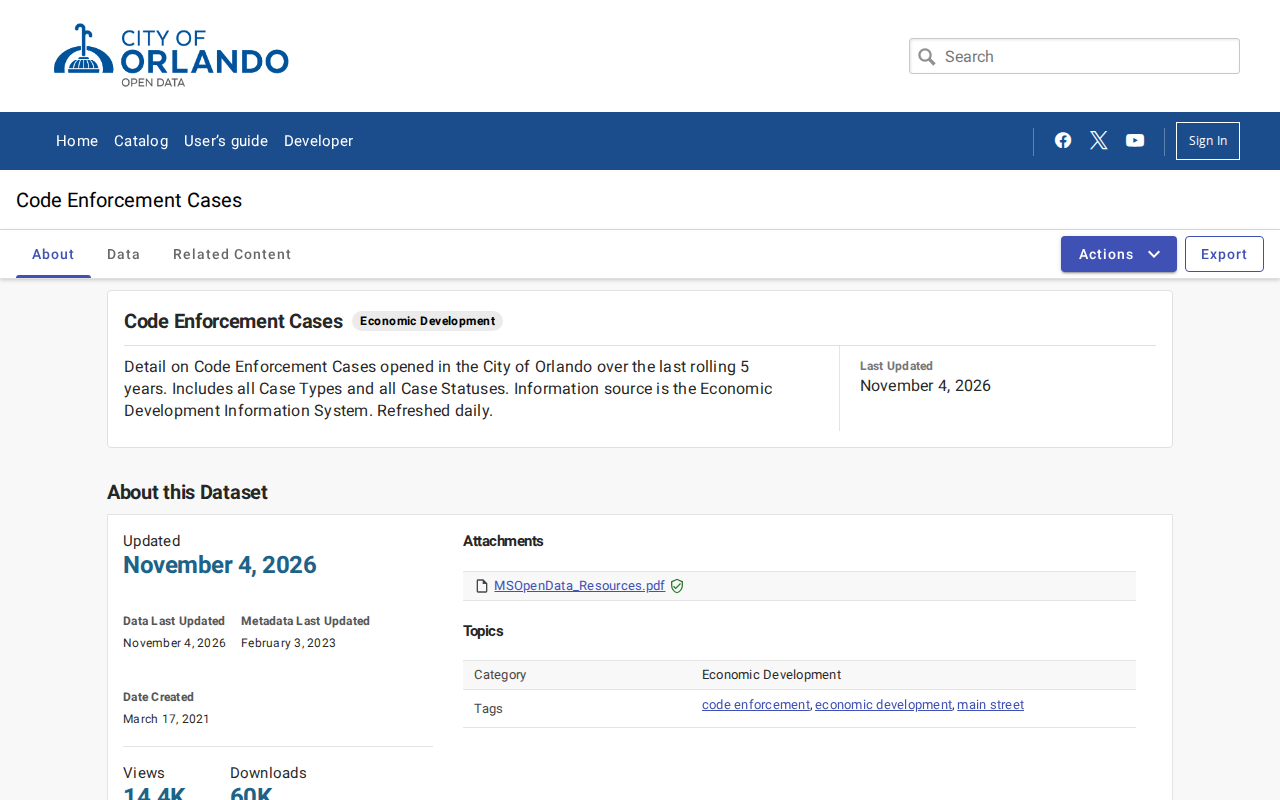 Enlarge
-
Export the Orlando file
Click Export at the top right. Leave Download file selected. Choose CSV, then click Download.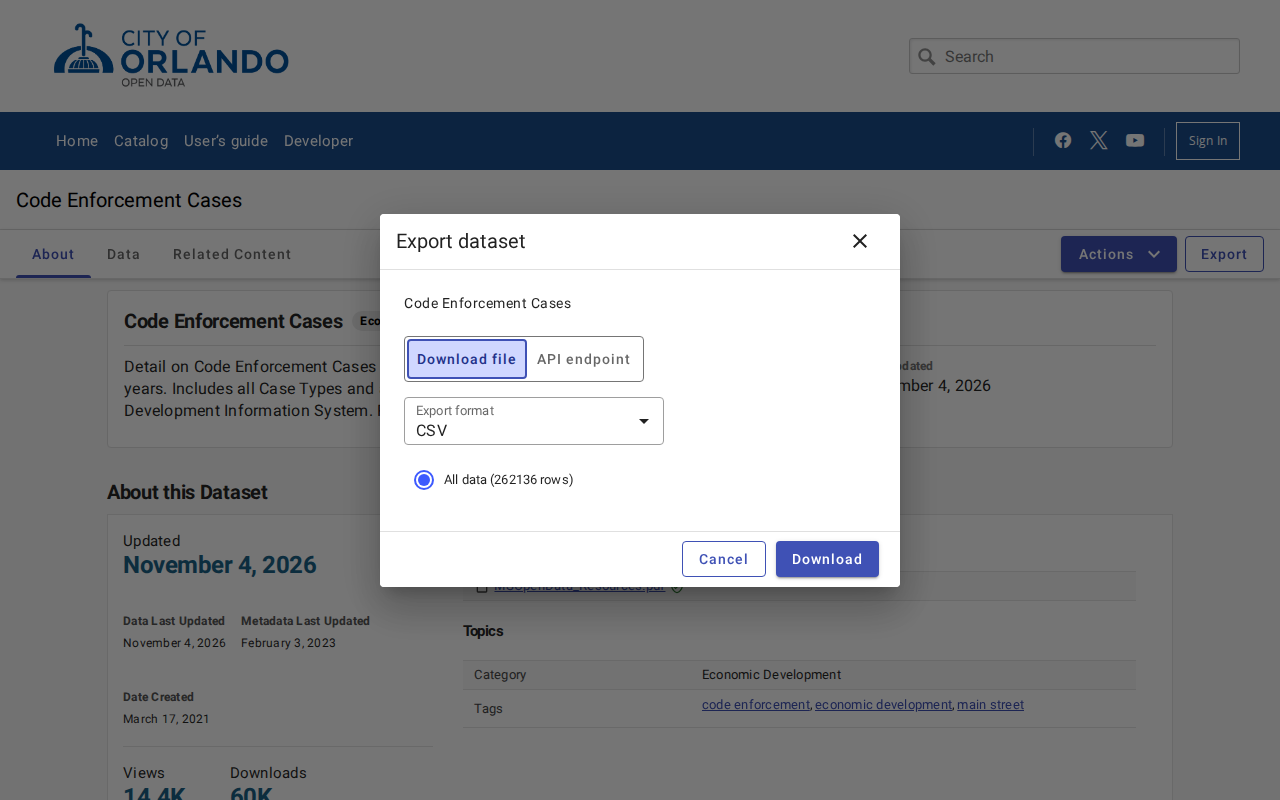 Enlarge
Tip: This file is large, more than 260,000 rows. Give it time to finish.
-
Filter the Orlando file
Open the CSV. Filter Case Status and Case Open Date to get recent open cases. Keep Case Number, Case Address, Parcel ID and Case Type. Add them to your sheet with the county rows.
Watch out for these
- The county file lists only open cases. The Orlando file has all case statuses from the last five years, so you must filter it.
- Neither file has an owner name column. Use the Parcel ID to look up the owner.
- The Orlando file also has ticket records, such as vehicle tickets. Filter Case Type if you only want property cases.
- The Orlando Case Comments column can contain names and phone numbers of other people. They may not be the owner. Do not use them as owner contacts.
Common questions
Do I need both files?
Other lists in Orange County
Code Violation in other Florida areas
More Florida guides
Code Violation in other states
See every guide
Do not want to do this by hand?
CountyPull pulls this list for you automatically.