How to Pull Foreclosure County Data for Pitt County, NC
A foreclosure list shows homes that a lender is taking back because the owner stopped paying the loan. To find foreclosure records for Pitt County, North Carolina (NC), use North Carolina Court Portal. No account is needed. It is free to use. You need a US VPN. You will see a CAPTCHA every time. You copy the records by hand.
Also known as: foreclosure notices, foreclosure sale list, foreclosure auctions.
What you need
Free, no account. You need a US VPN and must solve a CAPTCHA. There is no export button.
What it is
Court cases where a lender asks to sell a property because of unpaid debt. In North Carolina, many are filed as special proceedings with the Clerk of Superior Court.
Why it matters
The owner may want to sell before the sale happens. New cases can help you reach them early.
The fields you get
- Case number
- Style
- Status
- Location
- Party name
- Party type
Follow these 9 steps
-
Turn on a US VPN and open the court portal
Connect to a US VPN first. Then open the North Carolina court portal. You do not need an account. -
Solve the CAPTCHA
The site asks you to confirm you are human before it opens. Complete the check yourself. The Smart Search page then opens.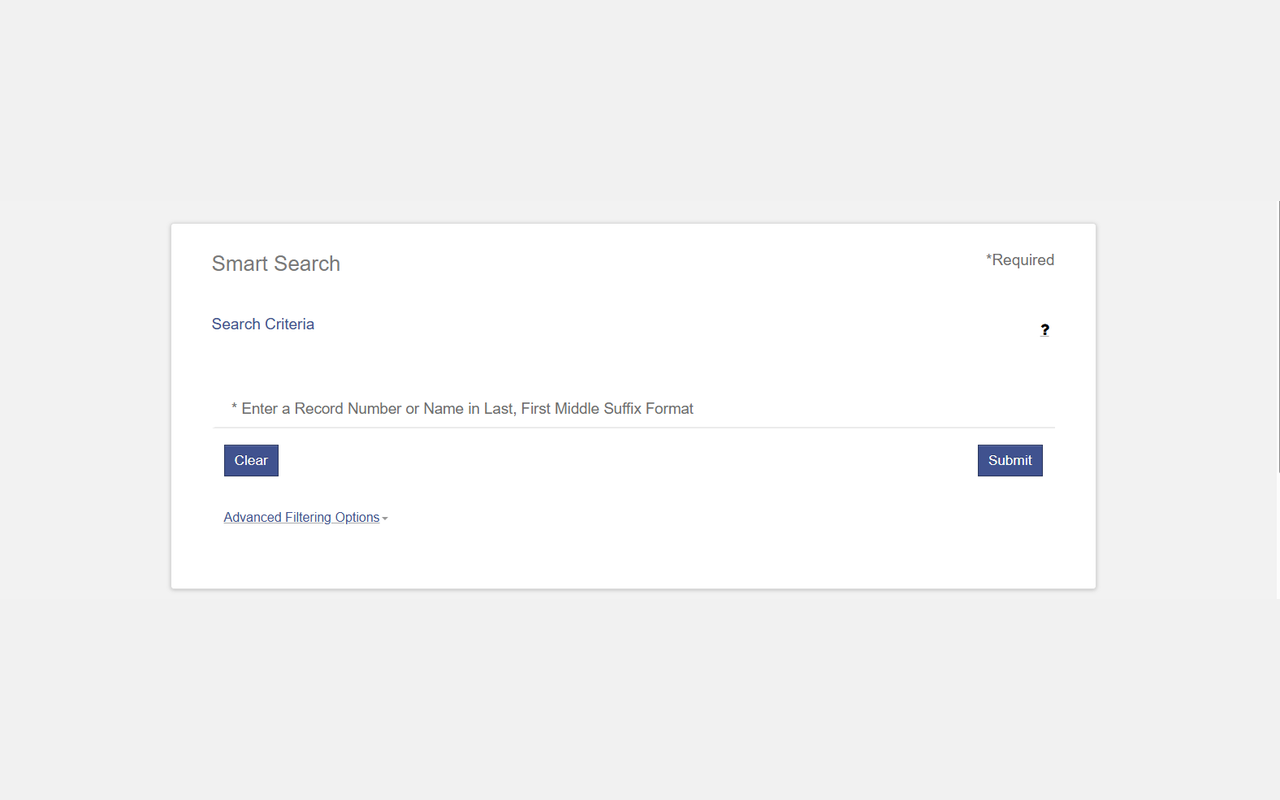 Enlarge
-
Open the filters and pick Pitt County
Click Advanced Filtering Options. Under Filter by Location, tick Pitt County only. The list is long, so scroll it or click Show More Locations.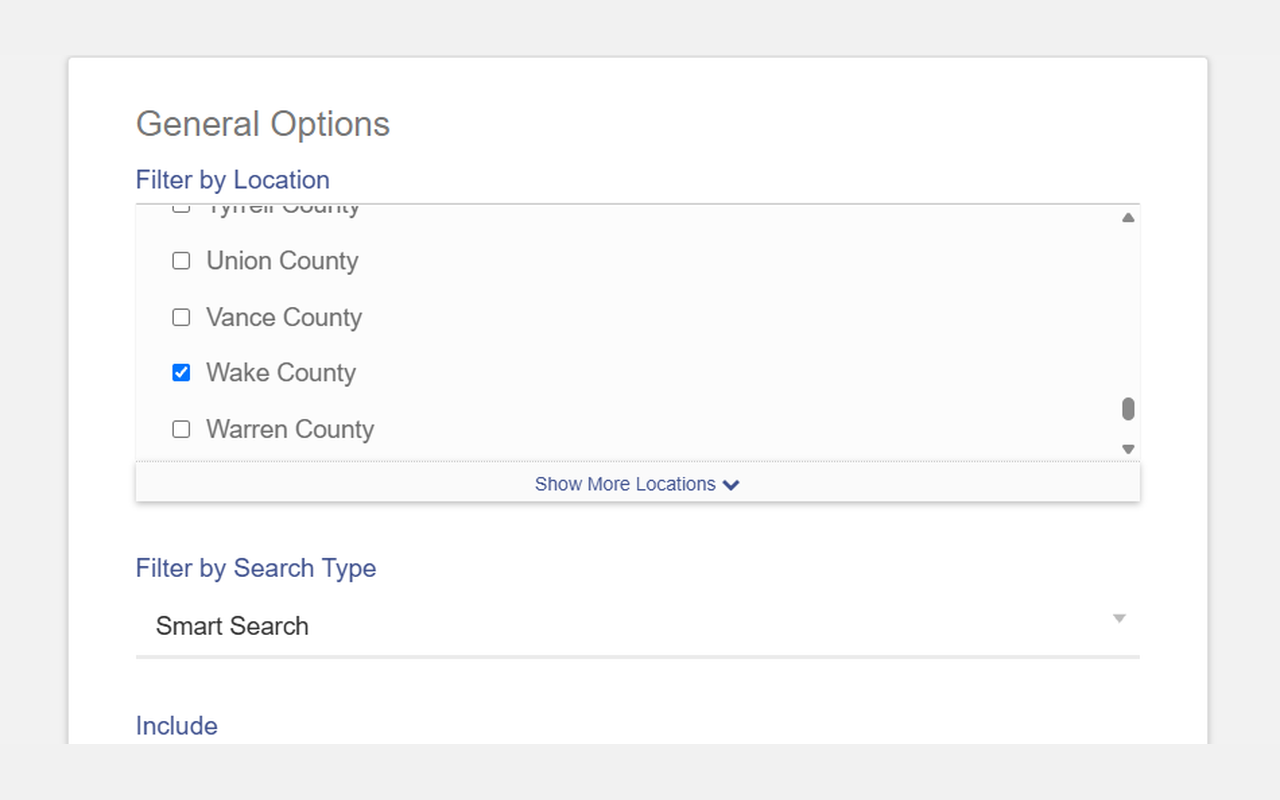 Enlarge
Tip: You must pick at least one location. If not, the site shows a red message.
-
Set the file dates
Scroll to Case Search Criteria. Fill in Filter by File Date Start and Filter by File Date End, for example 10/01/2026 and 10/31/2026.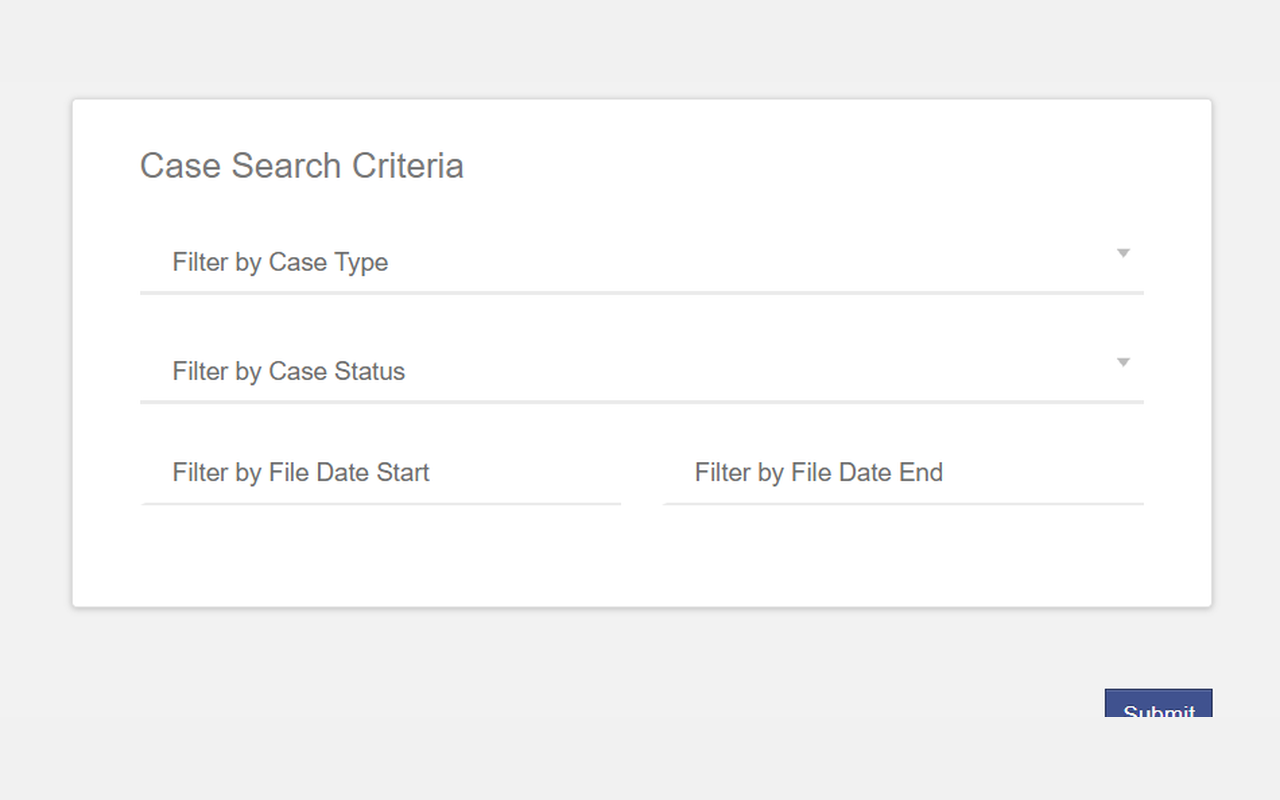 Enlarge
-
Search for special proceedings
Type26SP00****in the search box, then click Submit.Tip: A trade secret. You do not need a name. The stars match any number, so this one search finds all special proceedings in your dates. 26 means the year 2026, so change it for another year. -
Read the results
The table shows Case Number, Style / Defendant, Status, Location, Party Name and Party Type. Keep the rows where the style starts with FORECLOSURE.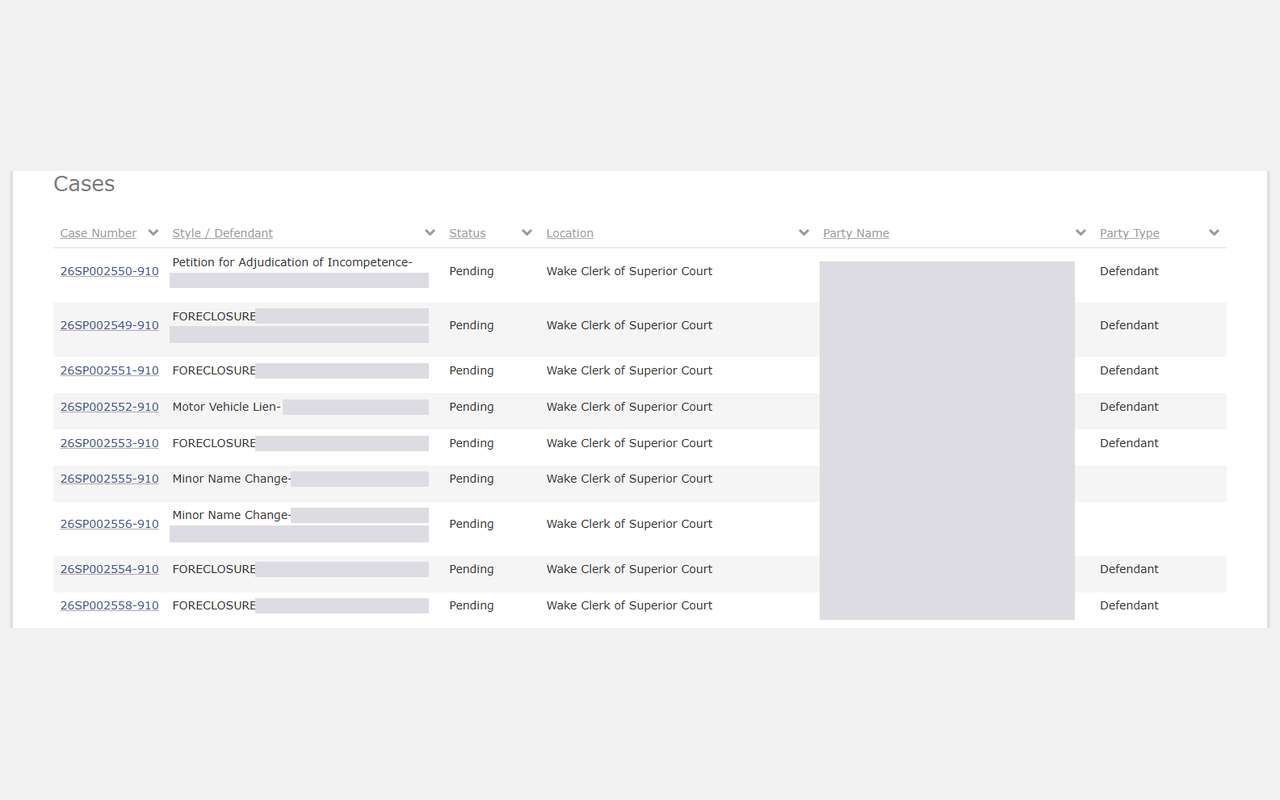 Enlarge
-
See more on each page
At the bottom, the items per page box starts at 10. Change it to see more rows. The count on the right shows your total.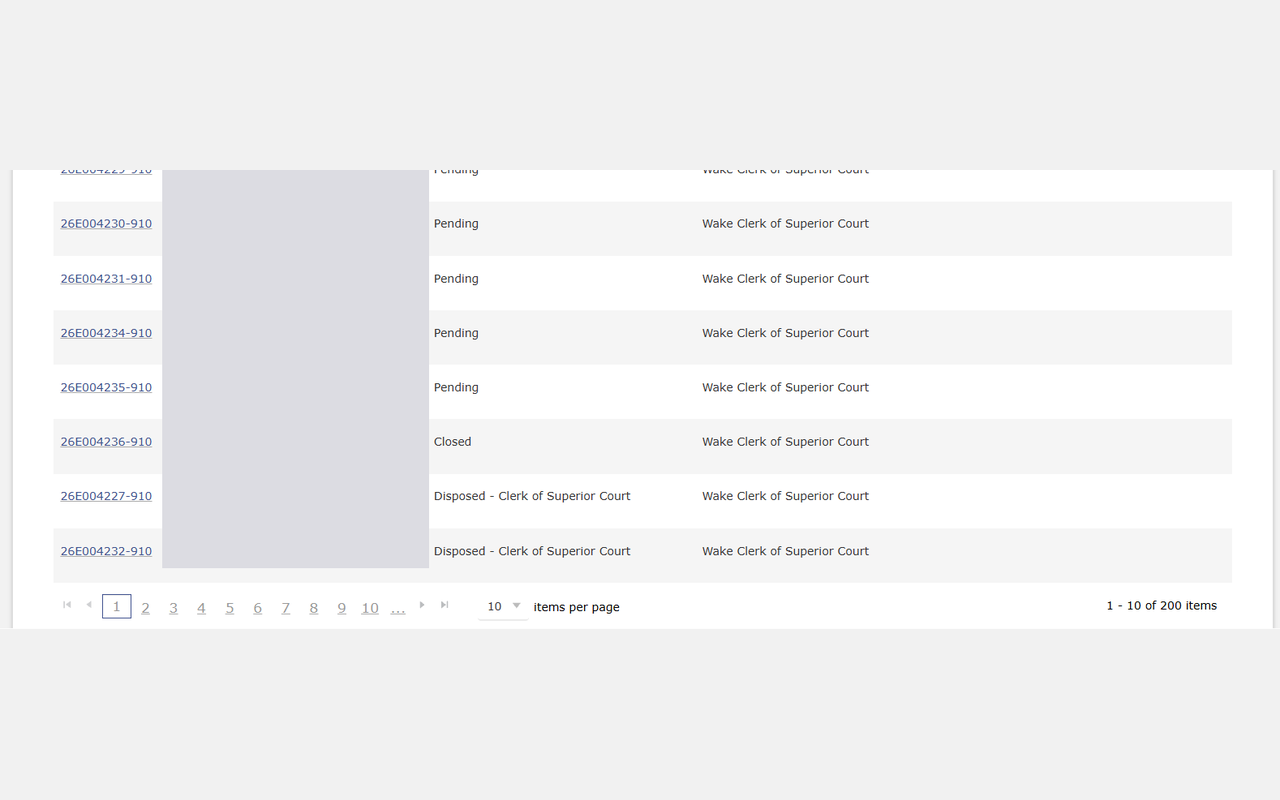 Enlarge
Tip: Each search stops at 200 results. If the count says 200, you are missing records. Search again with shorter dates.
-
Open a case
Click a Case Number. The case page has Case Information, Party Information and Case Events. The PDF icons under Case Events open the filed documents.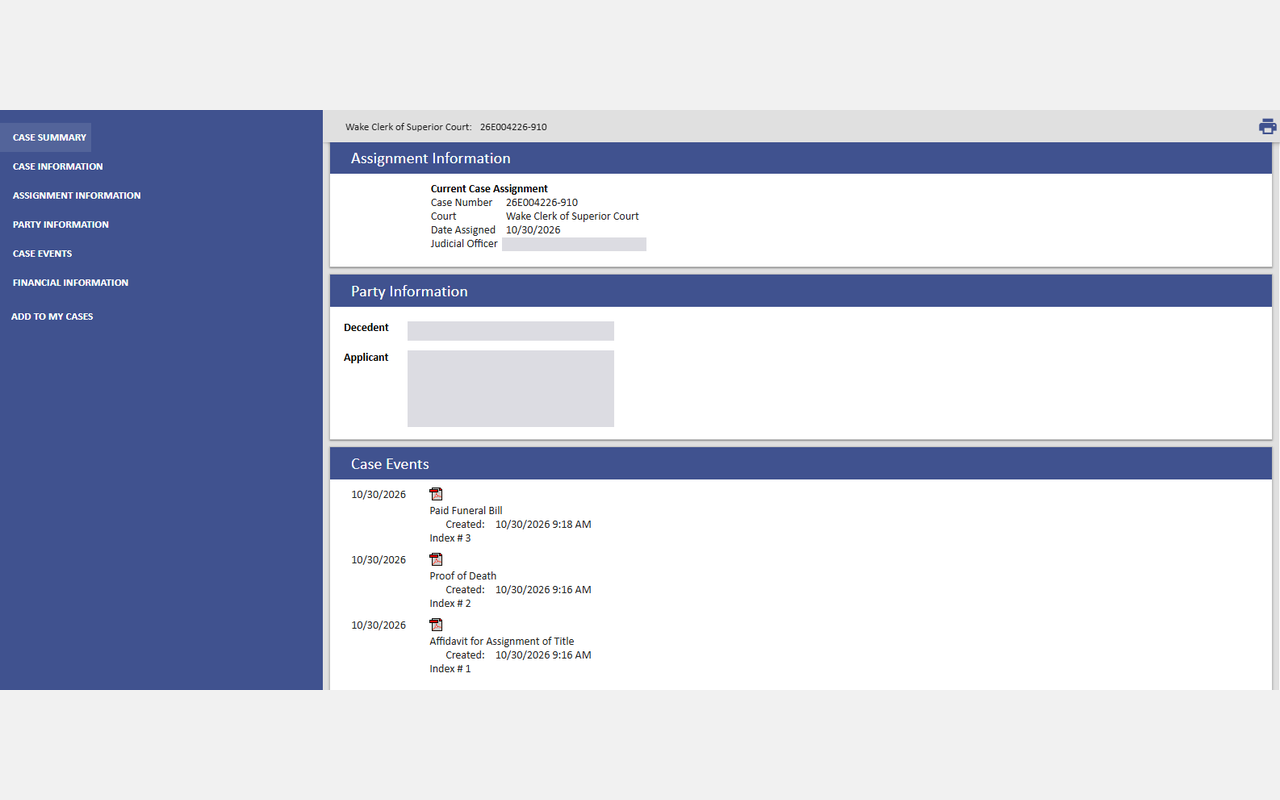 Enlarge
Tip: Names and addresses are hidden in our pictures. You will see them on the site.
-
Save the records
There is no export button. Copy what you need into your spreadsheet, row by row.
Watch out for these
- This search returns all special proceedings, not only foreclosures. We also saw competency, motor vehicle lien and minor name change cases. Remove them.
- Party Name can be blank on a foreclosure row. Read the Style column too.
- The results table has no address column.
- We walked Wake County by hand and did not open a foreclosure case page. Check what it shows before you plan your list.
Common questions
Why does my search stop at 200?
Can I download the list?
Other lists in Pitt County
Foreclosure in other North Carolina areas
More North Carolina guides
Foreclosure in other states
See every guide
Do not want to do this by hand?
CountyPull pulls this list for you automatically.