How to Pull Foreclosure County Data for Collin County, TX
A foreclosure list shows homes that a lender is taking back because the owner stopped paying the loan. To find foreclosure records for Collin County, Texas (TX), use Collin County Foreclosure Notices. No account is needed. It is free to use. You need a US VPN. You can download a PDF.
Also known as: foreclosure notices, foreclosure sale list, foreclosure auctions.
What you need
This site may not open from outside the US. Each notice has a Download PDF button. The list itself has no export.
What it is
Notices of foreclosure sale posted by the Collin County Clerk on a separate site, with a property record beside each notice.
Why it matters
You get the sale date, the owner, the mailing address and the appraised value on one page. That saves a trip to the appraisal district.
The fields you get
- Property address
- City
- Sale date
- File date
- Property type
- Legal description
- Deed date
- Year built
- Owner name
- Owner mailing address
- Appraised value
- Notice PDF
Follow these 6 steps
-
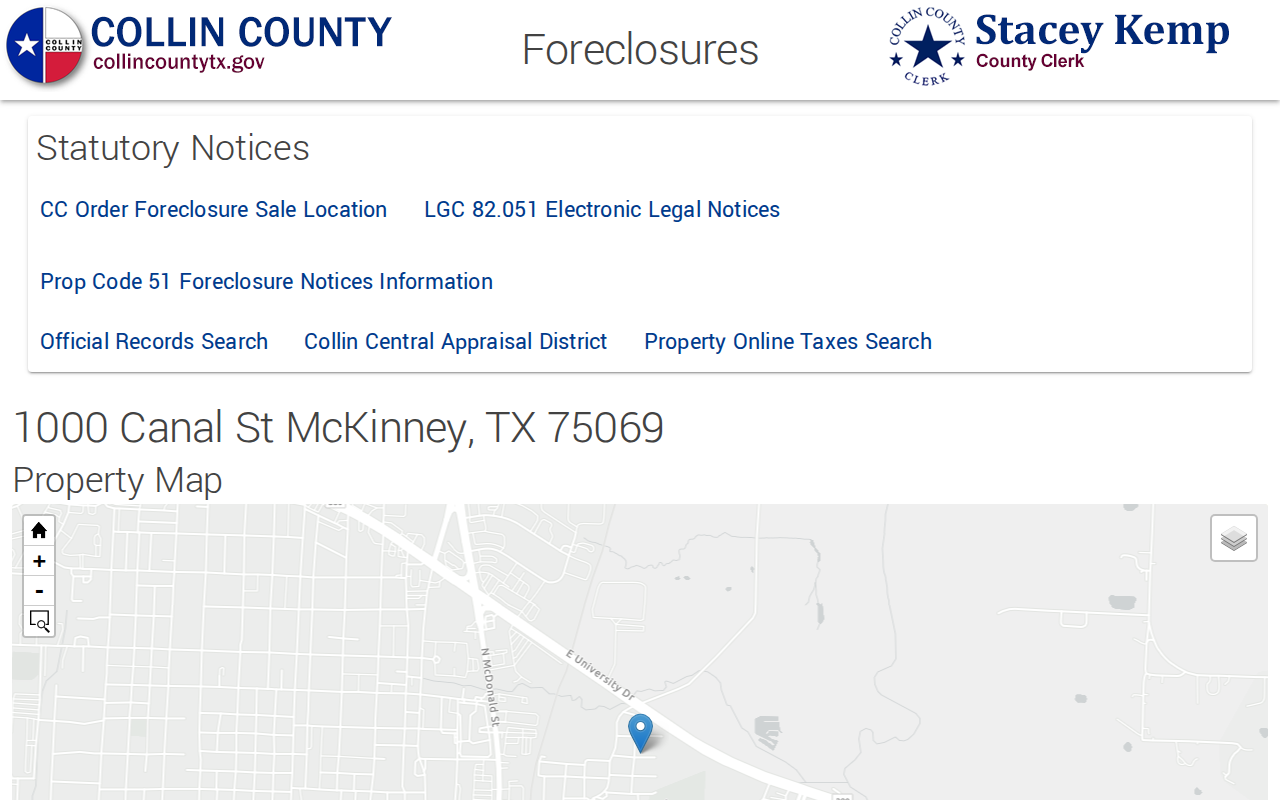
Open the Collin County foreclosure site
Open the link. Wait for the map and the list to load. Scroll down to see the notices.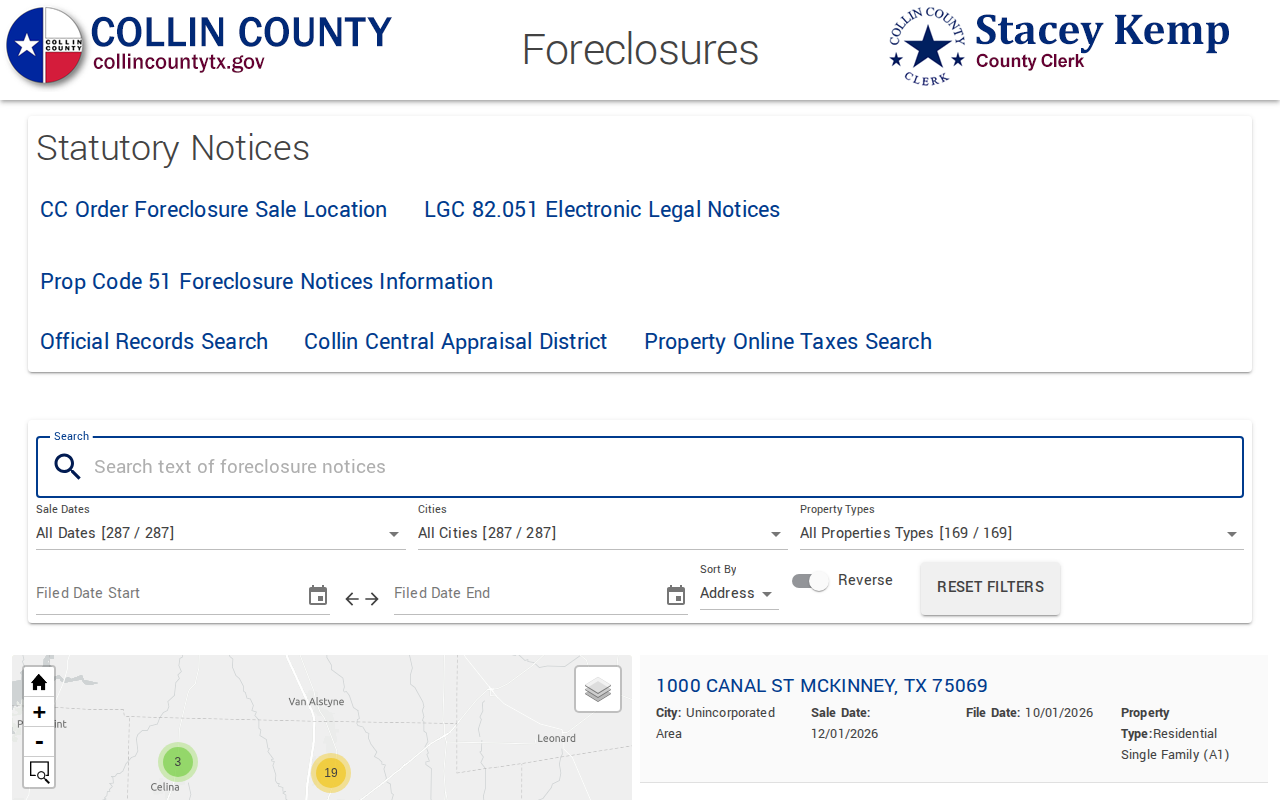 Enlarge
-
Choose a sale date
Click the Sale Dates box. Pick one date, for example 12/01/2026. The number beside each date is the notice count.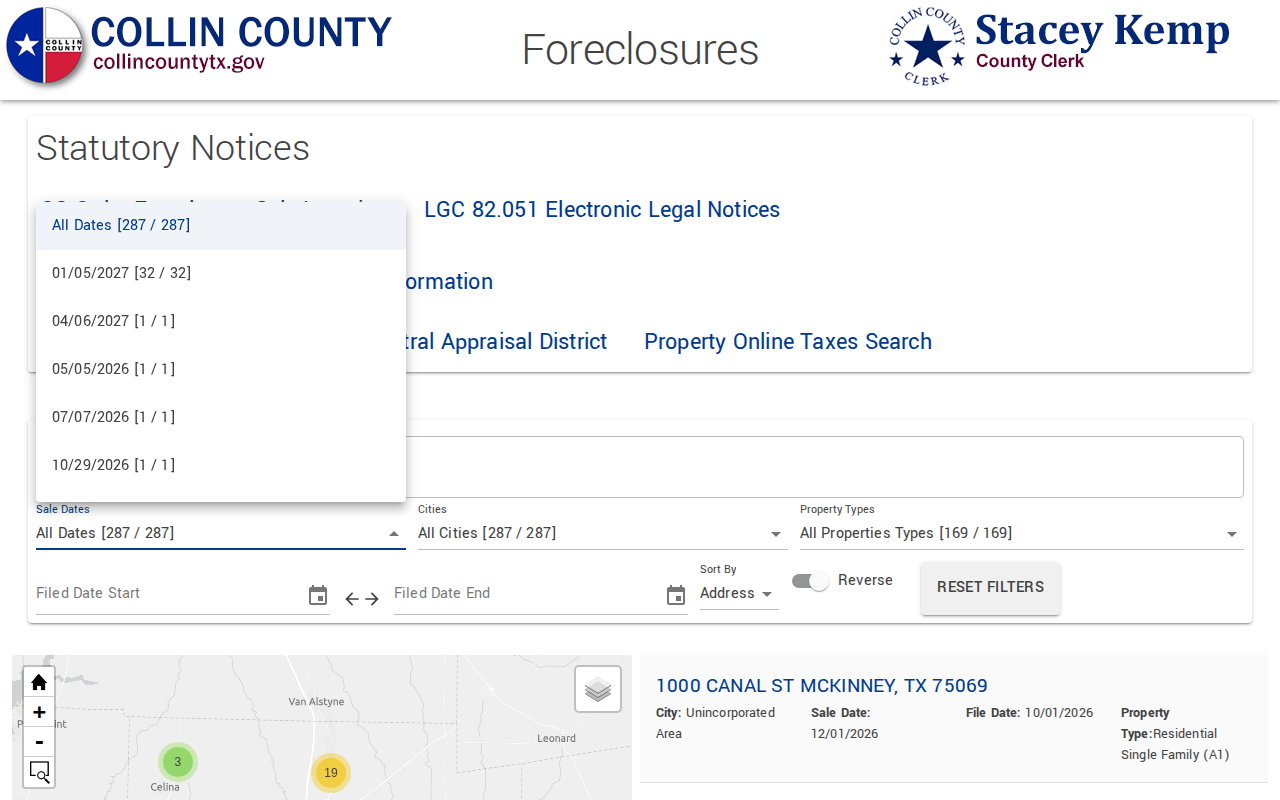 Enlarge
-
Read the list
Click outside the menu. The list now shows only that sale date. Each row shows the address, city, sale date, file date and property type.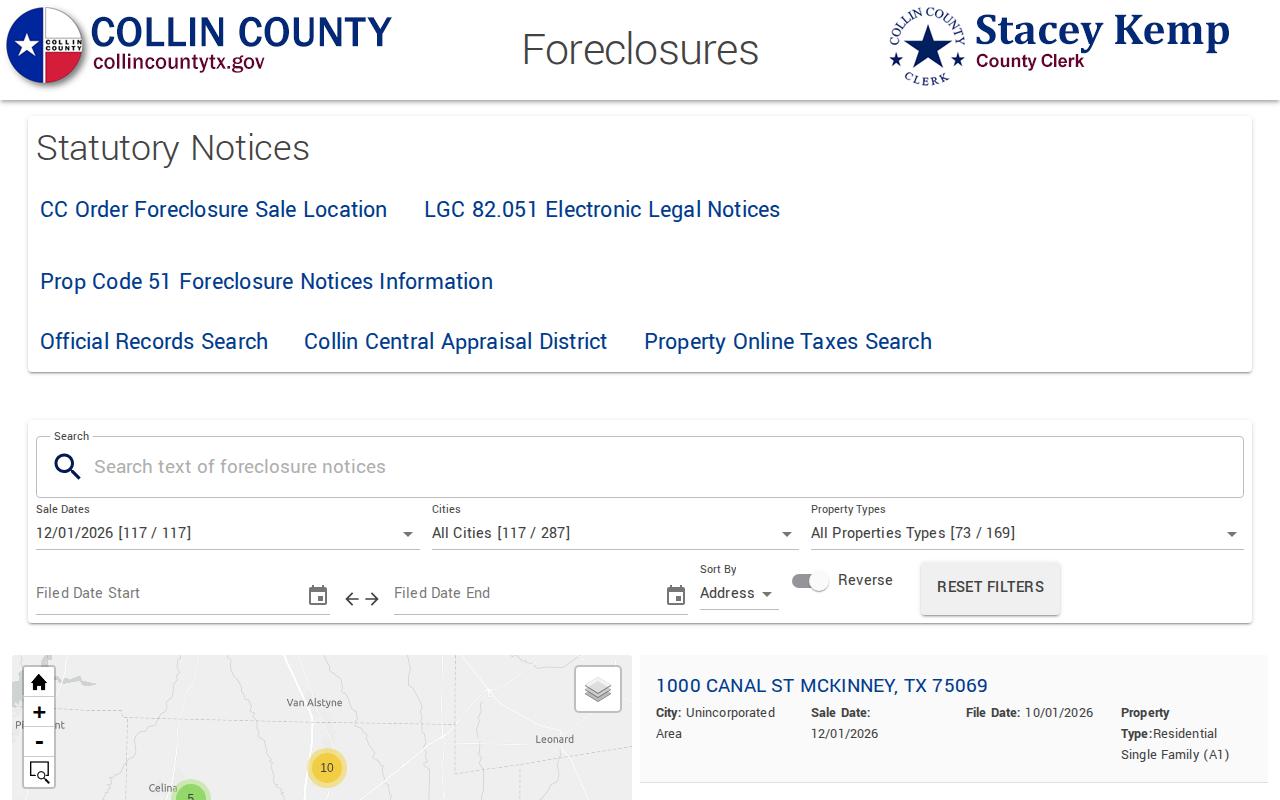 Enlarge
-
Copy the owner details
Scroll to Owner Information. Copy the name and the mailing address. Copy the appraised value from Tax Information.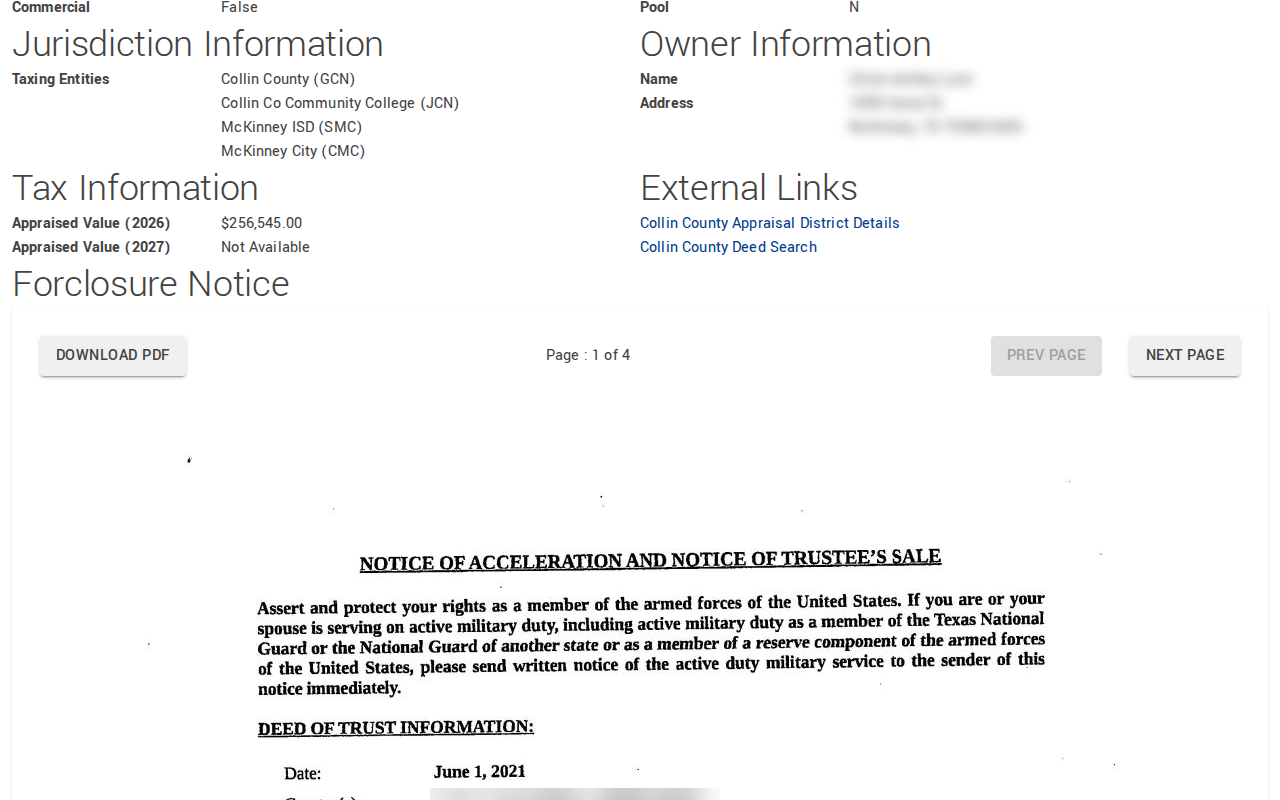 Enlarge
-
Save the notice
Scroll to Forclosure Notice. Use NEXT PAGE to read it. Click DOWNLOAD PDF to save it, then paste your record into your spreadsheet.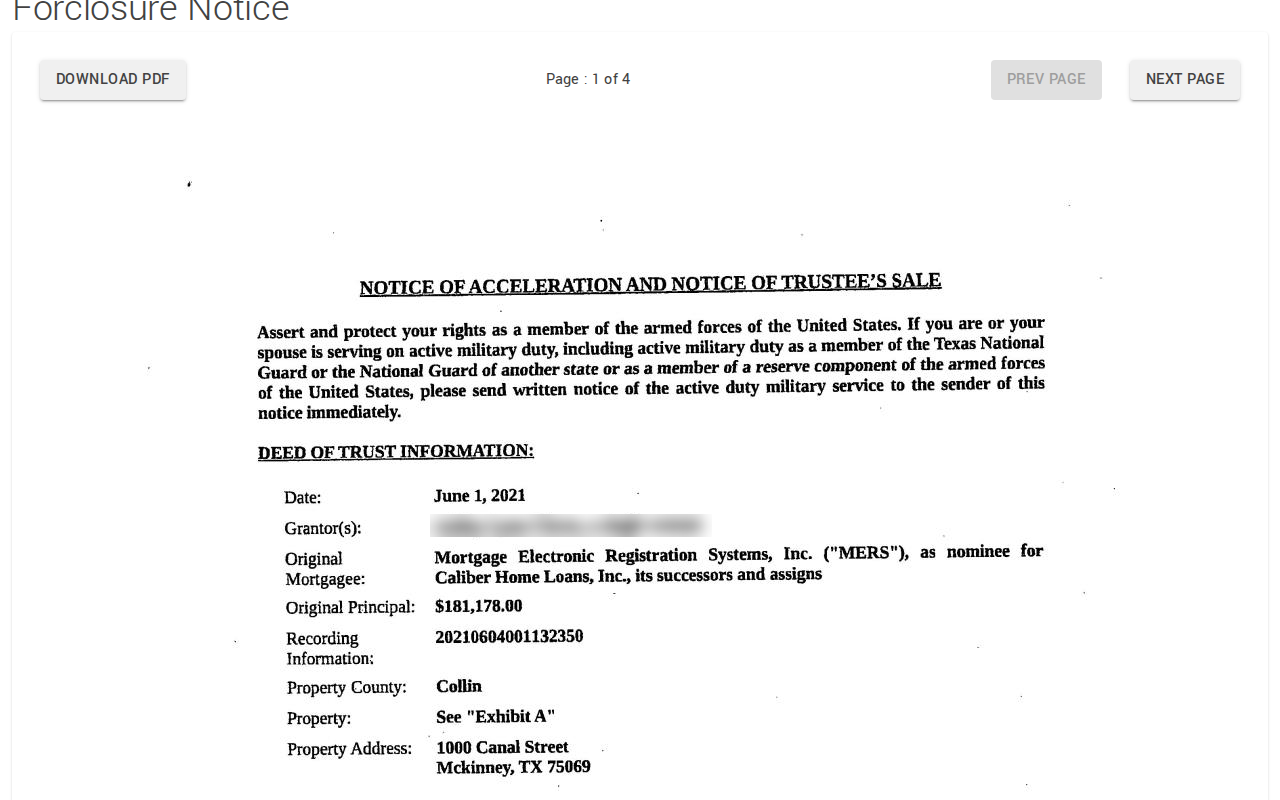 Enlarge
Tips for after you pull
- Use the Collin County Appraisal District Details link on the notice page to check the property.
Watch out for these
- The list shows past sale dates too. Choose a future date.
- Each address opens in a new tab. Close it to return to your filtered list.
- The owner on the page comes from the property record. The borrower in the notice can be a different person, so read both.
Common questions
Can I export the whole list?
Why is Collin not on the normal clerk records site?
Other lists in Collin County
We only have this list for Collin County so far. See all Texas guides.
Foreclosure in other Texas areas
More Texas guides
Foreclosure in other states
See every guide
Do not want to do this by hand?
CountyPull pulls this list for you automatically.