How to Pull Foreclosure County Data for Hamilton County, TN
A foreclosure list shows homes that a lender is taking back because the owner stopped paying the loan. To find foreclosure records for Hamilton County, Tennessee (TN), use Hamilton County Herald. No account is needed. It is free to use. No VPN is needed. You copy the records by hand.
Also known as: foreclosure notices, foreclosure sale list, foreclosure auctions.
What you need
What it is
Trustee sale notices printed in the Hamilton County Herald. Each one says a home is set to be sold because the loan is in default.
Why it matters
You get the owner name, the property address and the auction date before the sale. That gives you time to contact the owner.
The fields you get
- Borrower
- Property address
- Advertised auction date
- Date of first public notice
- Attorney
- Substitute trustee
- Trust date
The issues listed on the page were dated on Fridays.
Follow these 5 steps
-
Open the Public Notices page
Go to hamiltoncountyherald.com/PublicNotices.aspx. You do not need an account. The page opens on the latest issue.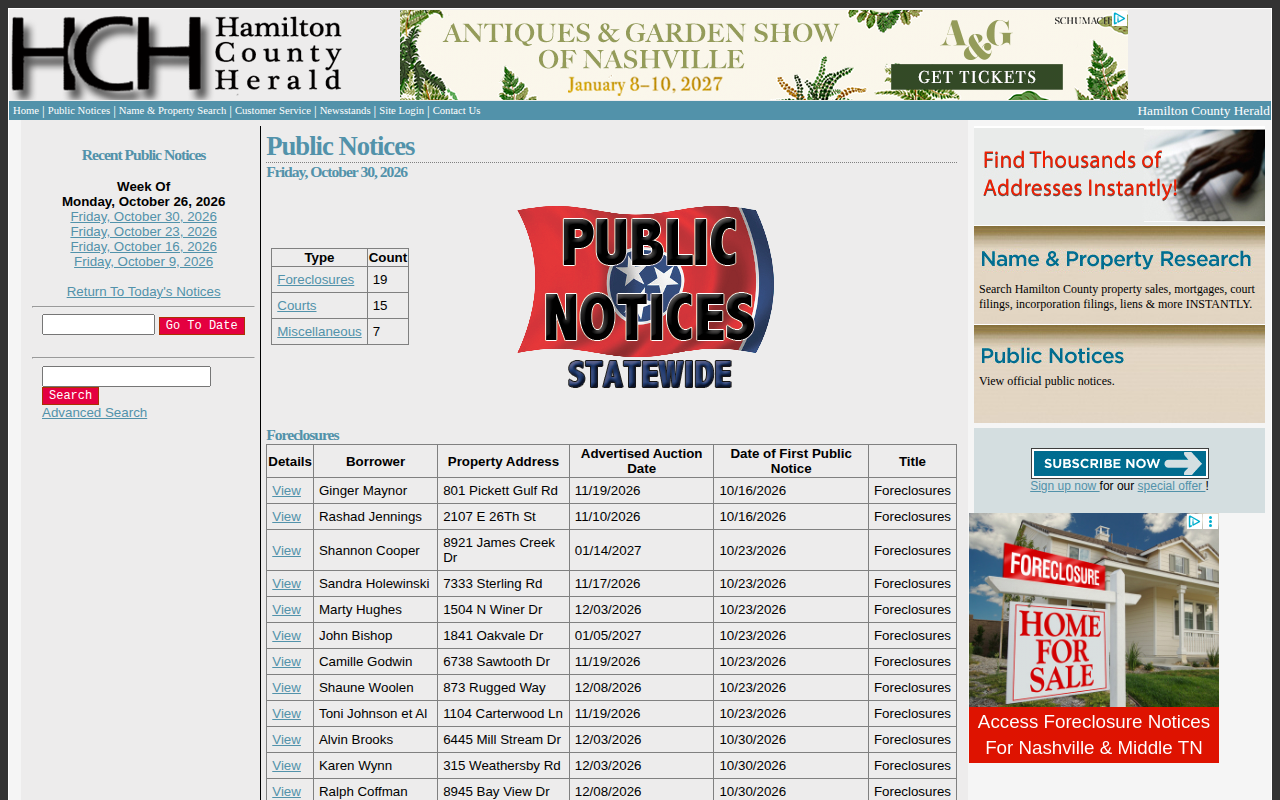 Enlarge
-
Pick the issue date
On the left, under Recent Public Notices, click a Friday date to see that issue.Tip: Start with the newest date, then work back one week at a time. -
Find the Foreclosures table
In the small Type / Count box, click Foreclosures. The table shows borrower, property address, auction date and first notice date.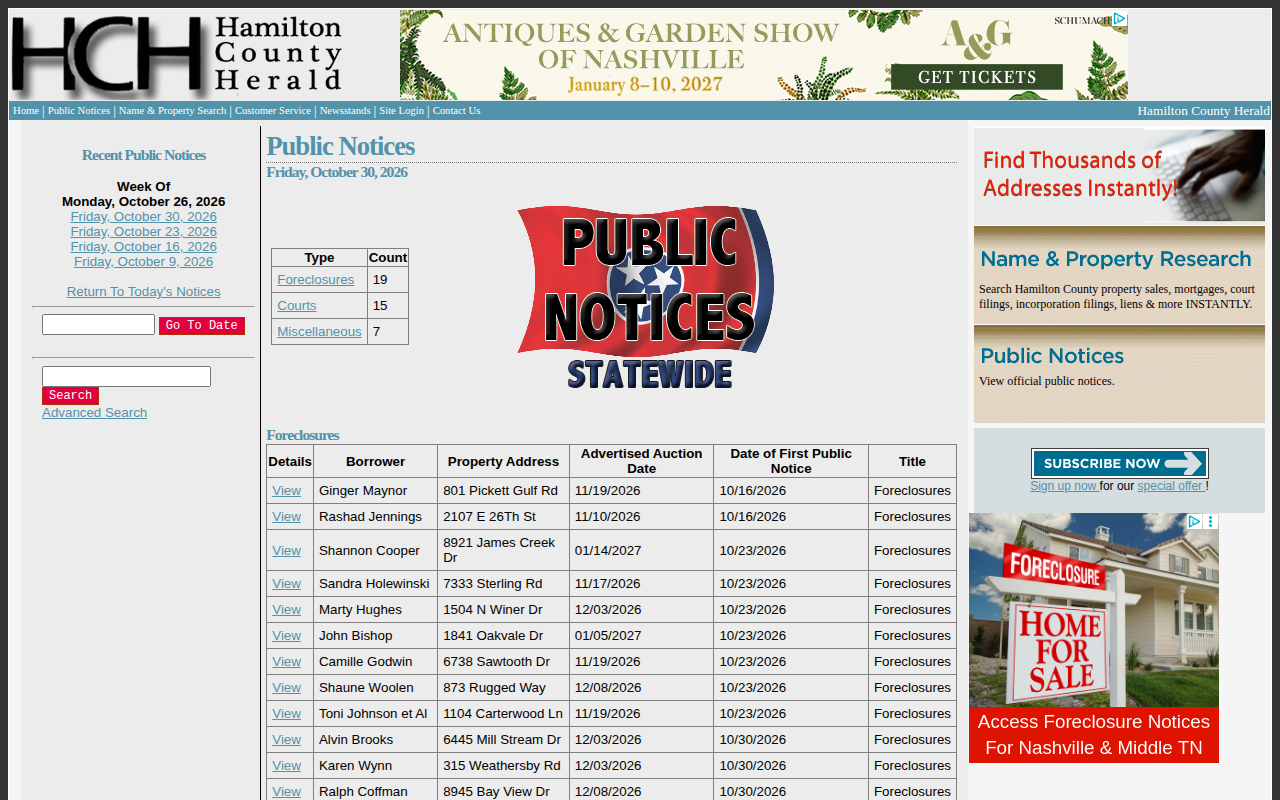 Enlarge
-
Copy the table
Select the rows with your mouse and paste them into your spreadsheet. -
Open a notice for more detail
Click View on a row. A new window shows the city and ZIP, the attorney and the full notice text. Copy what you need.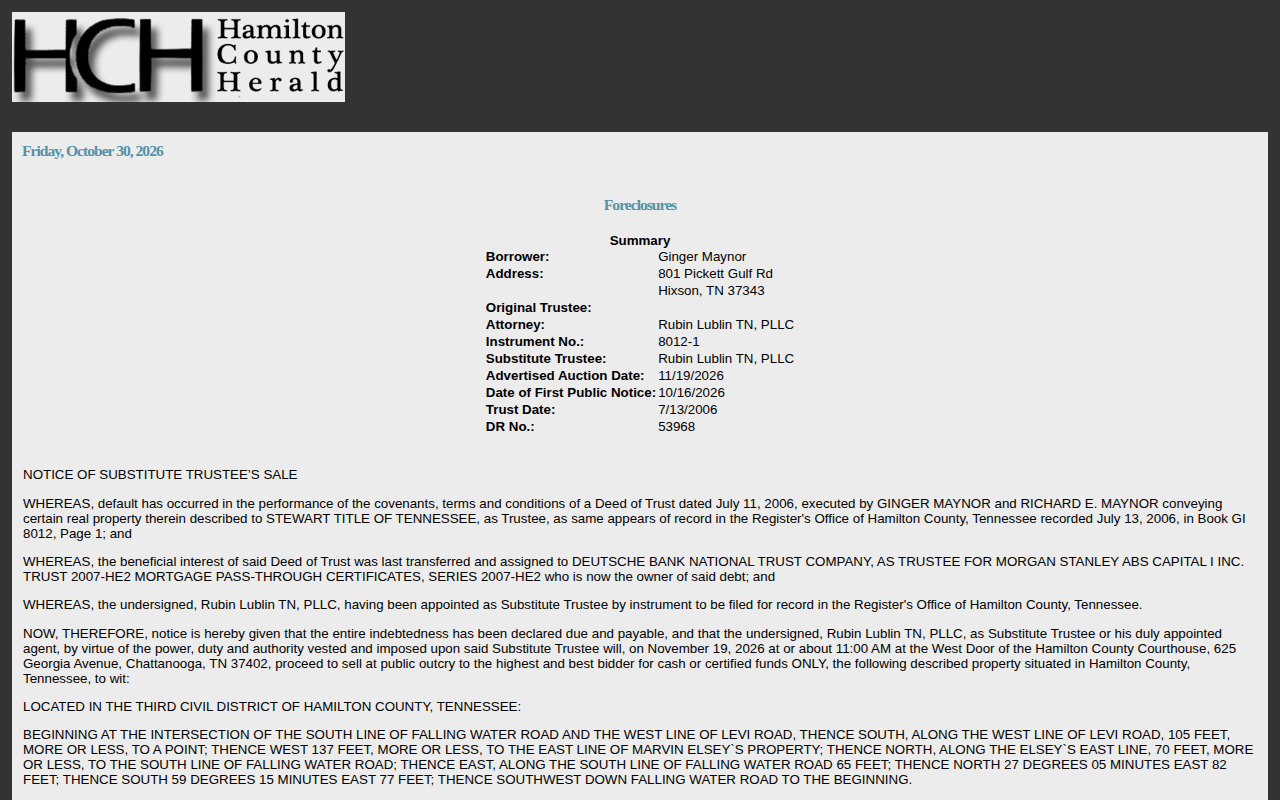 Enlarge
Tips for after you pull
- Add city and ZIP from the View window, because the table shows only the street.
Watch out for these
- The table shows street only. City and ZIP are in the View window.
- The same notice can appear in more than one weekly issue. Check the first notice date and remove repeats.
Common questions
Do I need to pay for the notices?
Other lists in Hamilton County
We only have this list for Hamilton County so far. See all Tennessee guides.
Foreclosure in other Tennessee areas
Foreclosure in other states
See every guide
Do not want to do this by hand?
CountyPull pulls this list for you automatically.