How to Pull Code Violation County Data for Wayne County, MI
A code violation list shows cases a city opens when a property breaks local building or safety rules. To find code violation records for Wayne County, Michigan (MI), use Detroit Open Data Portal. No account is needed. It is free to use. No VPN is needed. You can download a CSV file.
Also known as: code enforcement, code enforcement cases, building code violations.
What you need
What it is
Blight tickets the City of Detroit gave to owners who did not keep up the outside of their property. This covers Detroit only, not all of Wayne County.
Why it matters
An open code case can mean a neglected or vacant house, and an owner who may want out. Fines and repair orders add pressure to sell.
The fields you get
- Ticket Number
- Address
- Ordinance Description
- Ticket Issued Date
- Fine Amount
- Balance Due
- Payment Status
- Property Owner Name
- Property Owner Address
- Zip Code
- Parcel ID
The page showed data updated November 4, 2026.
Follow these 6 steps
-
Open the Blight Tickets table
Go to Detroit Open Data Portal. The table opens on the right. It shows 912,351 rows.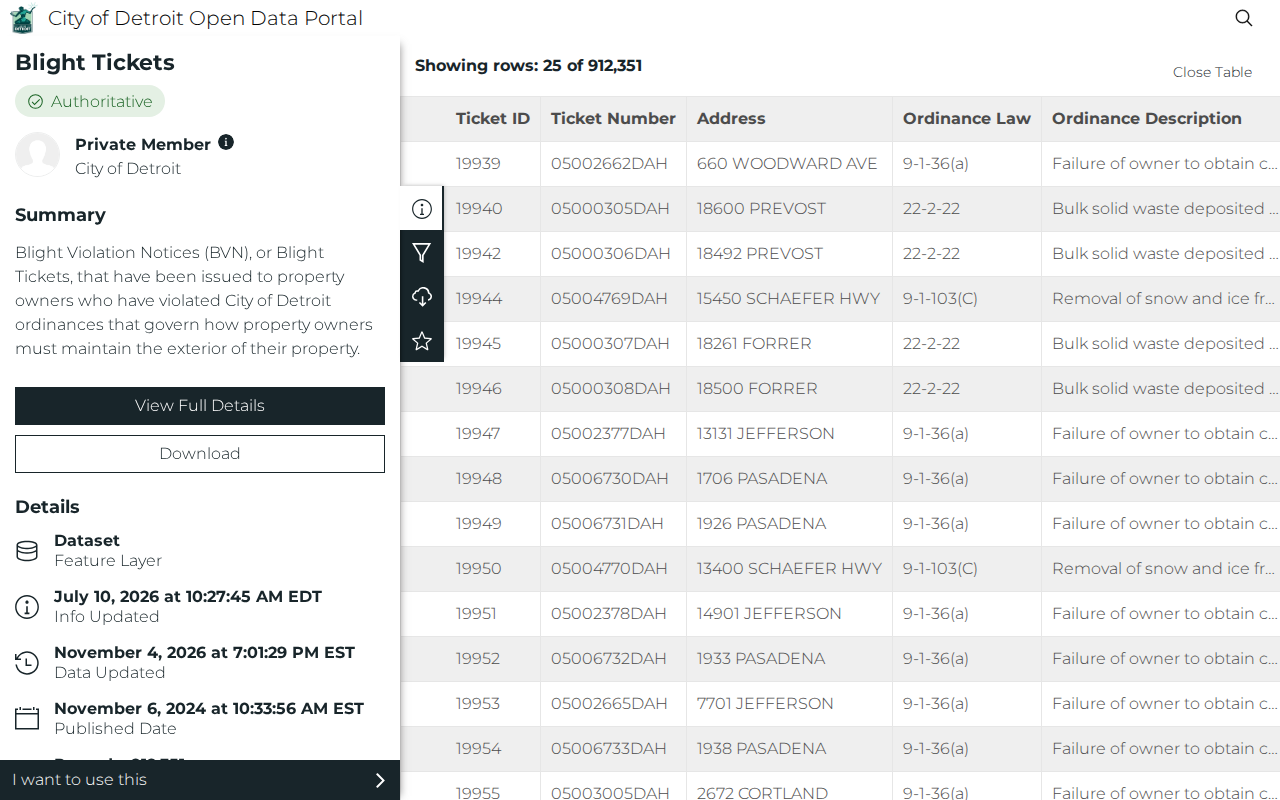 Enlarge
-
Filter to tickets with no payment
Click the funnel icon. In the list, tick Payment Status. Wait for the values to load. Tick NO PAYMENT APPLIED. The count drops to about 365,076. -
Pick one ZIP code
In the same list, tick Zip Code. Tick one ZIP. With 48228 we got 33,377 rows. Use Search more values to find another ZIP.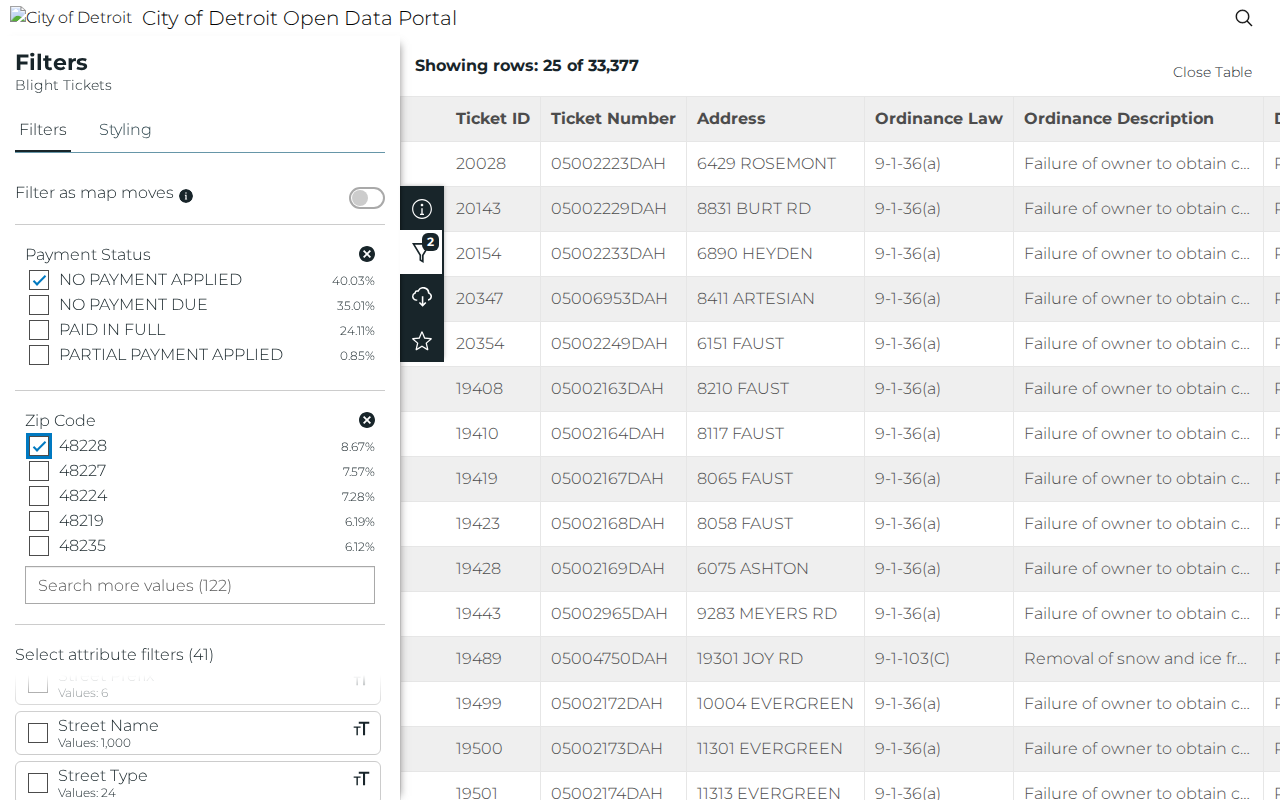 Enlarge
-
Keep your filter for the download
Click the download icon (cloud with an arrow). Turn on Toggle Filters. The record count must now say (Filtered).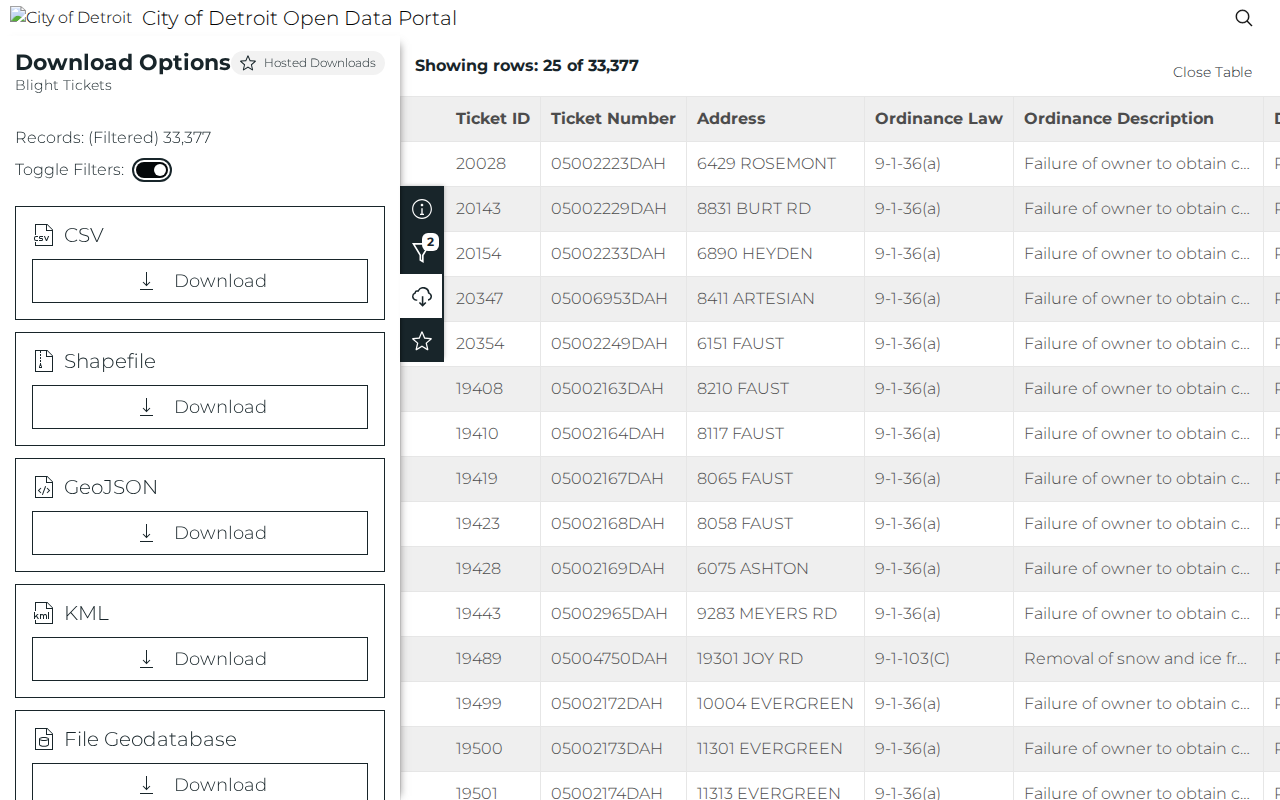 Enlarge
-
Download the CSV
Under CSV, click Download. Save the file and open it in Excel or Google Sheets. -
Clean up the sheet
Keep rows where Balance Due is more than 0. Sort Ticket Issued Date newest first. You now have the list.
Watch out for these
- Do not download the whole table. It stopped at 47% Processing after 2 minutes. Payment Status alone also did not finish in over 3 minutes. Add a ZIP.
- Ticket Issued Date is not in the table on screen. It is in the file, so sort it there.
- If Toggle Filters is off, you get the whole table, not your filtered rows.
- The ticket owner can be old. Check the owner on the property site before you call.
Common questions
Is this list free?
Does the file show the owner?
Other lists in Wayne County
We only have this list for Wayne County so far. See all Michigan guides.
More Michigan guides
Code Violation in other states
See every guide
Do not want to do this by hand?
CountyPull pulls this list for you automatically.