How to Pull Foreclosure County Data for Lee County, FL
A foreclosure list shows homes that a lender is taking back because the owner stopped paying the loan. To find foreclosure records for Lee County, Florida (FL), use RealForeclose. No account is needed. It is free to use. We have not tested whether a VPN is needed. You copy the records by hand.
Also known as: foreclosure notices, foreclosure sale list, foreclosure auctions.
What you need
You do not need an account to read the sale lists. Leave the User Name and Password boxes empty.
What it is
Homes set for a court-ordered foreclosure sale. The county clerk runs the sale online, and each sale day has its own list.
Why it matters
These owners are close to losing the property, and the sale date gives a clear deadline. The list also shows the judgment amount and the assessed value, so you can spot possible equity fast.
The fields you get
- Sale date and time
- Case number
- Final judgment amount
- Parcel ID
- Property address
- Assessed value
- Plaintiff max bid
When checked, calendars showed sale days about three months ahead. Items can be canceled before the sale day.
Follow these 7 steps
-
Open the Lee County auction site
Go to the Lee County link on this page. You will see the home page with three big buttons. You do not need to log in.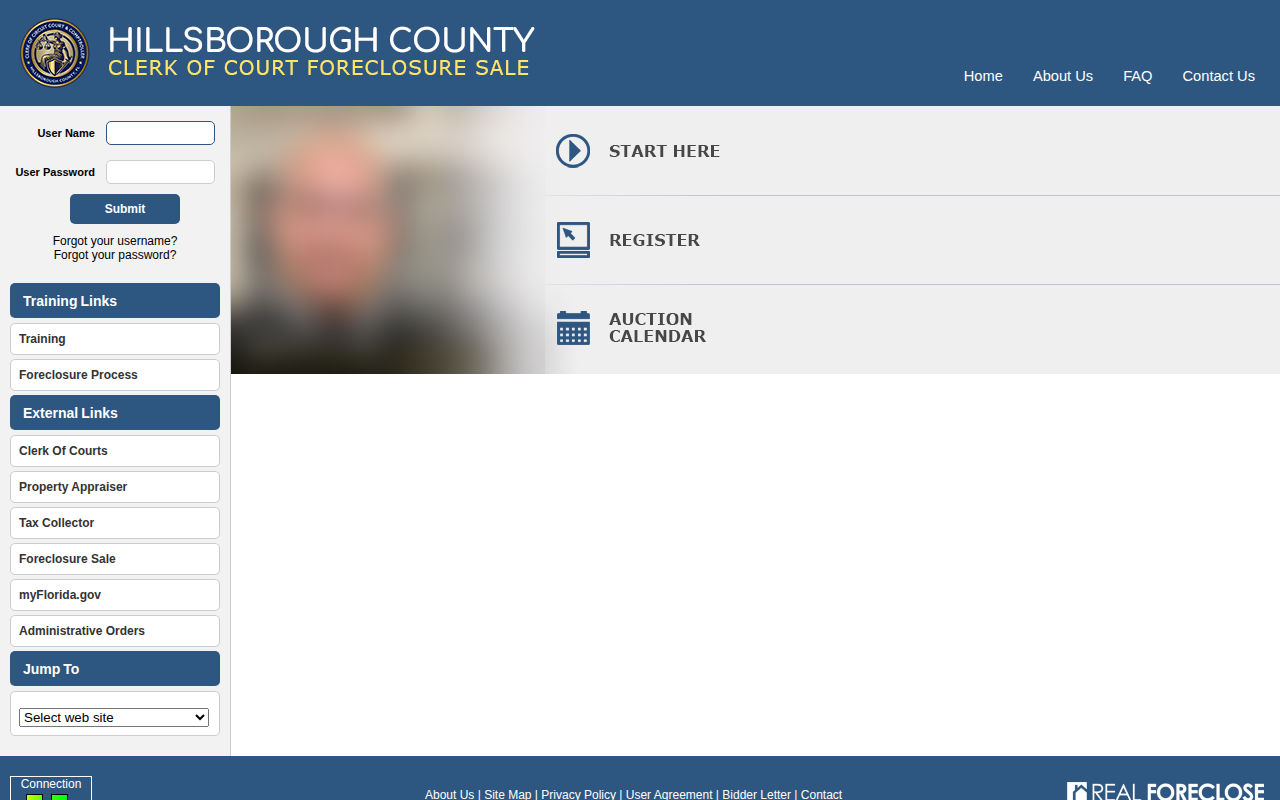 Enlarge
-
Open the calendar
Click Auction Calendar. This shows the current month. Days with a sale are colored and say Foreclosure. Use the next month link at the top right to see later months.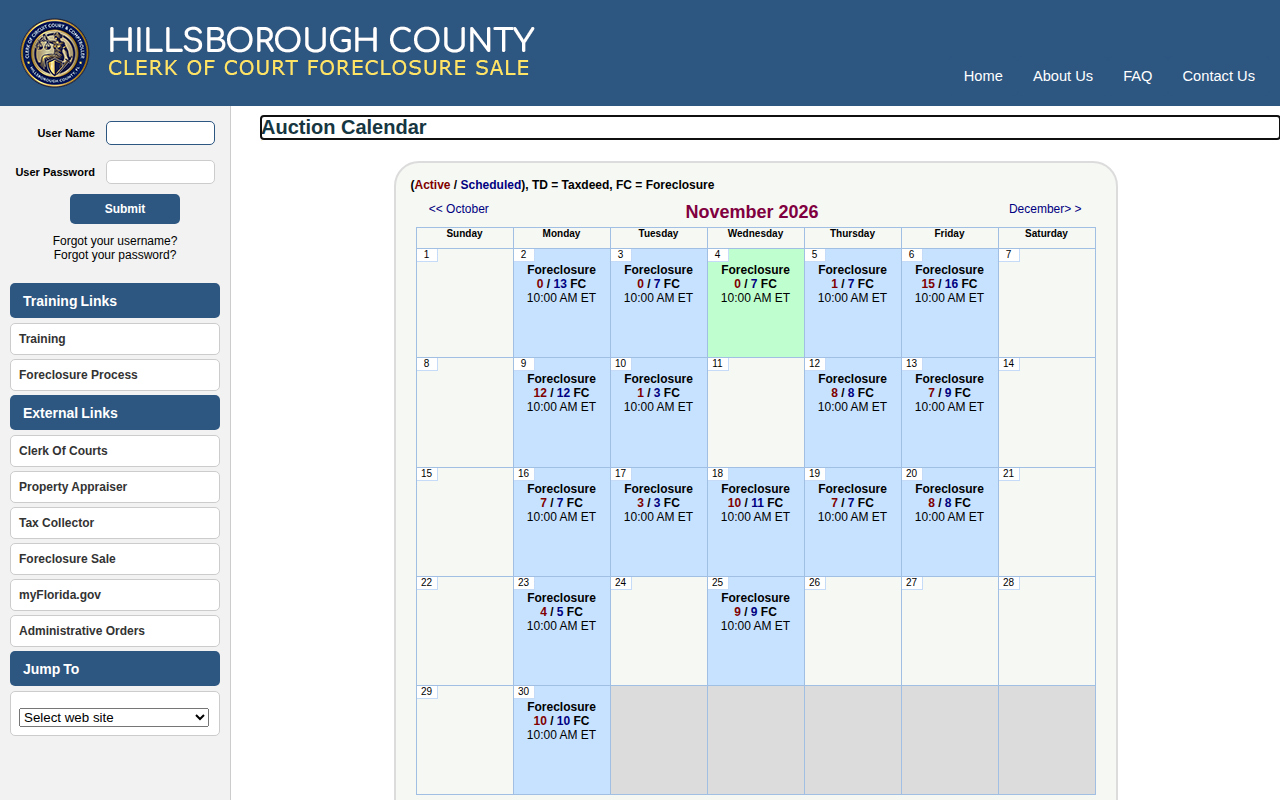 Enlarge
Tip: The numbers in a day are active / scheduled. 15 / 16 FC means 15 items are still active out of 16.
-
Click a sale day
Click a colored Foreclosure day. The Preview Items For Sale page opens with that date at the top.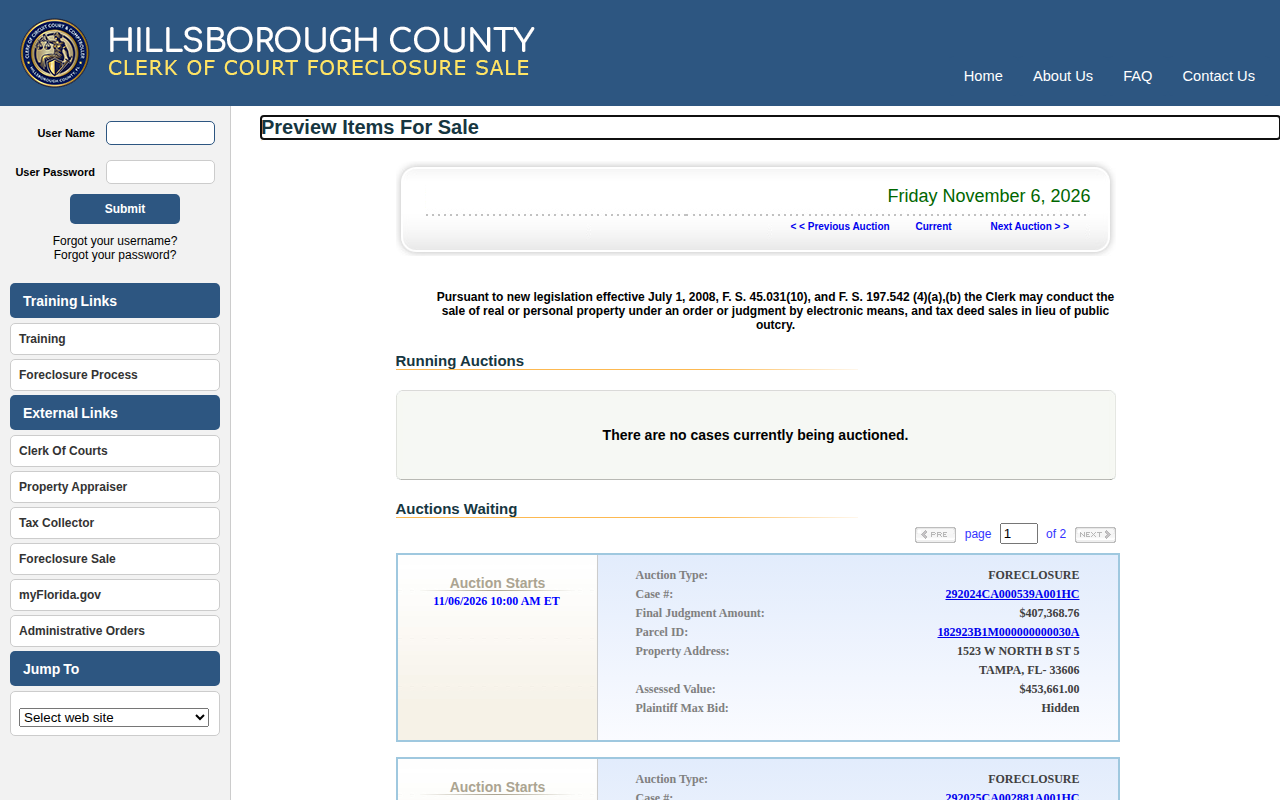 Enlarge
Tip: Use Next Auction on this page to move to the next sale day.
-
Read the Auctions Waiting section
Scroll down to Auctions Waiting. Each box is one property. It shows the case number, final judgment amount, parcel ID, address and assessed value.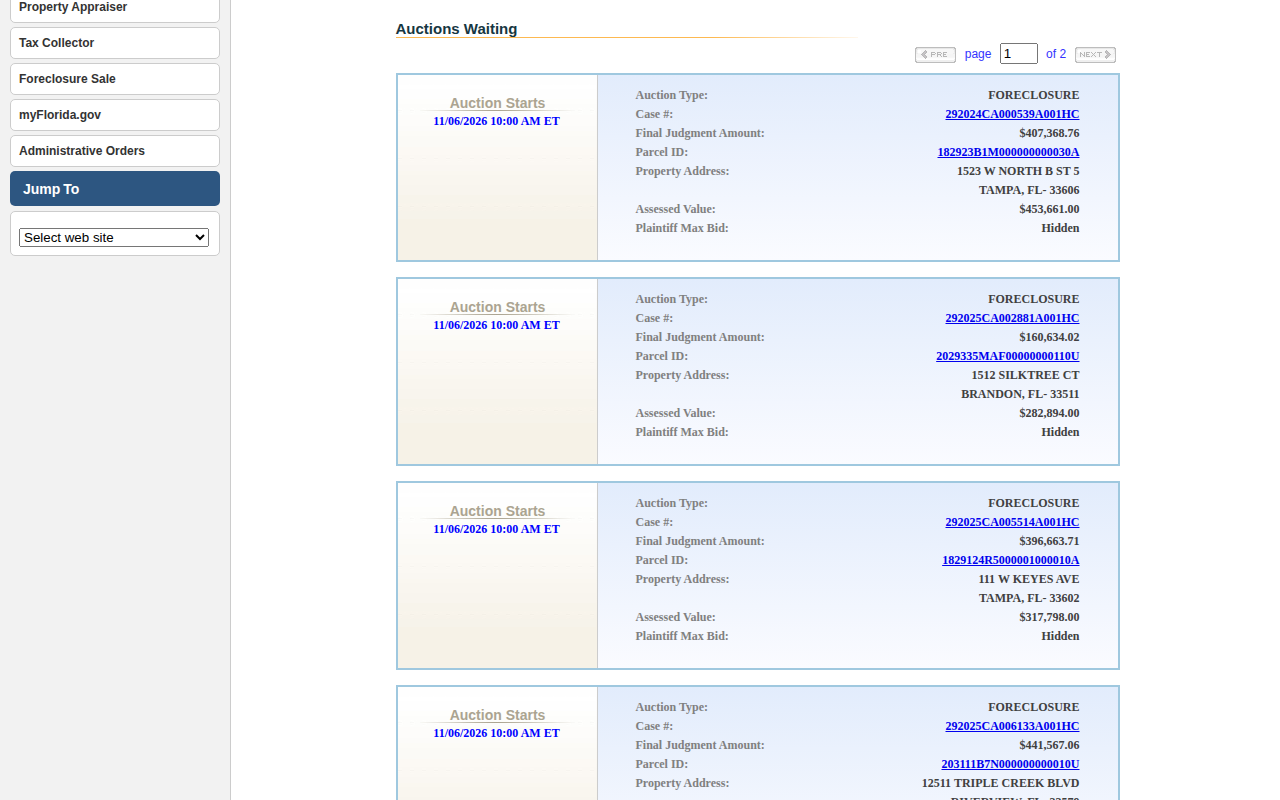 Enlarge
-
Go through every page
Look at the top right of the section, for example page 1 of 2. Each page shows 10 items. Click NEXT until you reach the last page.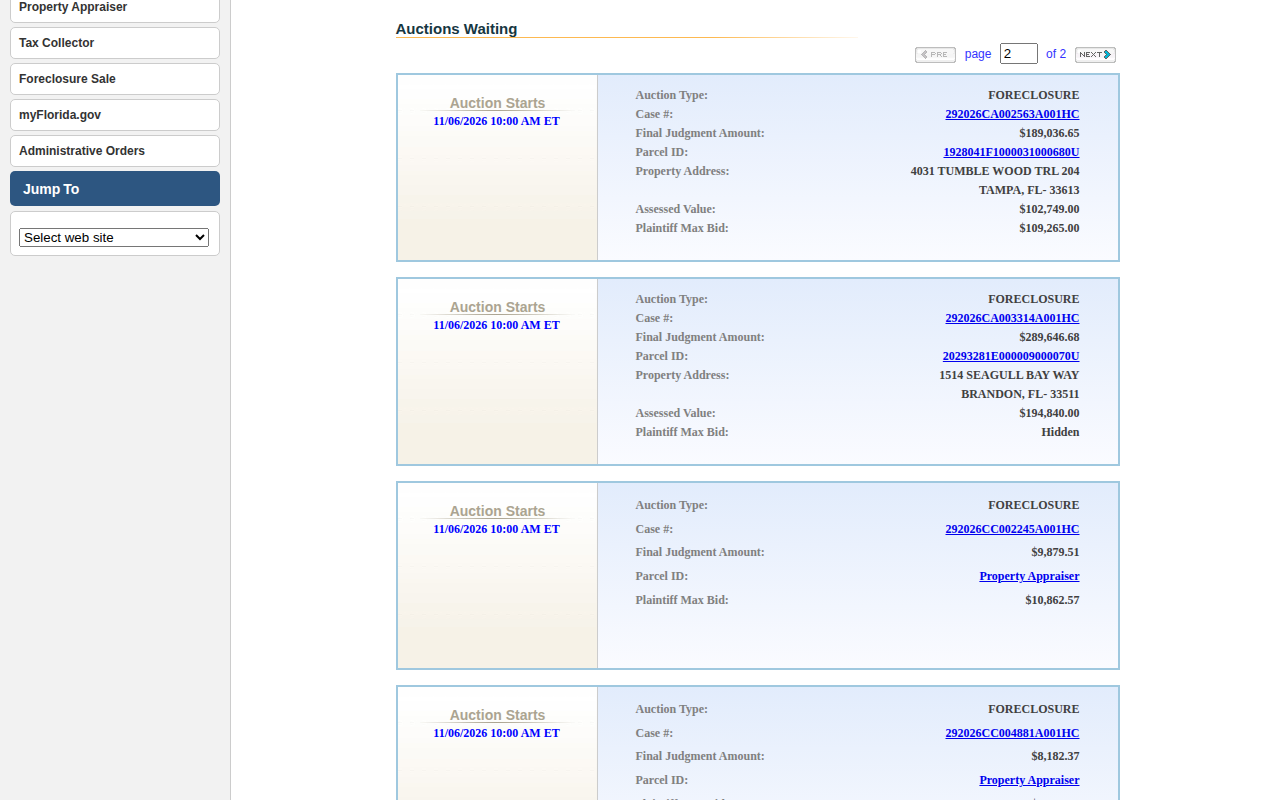 Enlarge
-
Check Auctions Closed or Canceled
Past sale days, and some future ones, have a section called Auctions Closed or Canceled. Do not add these as active leads. It shows why each one stopped, such as Canceled per Bankruptcy, or the sold amount.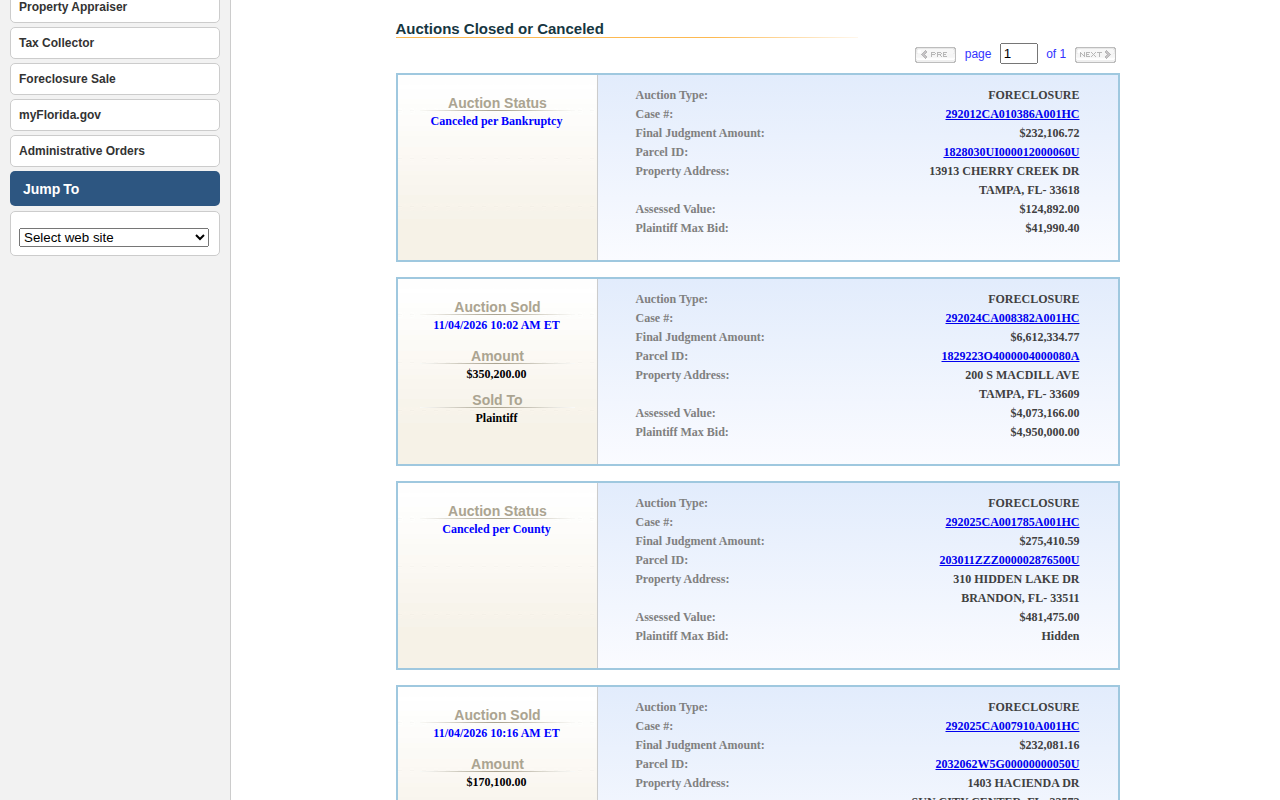 Enlarge
-
Copy the records
The site has no export button. Copy each property from Auctions Waiting into your spreadsheet. Add the sale date, case number, judgment amount, parcel ID, address and assessed value. Repeat for each sale day you need.
Tips for after you pull
- Click the Parcel ID on an item to open the county property appraiser page for it. We checked this in Lee and Polk, and those pages have owner information.
Watch out for these
- The list has no owner name. You must look up the owner on the property appraiser site.
- Some items have no address and no assessed value, only a Property Appraiser link. We saw this on smaller cases in Hillsborough and Polk.
- Plaintiff Max Bid can show Hidden. That is normal.
- In Baker, Brevard, Charlotte, Manatee, Miami-Dade, St. Lucie and Walton, the same calendar also has Tax Deed days. Click only the Foreclosure days for this list.
- Bay, Escambia, Jackson, Santa Rosa, Walton and Washington show sale times in Central Time (CT). Other counties we checked show Eastern Time (ET).
- The Orange County site is at myorangeclerk.realforeclose.com, not orange.realforeclose.com. Use the link on this page.
Common questions
Do I need to register to see the list?
Can I download the list?
Other lists in Lee County
We only have this list for Lee County so far. See all Florida guides.
Foreclosure in other Florida areas
More Florida guides
Foreclosure in other states
See every guide
Do not want to do this by hand?
CountyPull pulls this list for you automatically.