How to Pull Foreclosure County Data for Eaton County, MI
A foreclosure list shows homes that a lender is taking back because the owner stopped paying the loan. To find foreclosure records for Eaton County, Michigan (MI), use Legal News Public Notices. No account is needed. Free for a city search. No VPN is needed. You copy the records by hand.
Also known as: foreclosure notices, foreclosure sale list, foreclosure auctions.
What you need
Search city by city for free. Pay only if you want the county filter or Excel.
What it is
Michigan foreclosure by advertisement notices. Each one says a mortgage will be foreclosed by a sale at a public auction.
Why it matters
You get the owner name, the street address and the sale date weeks before the auction.
The fields you get
- Property address
- First published date
- Last published date
- Published sale date
- Name
- Mortgagor
- Original mortgagee
The Lansing notices we checked were first published on Thursdays, and one ran from October 29 to November 19.
Follow these 7 steps
-
Open the search page
Go to legalnews.com Public Notices. If you do not see the full form, click Advanced Search. -
Tick Foreclosures
Under Notice Type, tick Foreclosures only. -
Set Proximity to City
Under Proximity, change the first box from County to City. Type a city name from Eaton County. Ingham: Lansing, East Lansing, Haslett, Holt, Mason, Williamston. Eaton: Charlotte, Grand Ledge, Eaton Rapids.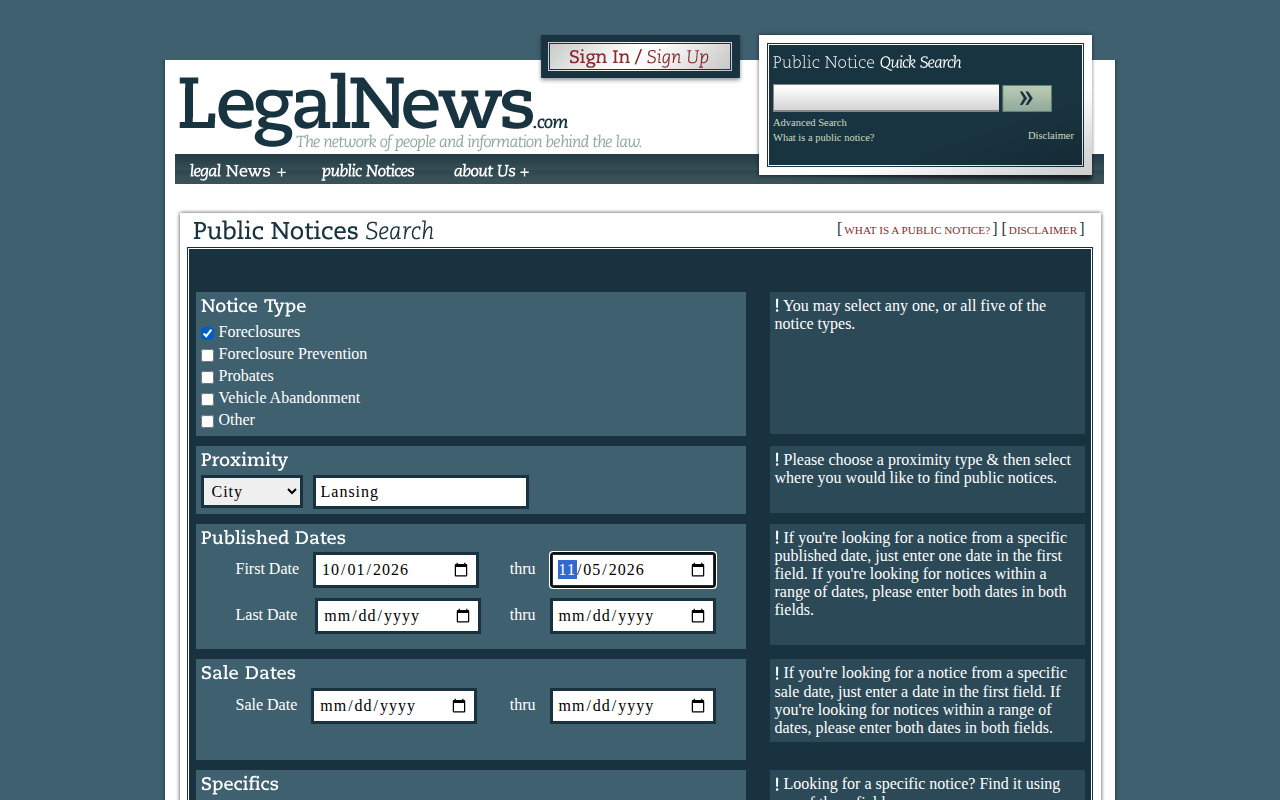 Enlarge
Tip: Leave the first box on City. If you choose a county, the site shows Access Denied and asks you to buy a subscription.
-
Set the dates
Under Published Dates, fill in First Date and thru. Use the range you need, for example the last 30 days. -
Run the search
Scroll down and click Search. The results show below the form, with the count and the page number.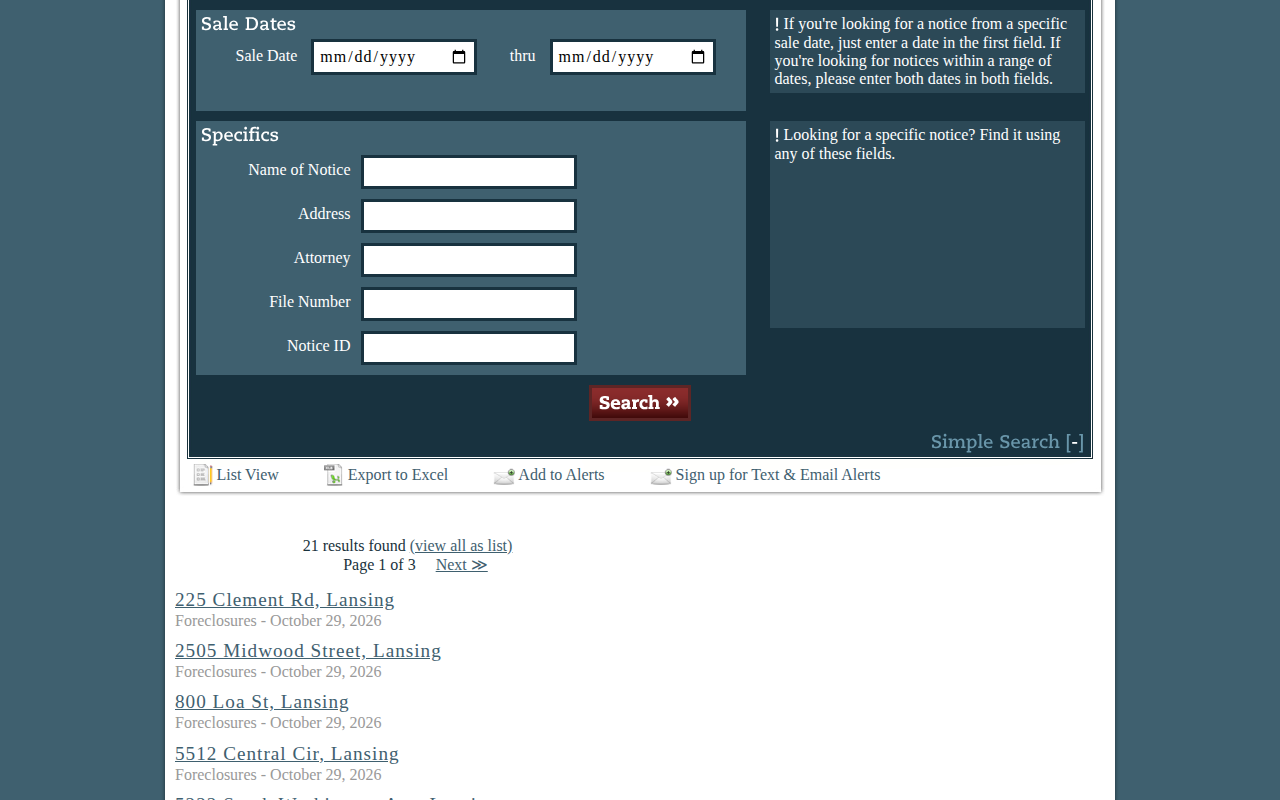 Enlarge
-
Open a notice
Click an address. The notice shows the name, the published dates, the sale date and the full text.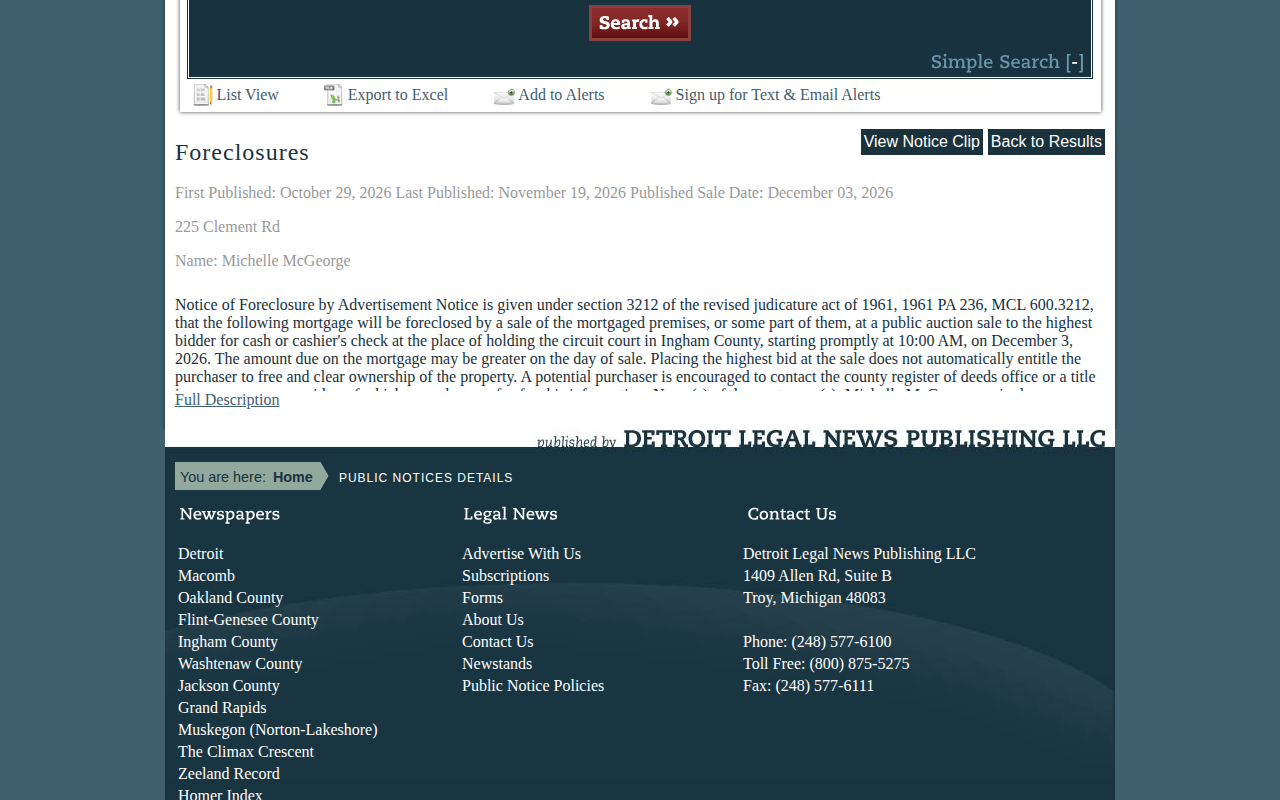 Enlarge
-
Check the county and copy the record
Read the first lines of the notice. It names the county, for examplecircuit court in Ingham County. If it is the right county, copy the details into your sheet. Then repeat for the next city.
Tips for after you pull
- Remove repeats. A notice runs for several weeks.
Watch out for these
- Choosing a county in the Proximity box opens an Access Denied message, even before you search.
- List View, Export to Excel and Add to Alerts are subscriber features.
- A city with 0 results may just have no notices in your dates. Try a wider date range before you move on.
- Check the county in the notice text. A city name alone does not prove the county.
Common questions
Can I get all of Eaton County with one search for free?
What does the Day Pass include?
Other lists in Eaton County
We only have this list for Eaton County so far. See all Michigan guides.
Foreclosure in other Michigan areas
More Michigan guides
Foreclosure in other states
See every guide
Do not want to do this by hand?
CountyPull pulls this list for you automatically.