How to Pull Foreclosure County Data for Dallas County, TX
A foreclosure list shows homes that a lender is taking back because the owner stopped paying the loan. To find foreclosure records for Dallas County, Texas (TX), use County Clerk Official Records Search. No account is needed. It is free to use. No VPN is needed. You copy the records by hand.
Also known as: foreclosure notices, foreclosure sale list, foreclosure auctions.
What you need
Viewing records is free and needs no account. Any export or download button that asks you to sign in was not tested, because we did not use an account.
What it is
Notices of foreclosure sale filed with the Dallas County Clerk. Each notice names a property that a lender plans to sell at public auction.
Why it matters
The owner is behind on the loan and has a sale date coming. This gives an investor a short window to reach the owner before the auction.
The fields you get
- Doc type
- Recorded date
- Sale date
- Doc number
- Remarks
- Property address
- Borrower name (inside the notice)
- Legal description (inside the notice)
- Lender and trustee (inside the notice)
Follow these 8 steps
-
Open the Dallas County records site
Open the link for Dallas County. If you see a pop up message, click Close.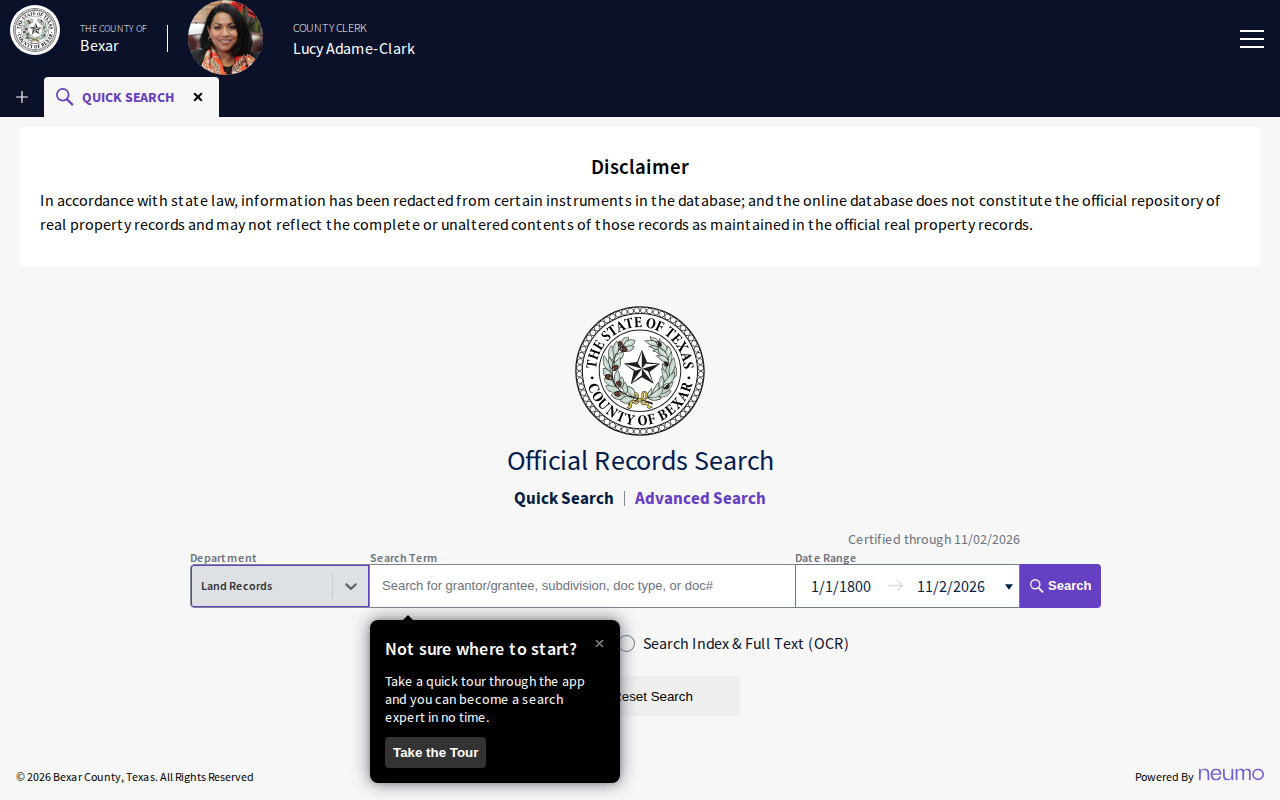 Enlarge
-
Choose the Foreclosures department
Click the Department box. Choose Foreclosures from the list.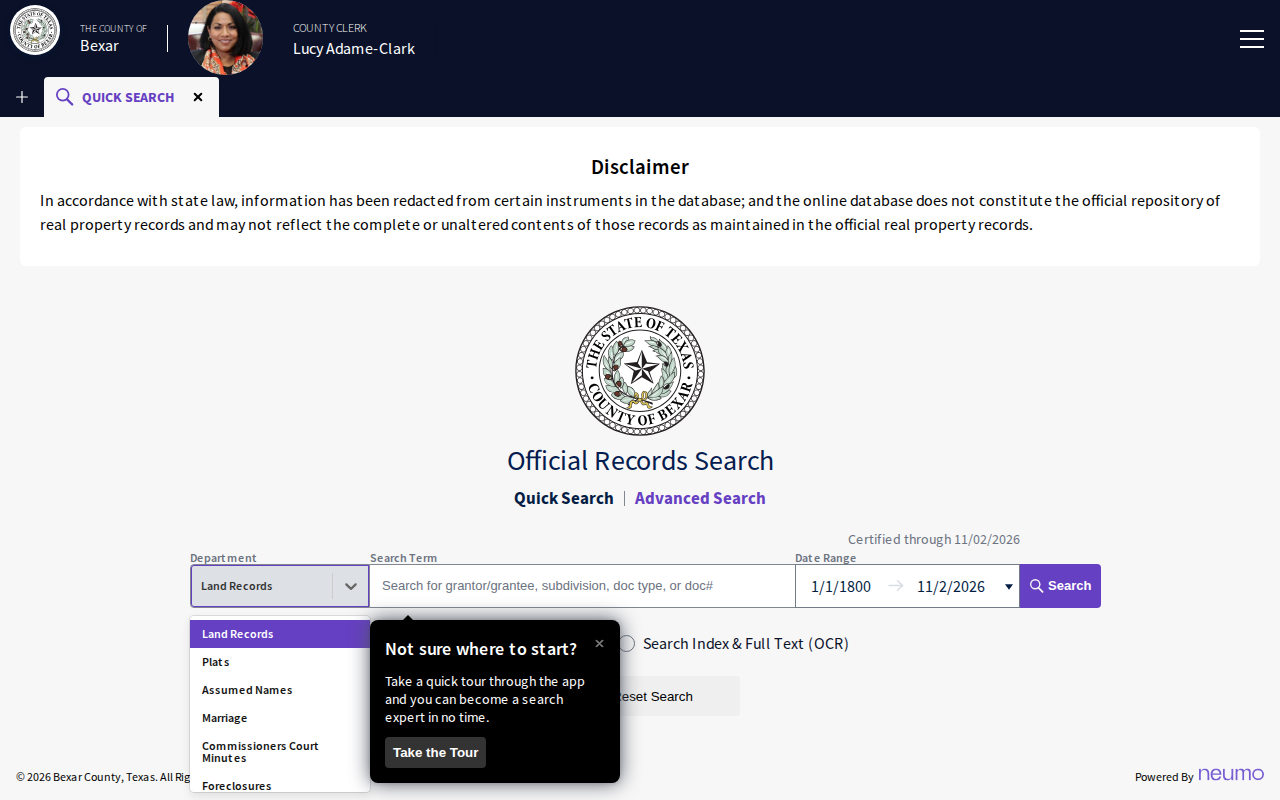 Enlarge
-
Enter the sale dates
The Date Range box now means Sale Date. Enter the first and last day of the month you want, for example12/01/2026and12/31/2026.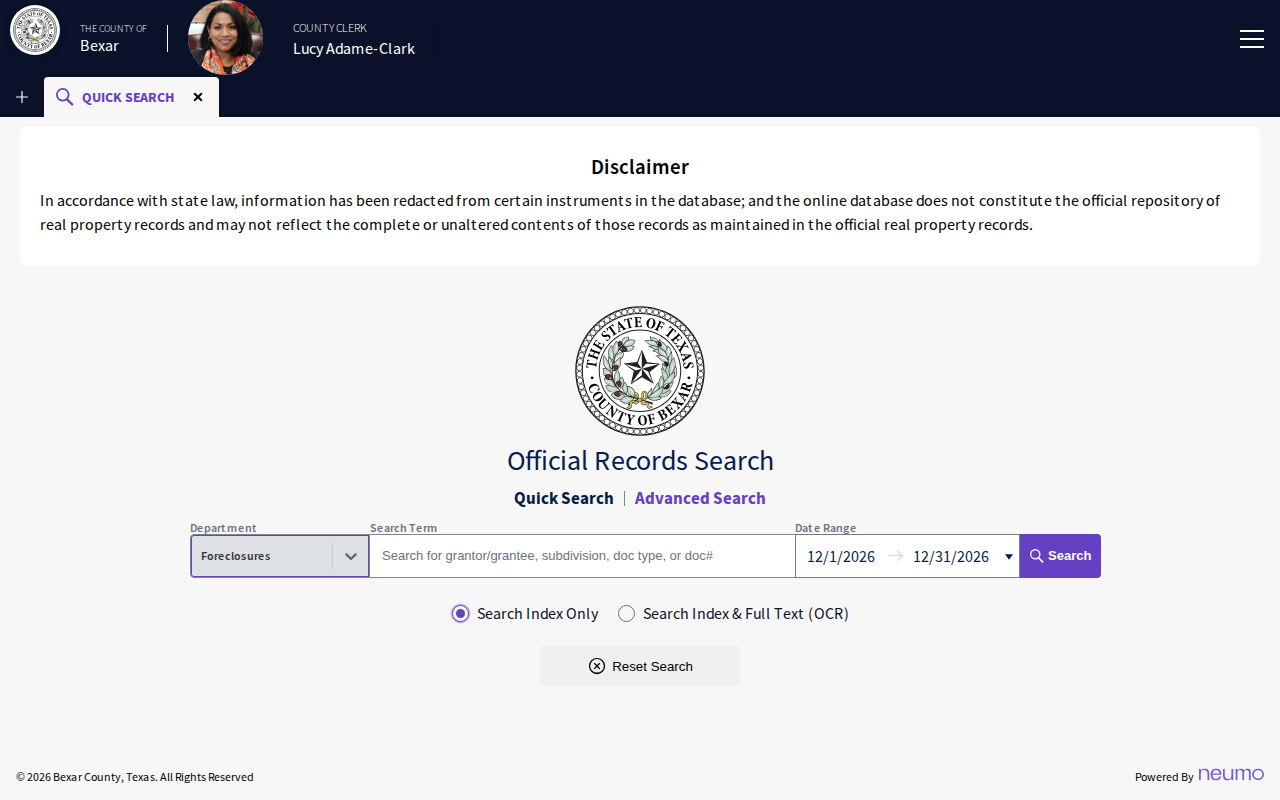 Enlarge
Tip: Tarrant County has no date box in this department. Skip this step. After you search, click the SALE DATE column title two times to see the newest sales first.
-
Click Search
Click Search. The top line shows how many notices were found. Bexar showed 337 notices for December 2026 when we checked.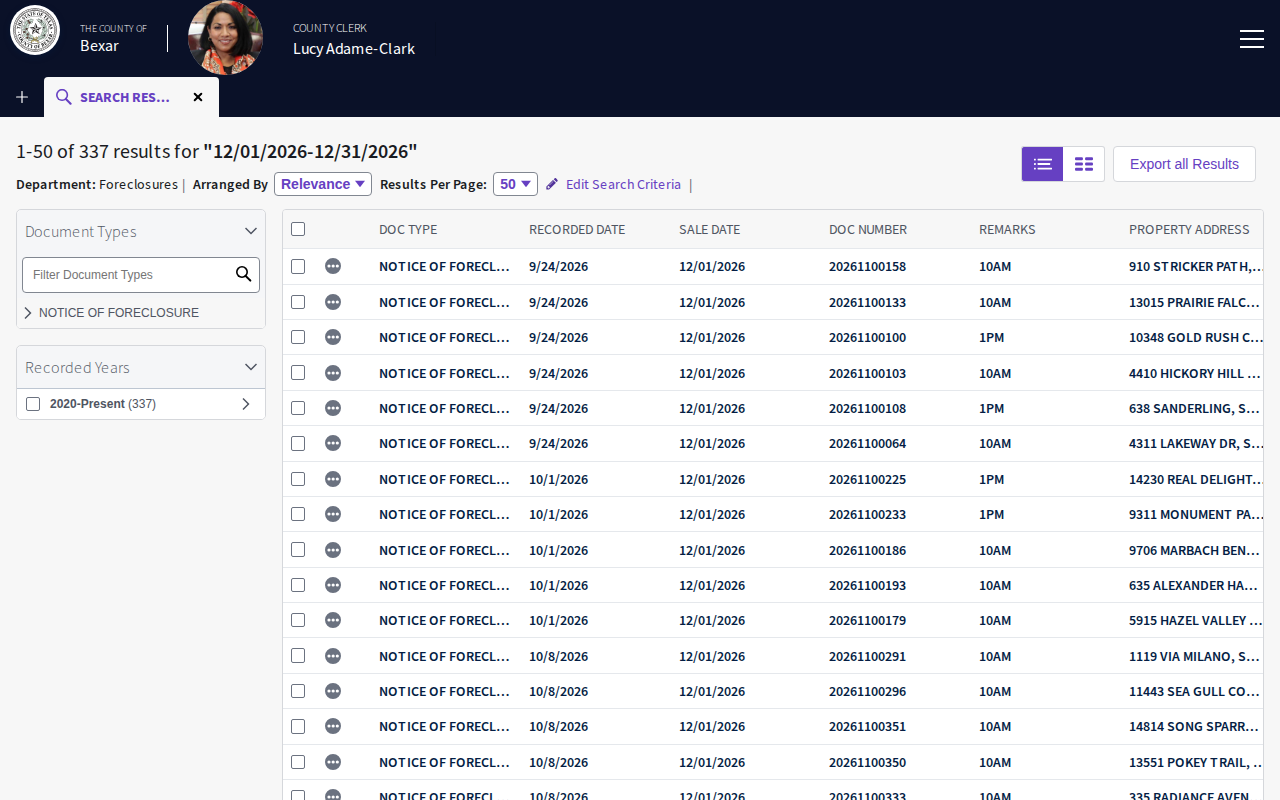 Enlarge
-
Read the results list
Each row is one notice. Copy the Sale Date, Doc Number and Property Address. Use the page numbers at the bottom to see more rows. -
Open a notice
Click a row to open the scanned notice. Use the arrow buttons above the page to move to the next page. Find the borrower name, the legal description and the lender.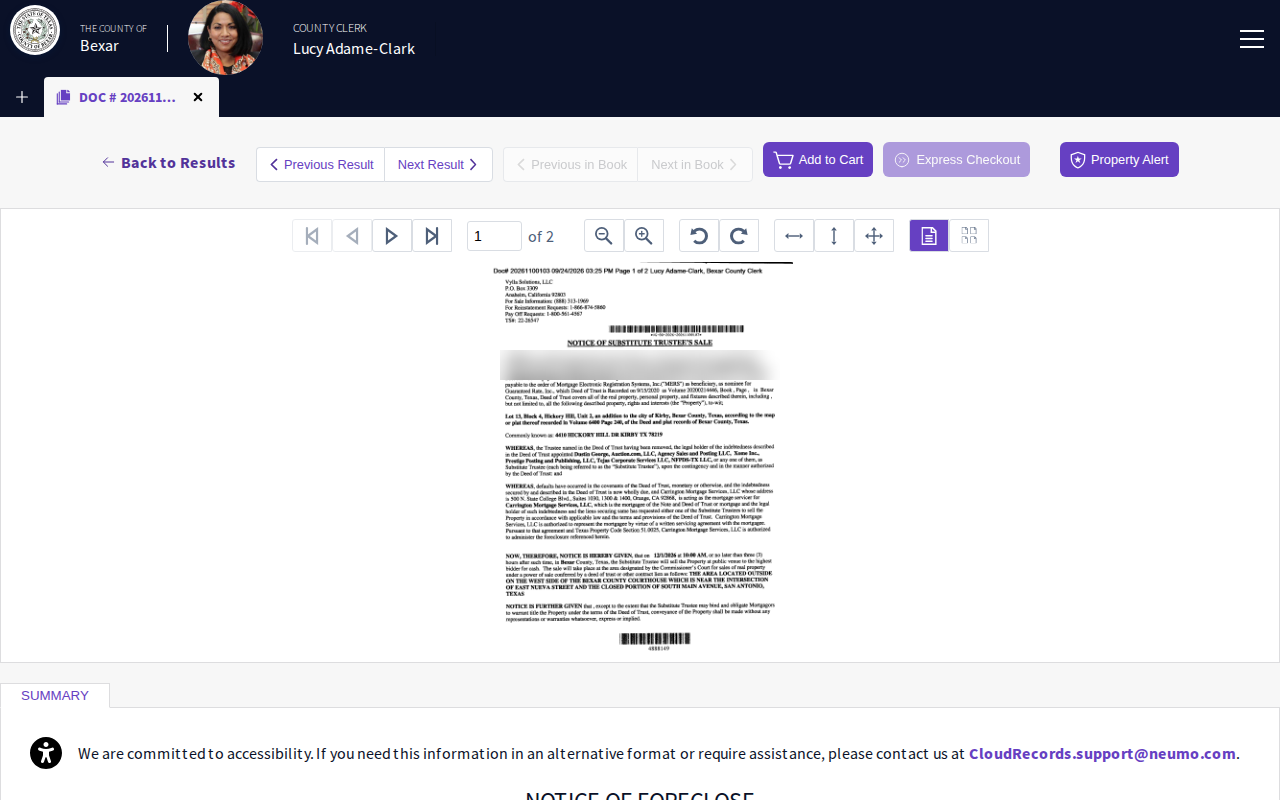 Enlarge
-
Check the summary
Scroll down to Summary. It shows the sale date and the property address. Bexar also shows the sale time and place under Remarks.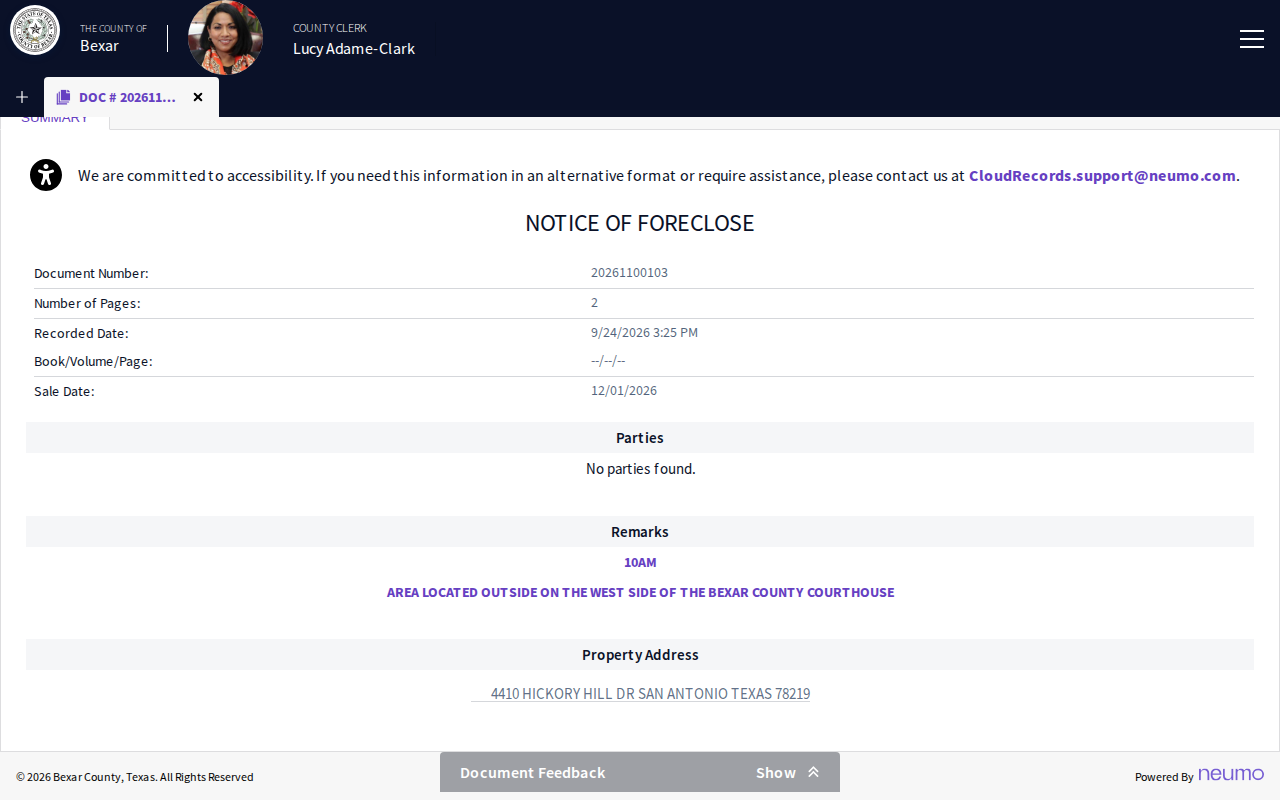 Enlarge
-
Save your records
Paste each record into your spreadsheet. Click Next Result to go to the next notice. If you click Export all Results, the site asks you to sign in or register.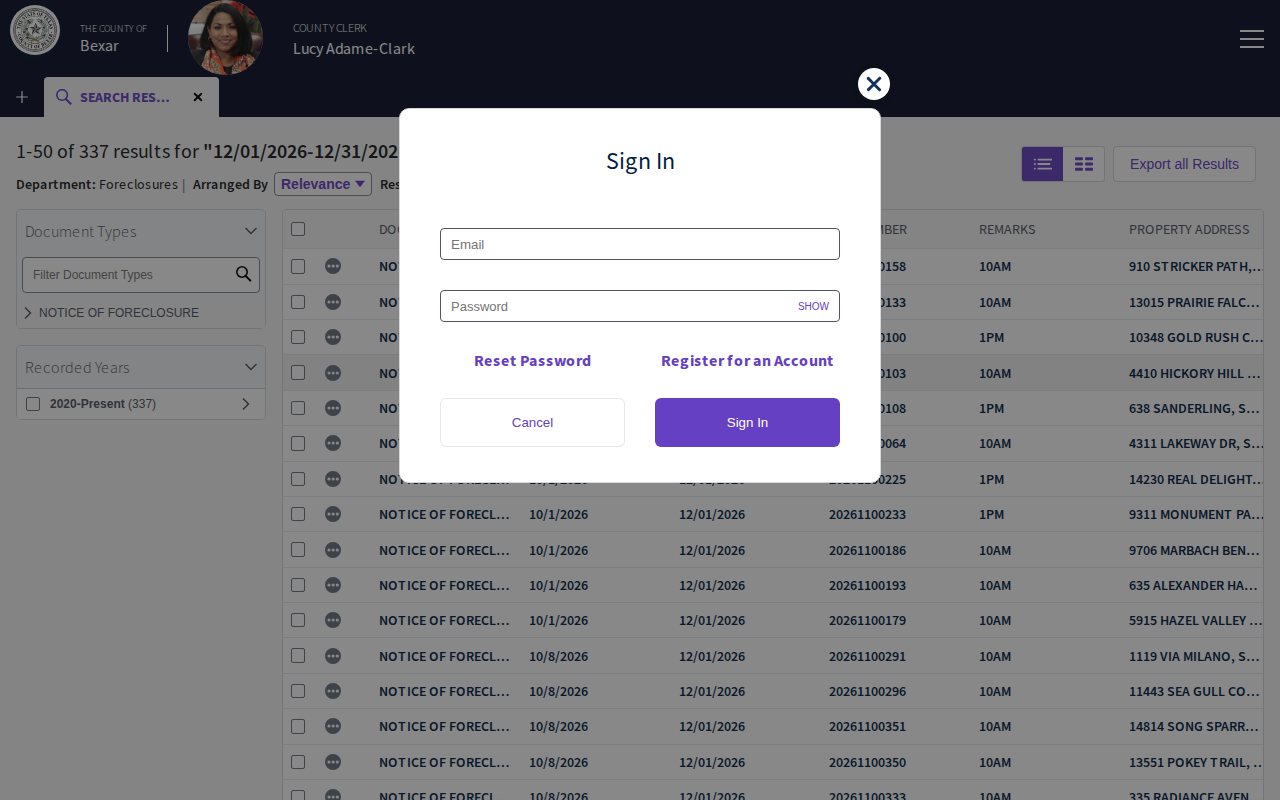 Enlarge
Tips for after you pull
- Compare the address in the list with the address in the notice. Use the notice if they differ.
Watch out for these
- The list address can differ from the notice. One Bexar row said San Antonio but the notice said Kirby.
- Denton rows we checked show N/A for the address, so open each notice. Nueces rows show a legal description. Some Dallas rows show only the city.
- Tarrant shows only the sale month, such as Jan 2027, and shows the grantor name in the list. Its all time list had 15,052 rows, so sort by sale date first.
- Add to Cart and Express Checkout are for buying copies. You do not need them to read a notice on screen.
Common questions
Do I need an account?
Why do I see very old notices?
Does Collin County use this site?
Other lists in Dallas County
Foreclosure in other Texas areas
More Texas guides
Foreclosure in other states
See every guide
Do not want to do this by hand?
CountyPull pulls this list for you automatically.