How to Pull Foreclosure County Data for Montgomery County, TX
A foreclosure list shows homes that a lender is taking back because the owner stopped paying the loan. To find foreclosure records for Montgomery County, Texas (TX), use Montgomery County Clerk Official Records Search. No account is needed. It is free to use. No VPN is needed. You copy the records by hand.
Also known as: foreclosure notices, foreclosure sale list, foreclosure auctions.
What you need
Free to read. There is no separate row for each property, so you read one long document.
What it is
Montgomery County posts its trustee sale notices as one long document for each sale month.
Why it matters
Every property going to auction that month is in one place. The owner still has time to sell before the sale date.
The fields you get
- Sale month
- Sale date and time
- Sale place
- Borrower name
- Legal description
- Original loan amount
- Mortgage servicer
Certified through 10/28/2026 when we checked on 5 Nov 2026, so the newest filings can lag.
Follow these 5 steps
-
Open the Montgomery County records site
Open the link. If you see a pop up message, click Close.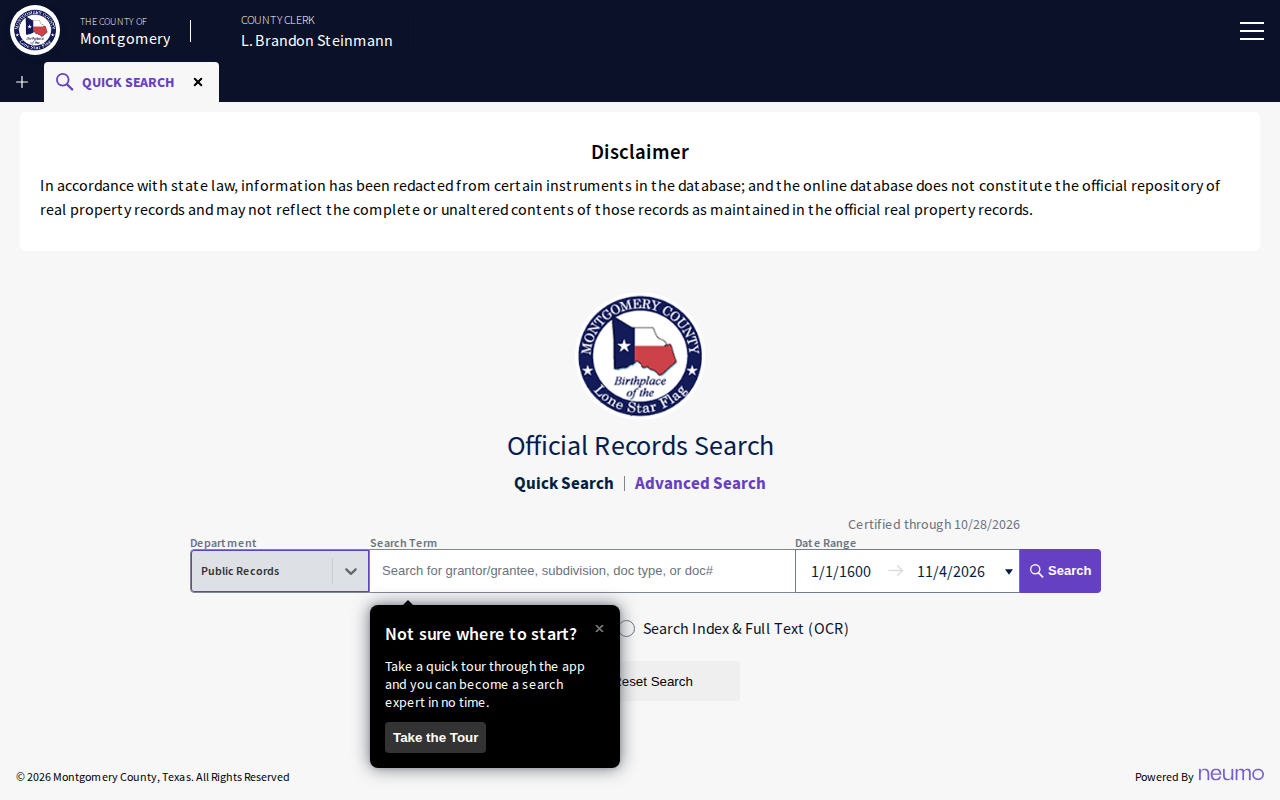 Enlarge
-
Choose the Foreclosures department
Click the Department box. Choose Foreclosures. Then click Search.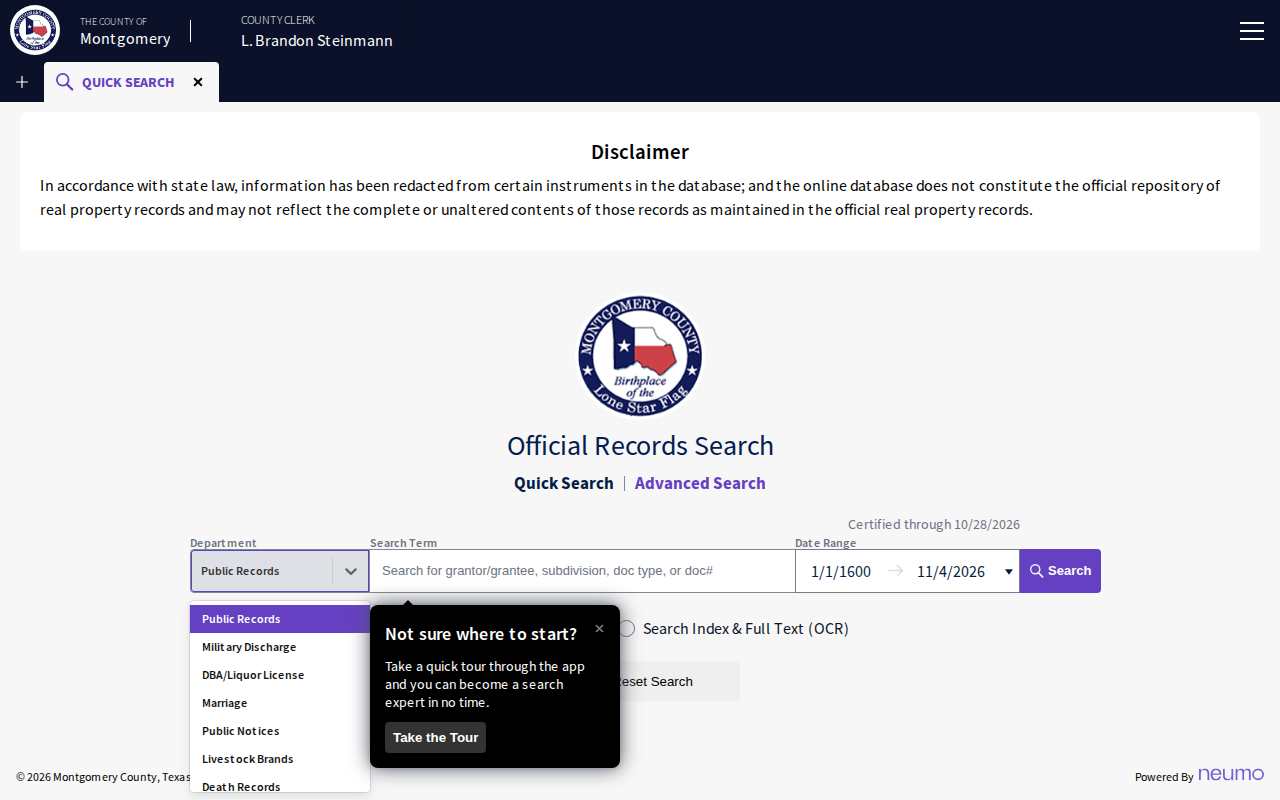 Enlarge
-
Find the sale month
You see one row for each sale month. We saw November 2026, December 2026 and January 2027. Click the month you want.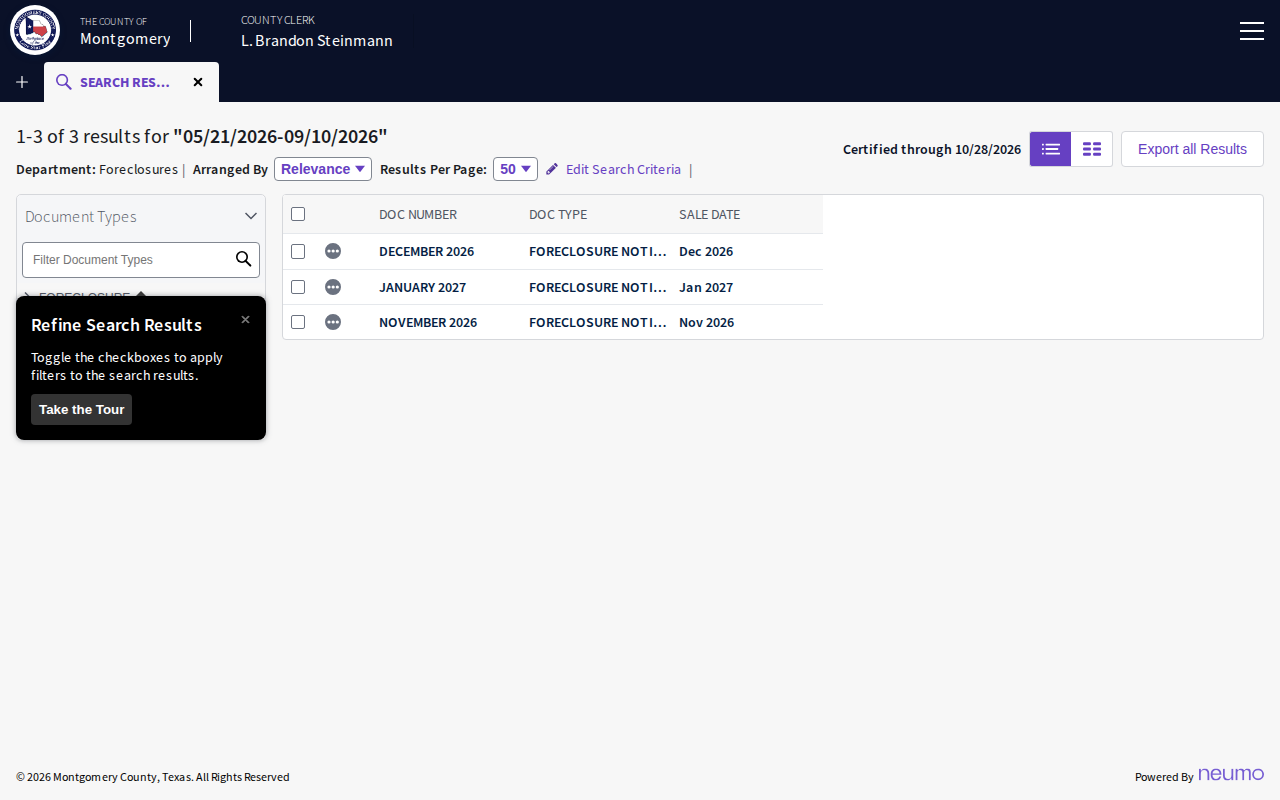 Enlarge
-
Read the document
The document opens. December 2026 had 253 pages. Use the arrow button to move page by page. Each notice can run several pages.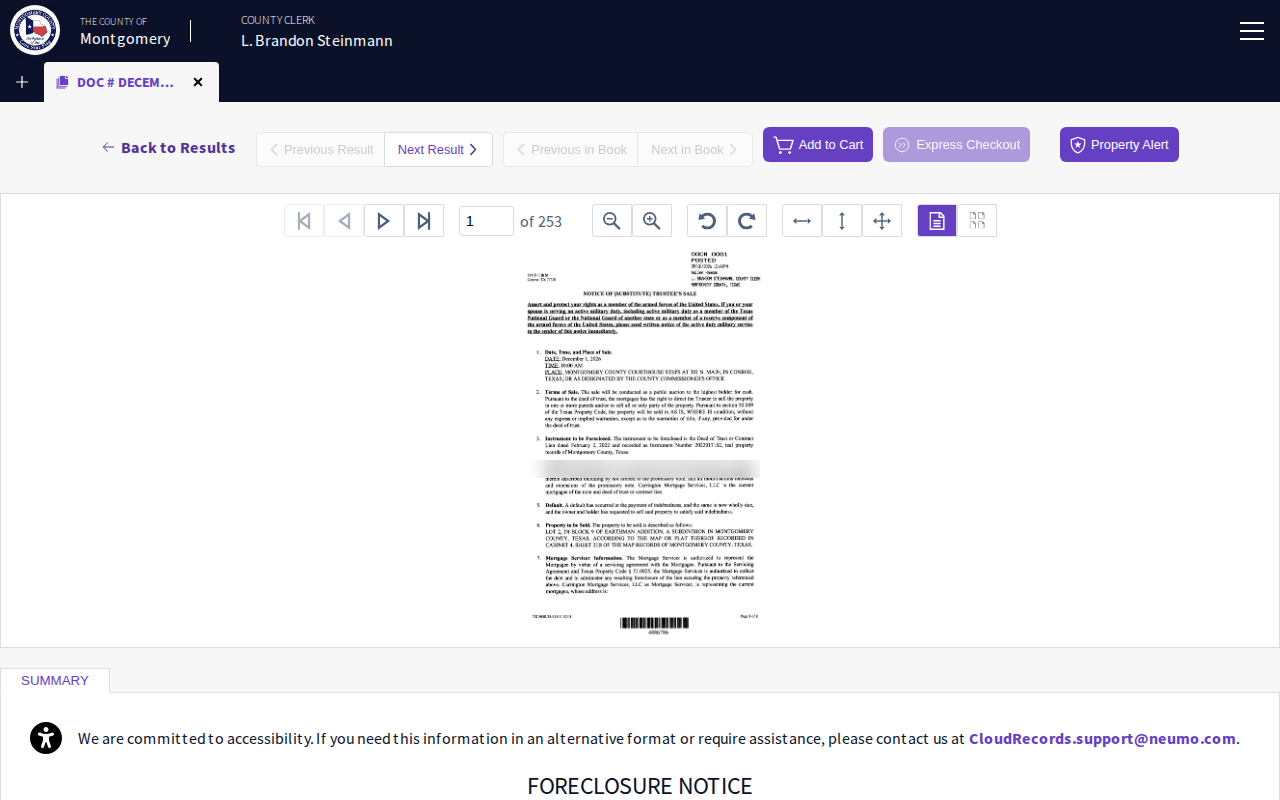 Enlarge
-
Copy each property
For each notice, copy the sale date, borrower, legal description and loan amount into your spreadsheet. Copy and paste is not possible from the scan, so type the values.
Watch out for these
- There is no property address column. The notice we read gave only a legal description.
- Do not use the Recorded Date box to find a month. The rows are named by sale month, so just pick the month.
Common questions
Why are there only three results?
Other lists in Montgomery County
Foreclosure in other Texas areas
More Texas guides
Foreclosure in other states
See every guide
Do not want to do this by hand?
CountyPull pulls this list for you automatically.