How to Pull Judgment County Data for Flagler County, FL
A judgment list shows court decisions that say a person or company owes money. To find judgment records for Flagler County, Florida (FL), use Flagler County Official Records Search. No account is needed. It is free to use. No VPN is needed. You can download an Excel file.
Also known as: court judgments, civil judgments.
What you need
Account
No account needed
Cost
Free
CAPTCHA
No CAPTCHA
Export
Excel download
VPN
No VPN needed
What it is
A judgment is a court decision recorded in the county records. It says one party owes money to another.
Why it matters
A recorded judgment can attach to real estate the person owns. It can point to an owner under money pressure.
The fields you get
- Status
- Direct name
- Reverse name
- Record date
- Document type
- Book and page
- Instrument number
- Legal description
- Lot, block and subdivision
The search page shows how far the records are verified. On the day we checked, it said through 11/03/2026.
Follow these 6 steps
-
Open the Flagler County records site
Go to the Flagler County Official Records Search. Click document search.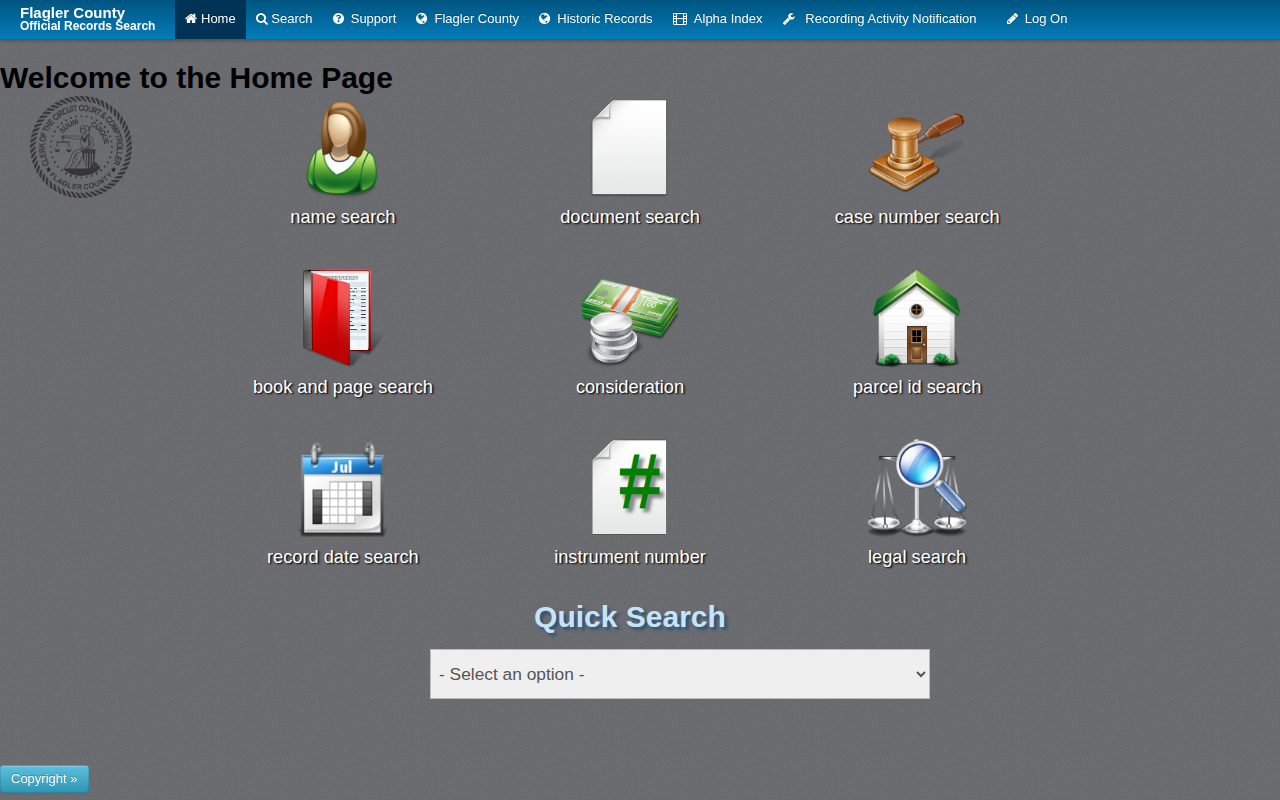 Enlarge
-
Choose Judgment
Click select document type. In the box, tick Judgment. Click Select.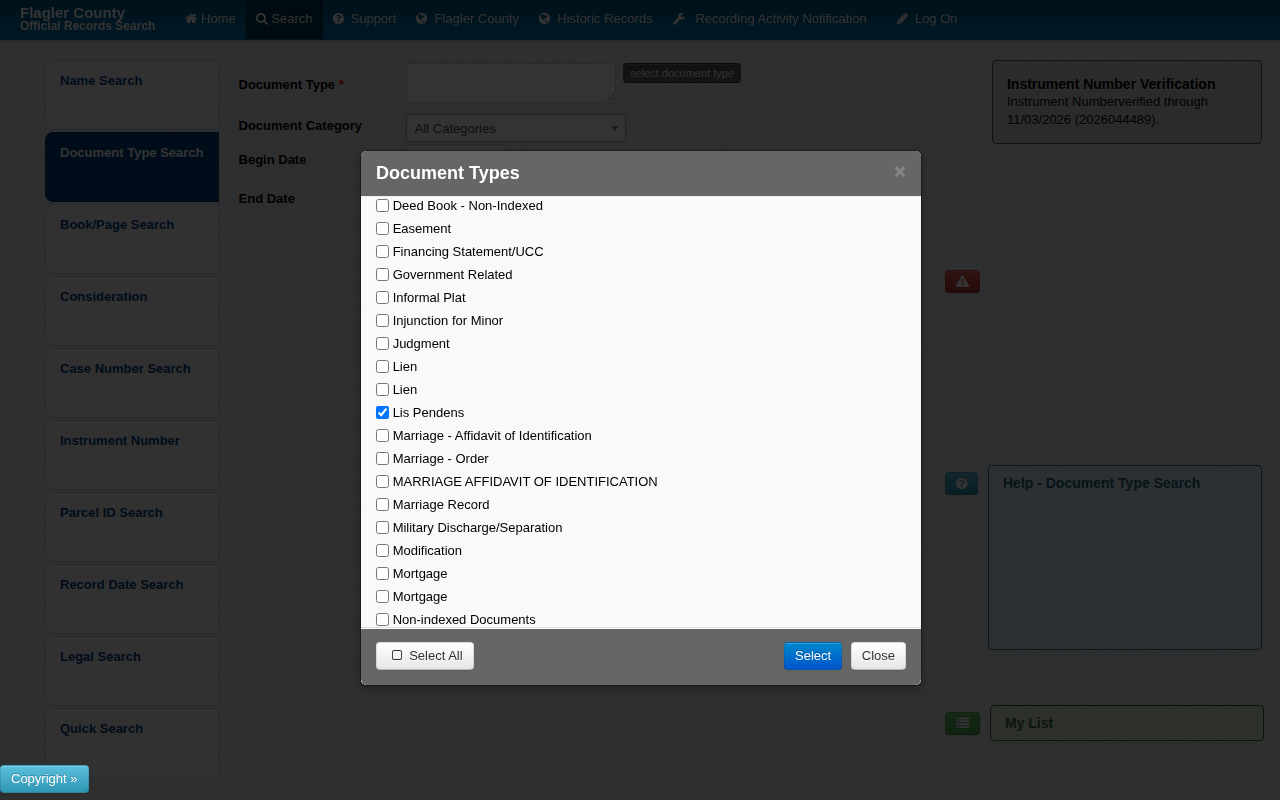 Enlarge
Tip: Tick Judgment, not Certified Copy of a Court Judgment.
-
Enter your dates
Change Begin Date and End Date. The Begin Date starts very old, so change it first. Type dates as mm/dd/yyyy.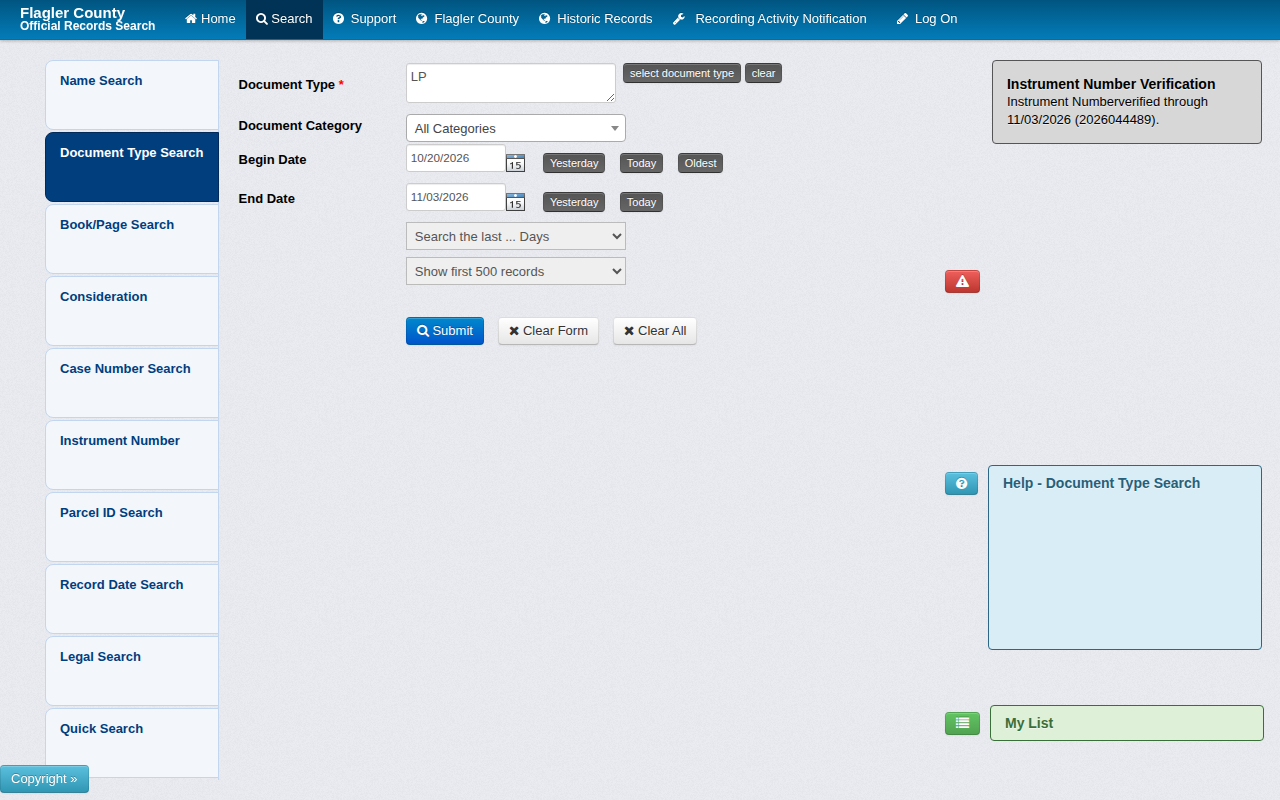 Enlarge
-
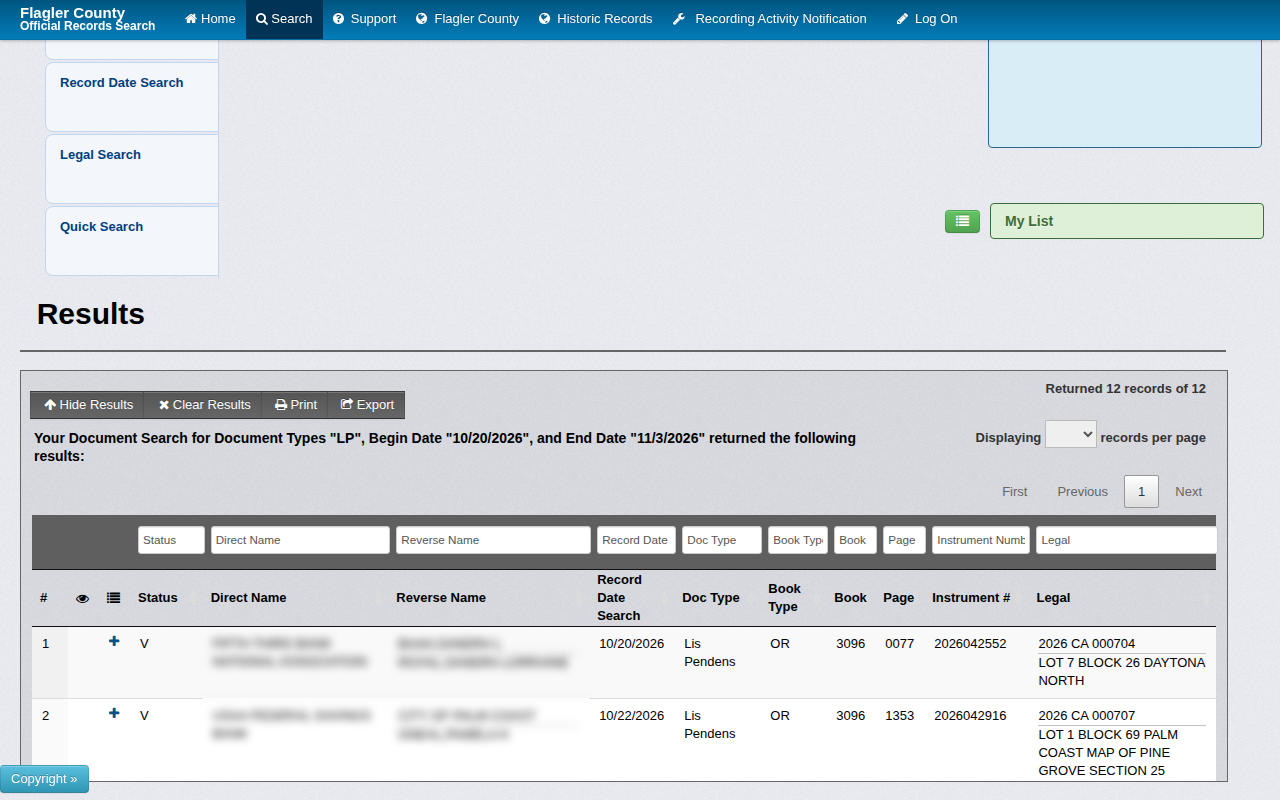
Export to Excel
Click Export above the results. An Excel file downloads with your records.
Watch out for these
- The form shows the first 500 records by default. For a long date range, choose a bigger number in that menu or use shorter dates.
- The results show legal descriptions, not street addresses. Plan a separate step to find the address.
Common questions
Do I need an account?
No. We searched and exported without logging in.
Other lists in Flagler County
Judgment in other Florida areas
More Florida guides
See every guide
Do not want to do this by hand?
CountyPull pulls this list for you automatically.
Start free
100 free rows each month