How to Pull Lis Pendens County Data for Burlington County, NJ
A lis pendens list shows public notices that a lawsuit is open against a property. To find lis pendens records for Burlington County, New Jersey (NJ), use Burlington County PRESS. No account is needed. It is free to use. You need a US VPN. You copy the records by hand.
Also known as: notice of pending action, notice of pending litigation, pre-foreclosure notices.
What you need
Account
No account needed
Cost
Free
CAPTCHA
No CAPTCHA
Export
Copy by hand
VPN
US VPN needed
No login is needed to search. There is no export button.
What it is
A lis pendens is a public notice that a lawsuit involving a property has been filed. Many are filed when a lender starts a foreclosure.
Why it matters
It is one of the earliest public signs that an owner is in trouble. You can reach the owner before the property goes to a sale.
The fields you get
- Direct party
- Indirect party
- Instrument number
- Recorded date
- Town name
- Block
- Lot
- Qualifier
- Book
- Page
Follow these 6 steps
-
Open the Burlington County records search
Open the Burlington County PRESS search. No login is needed.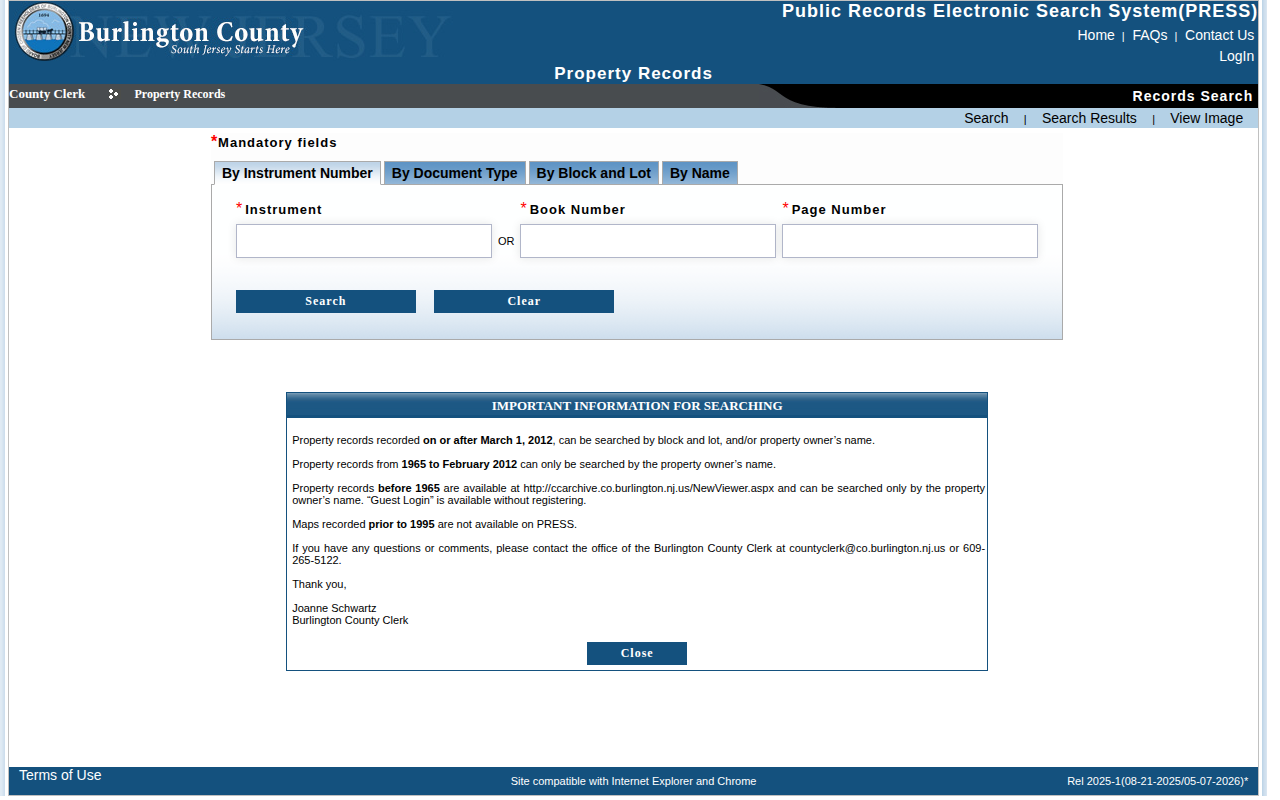 Enlarge
-
Open the document type tab
Click the By Document Type tab. -
Fill in the form
In Municipality, choose COUNTY WIDE. In Document Type, choose LIS PENDENS. Click 30 days to fill the dates. In Show Records, choose 100.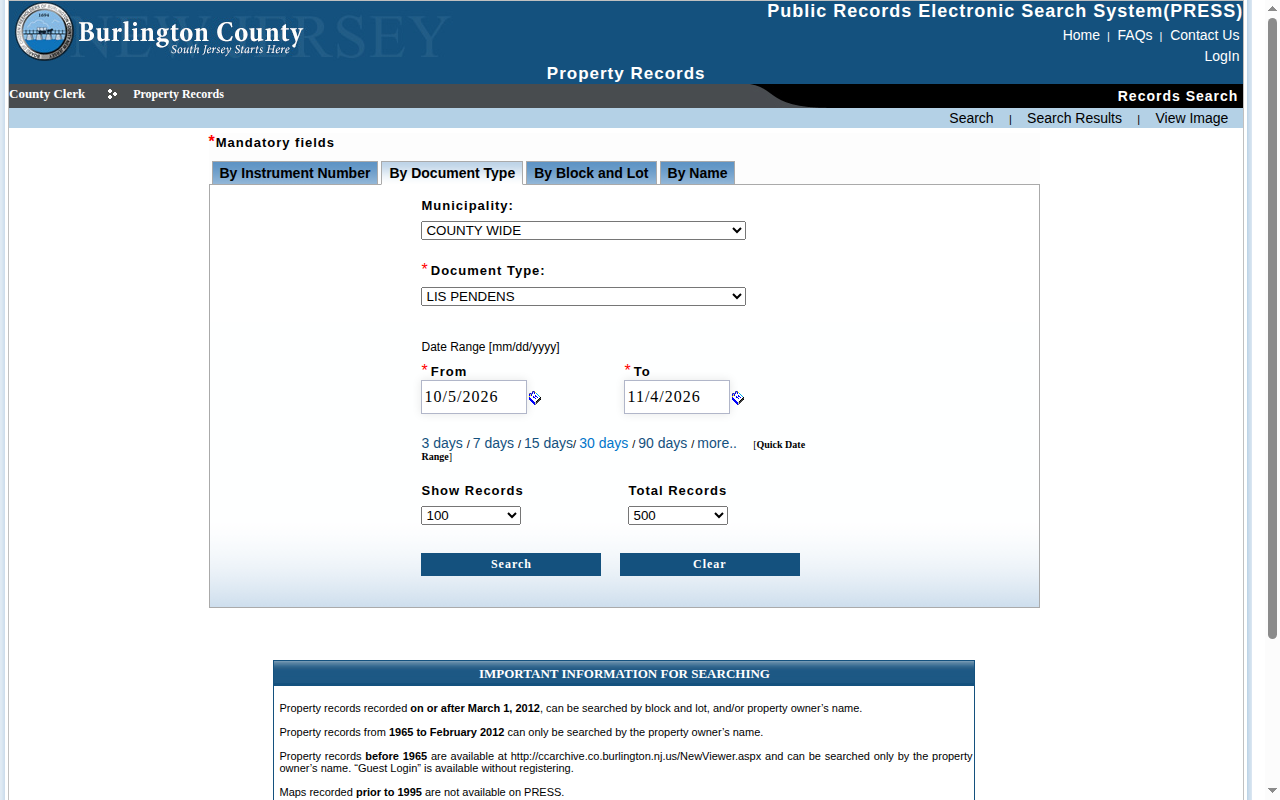 Enlarge
Tip: Also listed: LIS PENDENS - AMENDED, DISCHARGE and RELEASED. Leave those out for new cases.
-
Run the search
Press Search. Page numbers at the top of the table take you to the next page.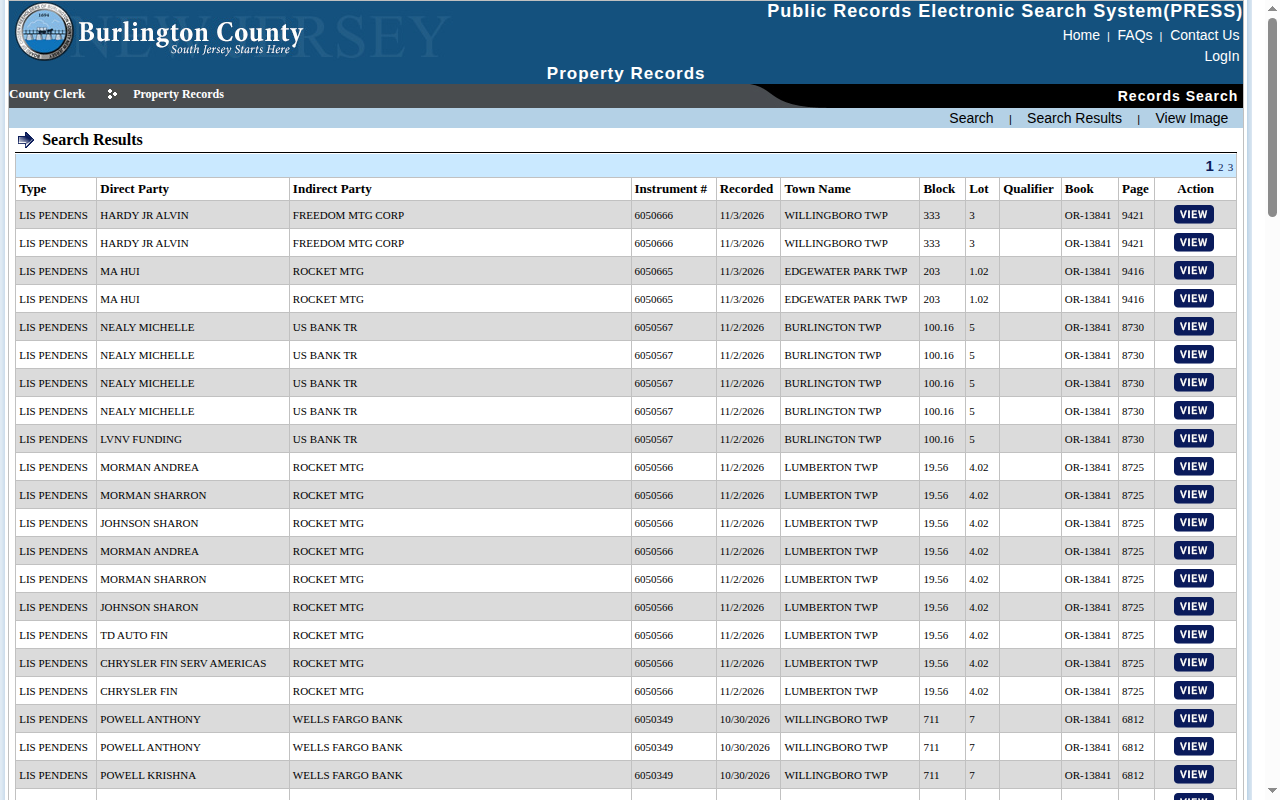 Enlarge
-
Open a record
Press VIEW on a row. The page shows the Instrument Details, including parties, block, lot and township. Press Search Results to go back.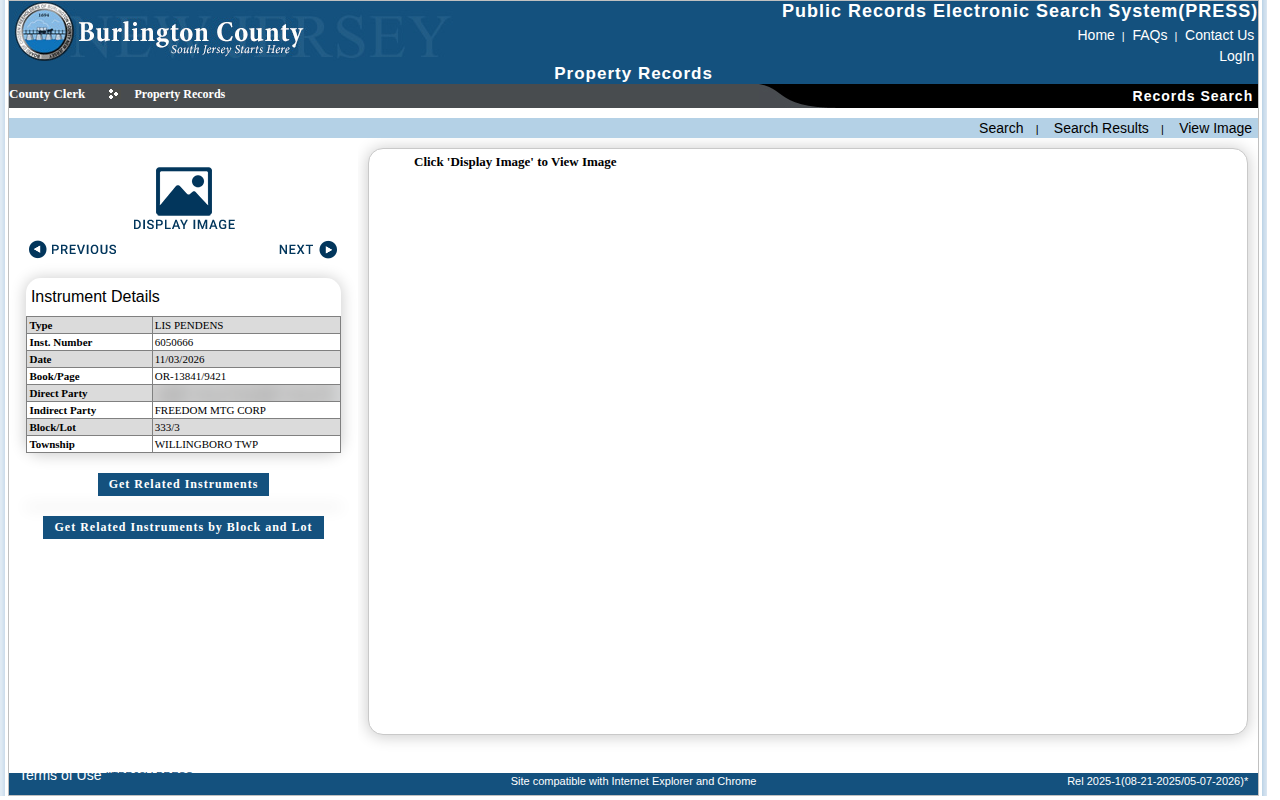 Enlarge
-
Copy your list
Select the table rows, copy them, and paste them into a spreadsheet. Repeat for each results page.
Tips for after you pull
- The Direct Party is usually the owner. The Indirect Party is usually the lender.
Watch out for these
- The table has one row per indexed party, and the same name can repeat. Remove duplicates using the Instrument number.
- The results page shows town, block and lot. It does not show a street address. You need to match block and lot to a property record.
- The Total Records box limits the results. The default is 500.
Common questions
Do I need to search each town?
No. Choose COUNTY WIDE in the Municipality box.
Other lists in Burlington County
Lis Pendens in other New Jersey areas
Lis Pendens in other states
See every guide
Do not want to do this by hand?
CountyPull pulls this list for you automatically.
Start free
100 free rows each month