How to Pull Lis Pendens County Data for Gloucester County, NJ
A lis pendens list shows public notices that a lawsuit is open against a property. To find lis pendens records for Gloucester County, New Jersey (NJ), use Gloucester County Land Records. No account is needed. It is free to use. No VPN is needed. You copy the records by hand.
Also known as: notice of pending action, notice of pending litigation, pre-foreclosure notices.
What you need
The site says searching and viewing are a free service of the County Clerk.
What it is
A lis pendens is a public notice that a lawsuit involving a property has been filed. Many are filed when a lender starts a foreclosure.
Why it matters
It is one of the earliest public signs that an owner is in trouble. You can reach the owner before the property goes to a sale.
The fields you get
- File date
- Book and page
- Type
- Document number
- Grantor and grantee names (in View Details)
- Number of pages
- References
The page shows the last recorded document number and time, so you can see how current it is.
Follow these 7 steps
-
Open the Gloucester County site
Open Gloucester County Real Estate Records. Keep Office on Recorded Land.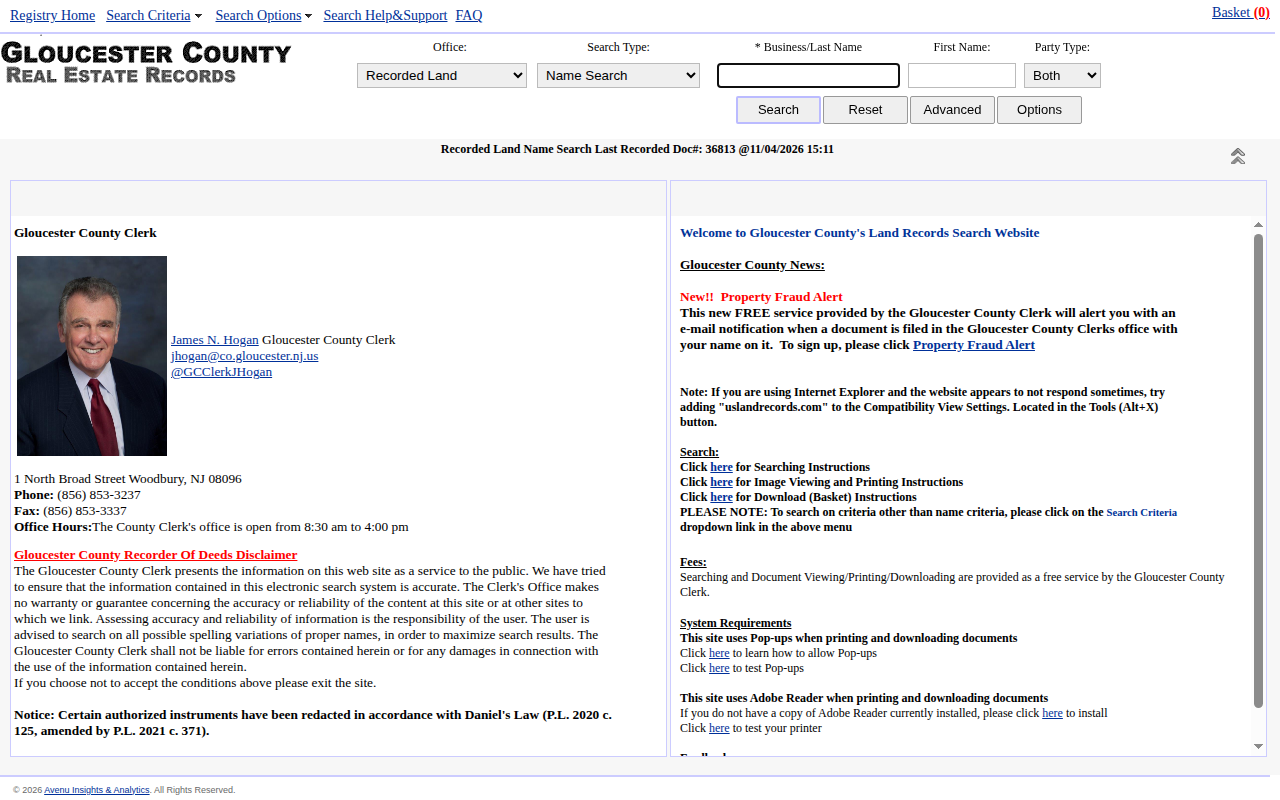 Enlarge
-
Open Advanced
Press Advanced. A box opens with dates and Document Types. -
Set dates and type
Type the From and To dates. In Document Types, scroll down and click LIS PENDENS/FORCLOS.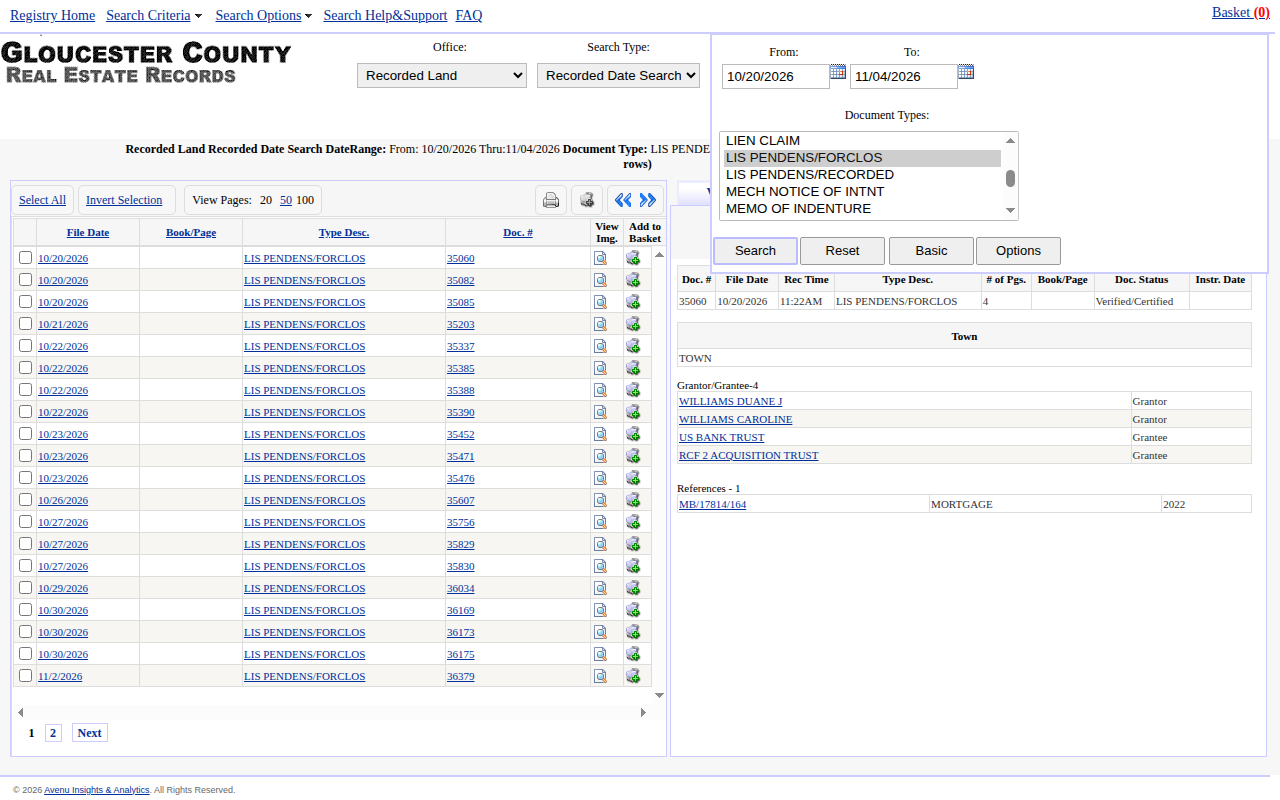 Enlarge
-
Run the search
Press Search. Click 100 next to View Pages to see more rows on one page. -
Read the names
Click a row. The panel on the right opens View Details with the Grantor and Grantee names.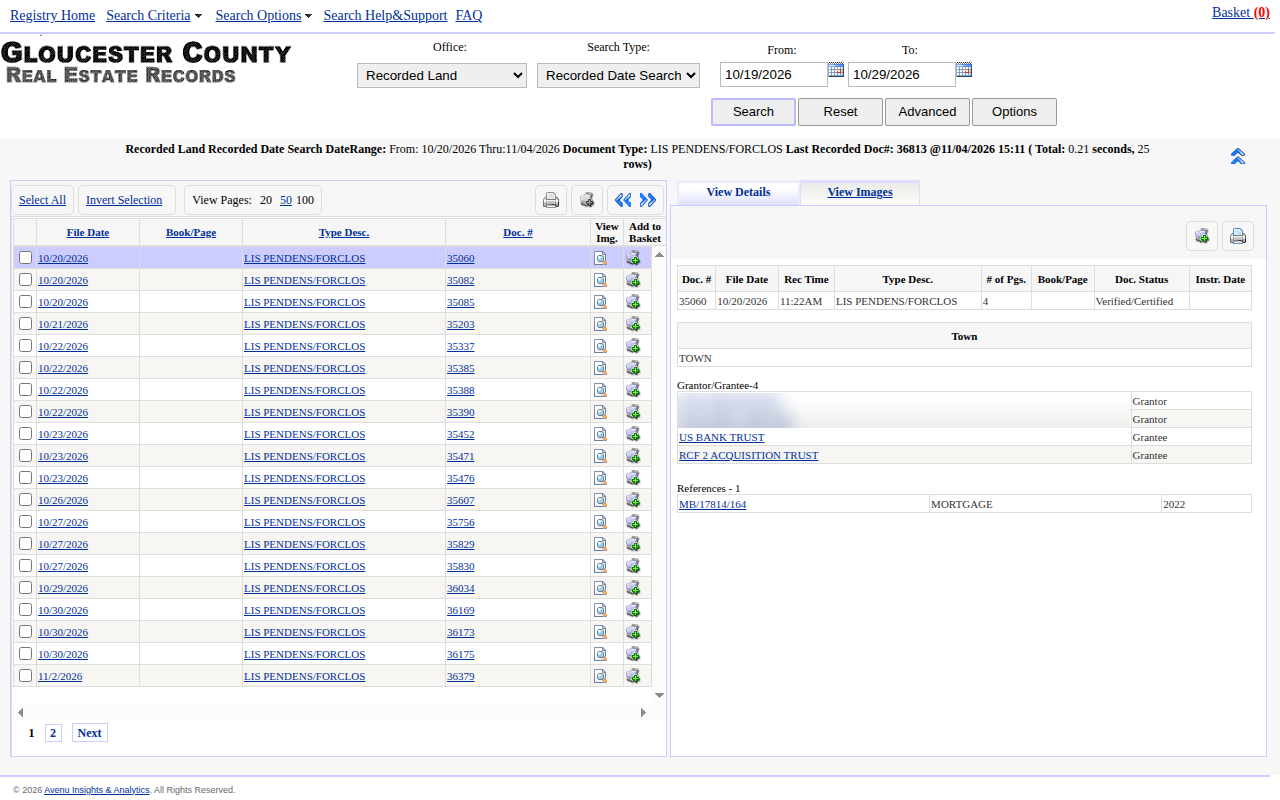 Enlarge
Tip: On the record we opened, the Grantor was the owner and the Grantee was the lender.
-
Write down your records
Copy the date and document number from the row and the names from the panel into a spreadsheet. Repeat for each row.
Tips for after you pull
- Use the reference shown in the panel to find the mortgage.
Watch out for these
- The results list has no names at all. You must click each row to get them.
- The details panel may show a Town field with no real town in it. On the record we opened it just said TOWN.
- There is a second type named LIS PENDENS/RECORDED. Run it too if you want every notice.
- The site uses pop-ups for printing and downloads, so allow pop-ups for this site.
Common questions
Do I need an account?
Is there an export?
Other lists in Gloucester County
We only have this list for Gloucester County so far. See all New Jersey guides.
Lis Pendens in other New Jersey areas
More New Jersey guides
Lis Pendens in other states
See every guide
Do not want to do this by hand?
CountyPull pulls this list for you automatically.