How to Pull Lis Pendens County Data for Mercer County, NJ
A lis pendens list shows public notices that a lawsuit is open against a property. To find lis pendens records for Mercer County, New Jersey (NJ), use Mercer County Official Records Search. No account is needed. It is free to use. No VPN is needed. You can only print the results.
Also known as: notice of pending action, notice of pending litigation, pre-foreclosure notices.
What you need
No login is needed. Print Results opens your browser print window, so you can save as PDF.
What it is
A lis pendens is a public notice that a lawsuit involving a property has been filed. Many are filed when a lender starts a foreclosure. Mercer County records them under the code NLP.
Why it matters
It is one of the earliest public signs that an owner is in trouble. You can reach the owner before the property goes to a sale.
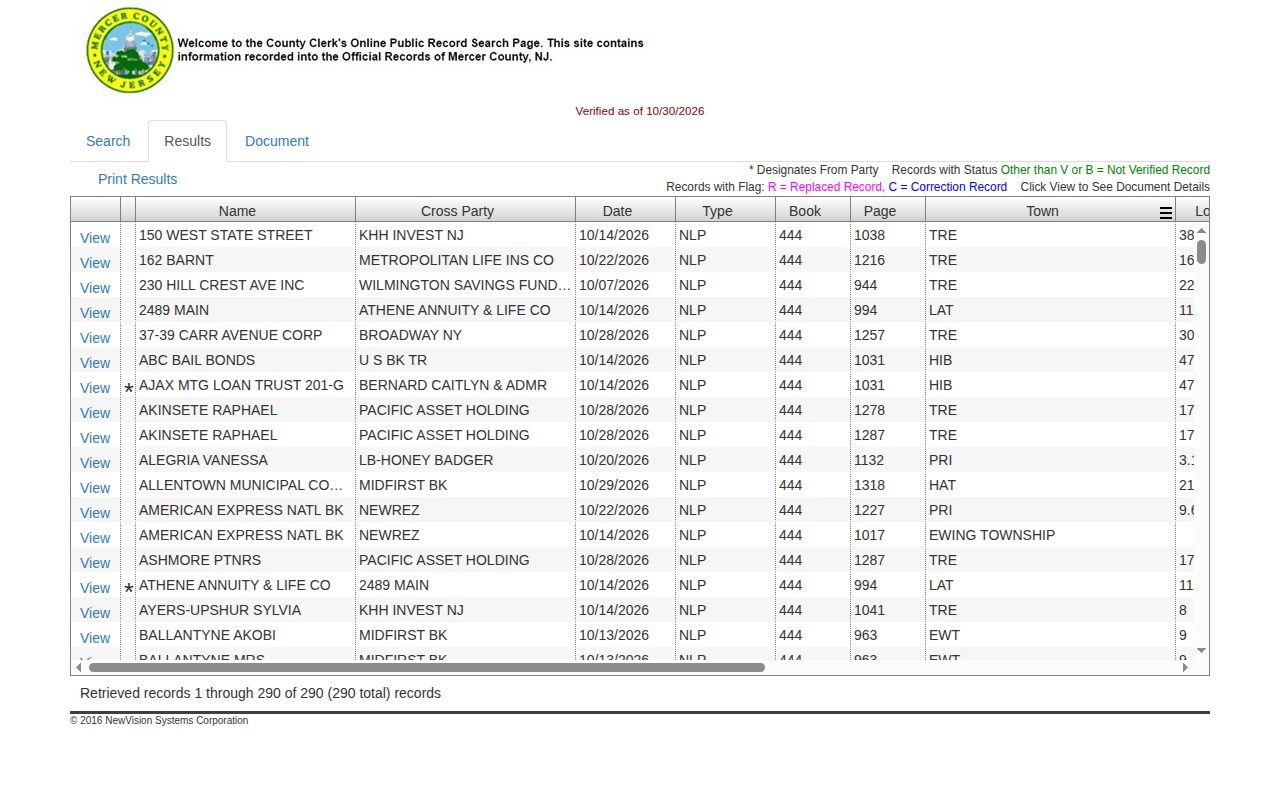
The fields you get
- Name
- Cross party
- Date
- Type
- Book
- Page
- Town
- Lot
- Block
- Legal (often the street address)
- Instrument number
The top of the page shows a Verified as of date. In our test it was 5 days behind today.
Follow these 6 steps
-
Open the Mercer County search
Open the Mercer County Clerk record search. No login is needed.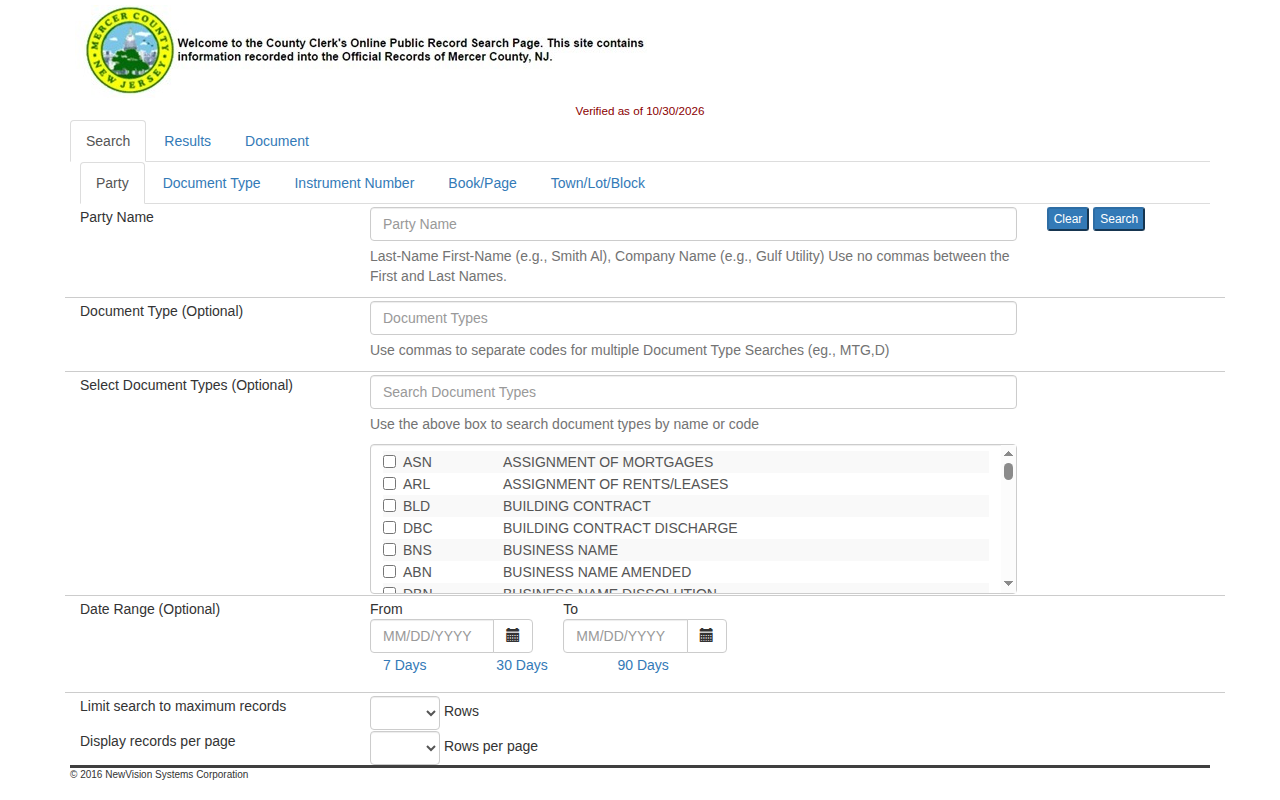 Enlarge
-
Open the Document Type tab
Under Search, click the Document Type tab. -
Enter the code and dates
In the Document Type box, typeNLP. That is Notice of Lis Pendens. Click 30 Days to fill the dates.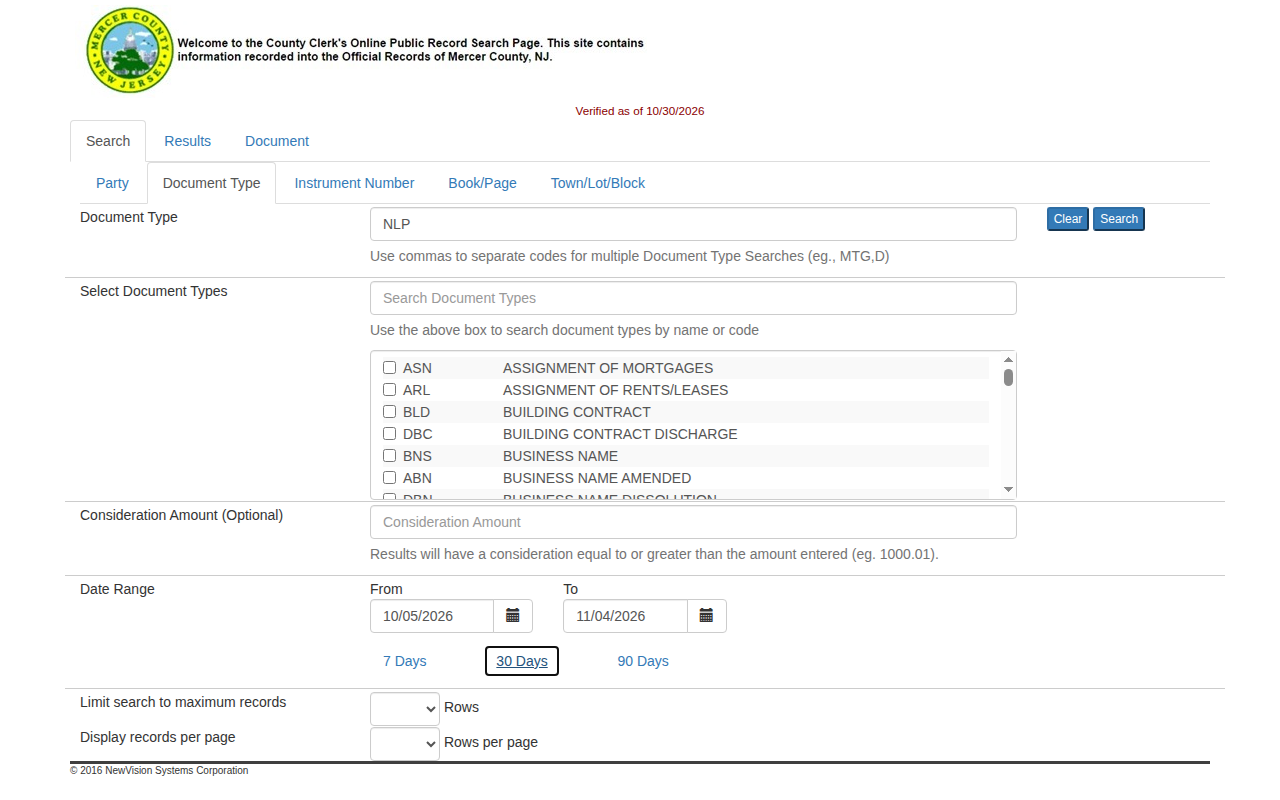 Enlarge
Tip: Do not use DLP. That is the discharge.
-
See the address
Scroll the table to the right. The Legal column often has the street address. Press View on a row to see plaintiffs and defendants.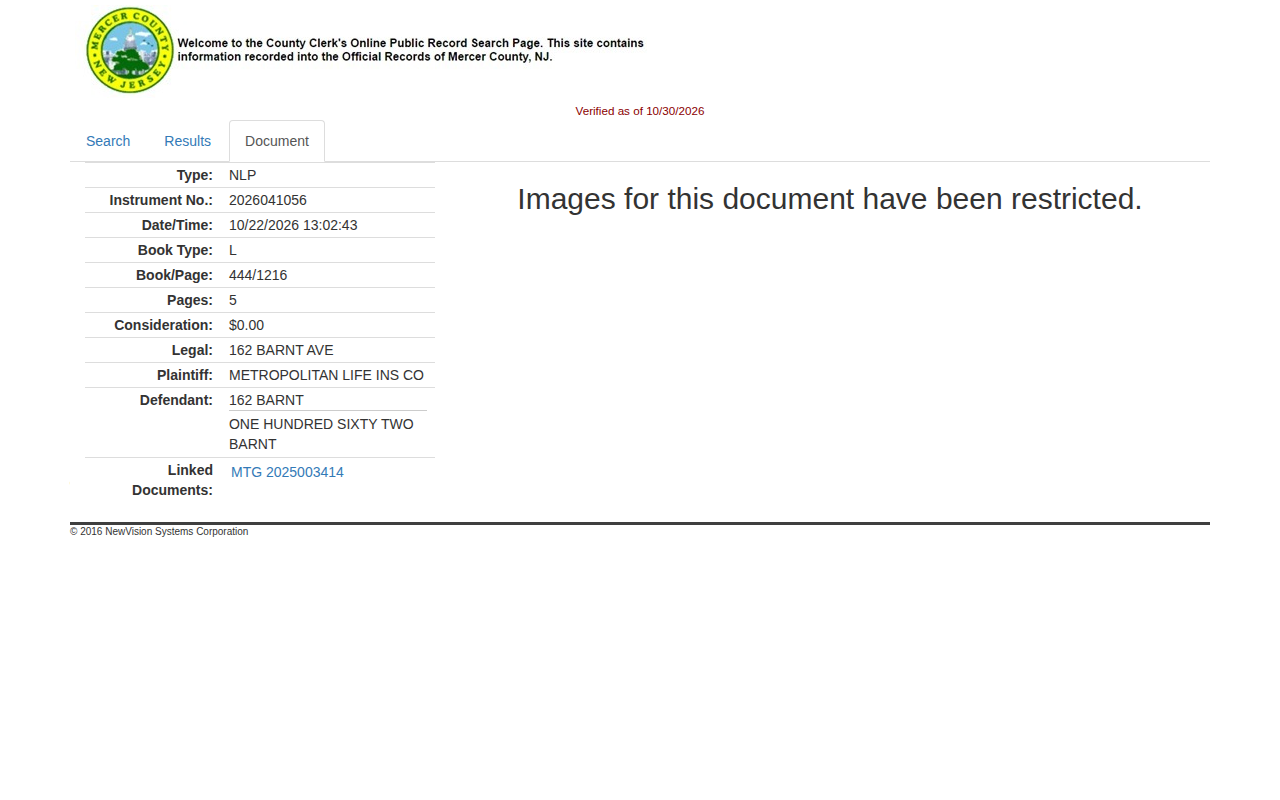 Enlarge
-
Save your list
Press Print Results. In the print window, choose Save as PDF. You can also copy the rows you need into a spreadsheet.
Tips for after you pull
- Use the View page to tell plaintiff from defendant. The results table only shows Name and Cross Party.
Watch out for these
- Each case shows up several times, once per party. A row with a star is marked as the From Party. Use the Instrument number to remove duplicates.
- Names can look strange. Addresses and companies appear as parties, for example a street number in the Name column.
- Images for the document we opened were restricted, so the images may not be available online.
- New filings can be missing for a few days. Check the Verified as of date.
Common questions
What does the NLP code mean?
Why are there more rows than cases?
Other lists in Mercer County
We only have this list for Mercer County so far. See all New Jersey guides.
Lis Pendens in other New Jersey areas
More New Jersey guides
Lis Pendens in other states
See every guide
Do not want to do this by hand?
CountyPull pulls this list for you automatically.