How to Pull Probate County Data for Montgomery County, TX
A probate list shows court cases that handle the property of a person who has died. To find probate records for Montgomery County, Texas (TX), use Montgomery County Court Records Inquiry. No account is needed. It is free to use. You need a US VPN. You copy the records by hand.
Also known as: estate records, probate court records, probate filings.
What you need
Account
No account needed
Cost
Free
CAPTCHA
No CAPTCHA
Export
Copy by hand
VPN
US VPN needed
Free, no account. This site may not open from outside the US.
What it is
New probate cases filed in the Montgomery County probate court after a person dies.
Why it matters
The estate may include a house that the family wants to sell. The case page names the applicant, who is the living person you can contact.
The fields you get
- Case number
- Estate name
- Date filed
- Court
- Case type
- Status
- Applicant name and address
- Attorney name and phone
- Date of death
Follow these 6 steps
-
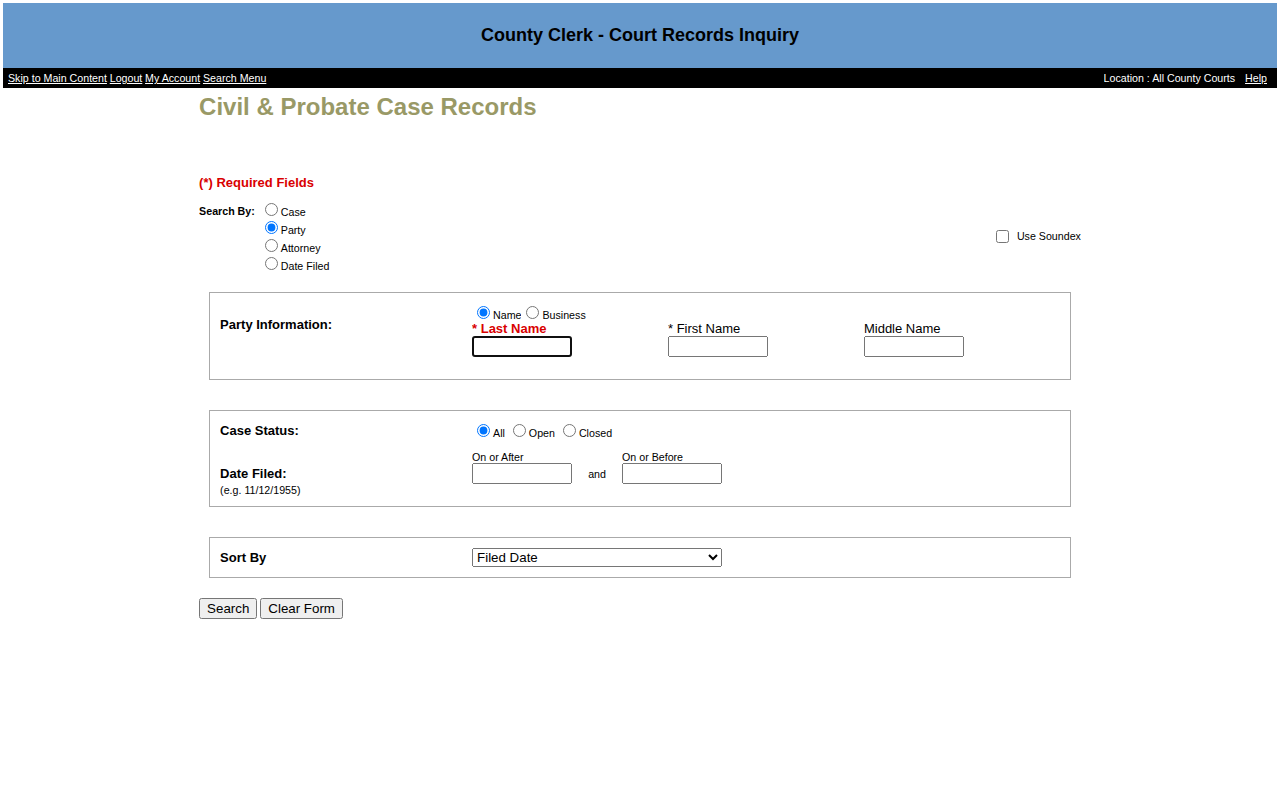
Enter the dates
Type the dates in On or After and On or Before, for example10/28/2026and11/04/2026. Keep Sort By on Filed Date. Click Search.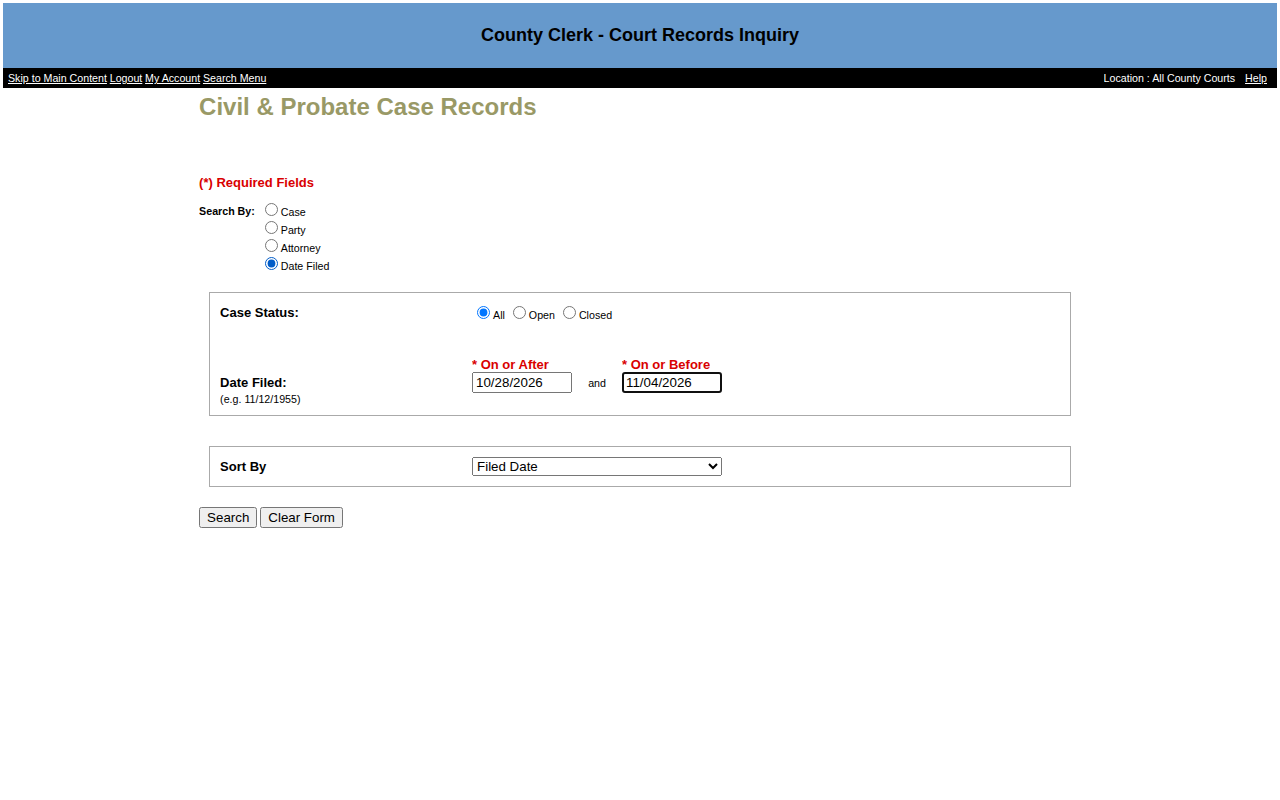 Enlarge
-
Find the probate cases
The list mixes all civil cases. Look for case numbers that end in -P and start with Estate of. We saw 36 such cases out of 52 for those dates.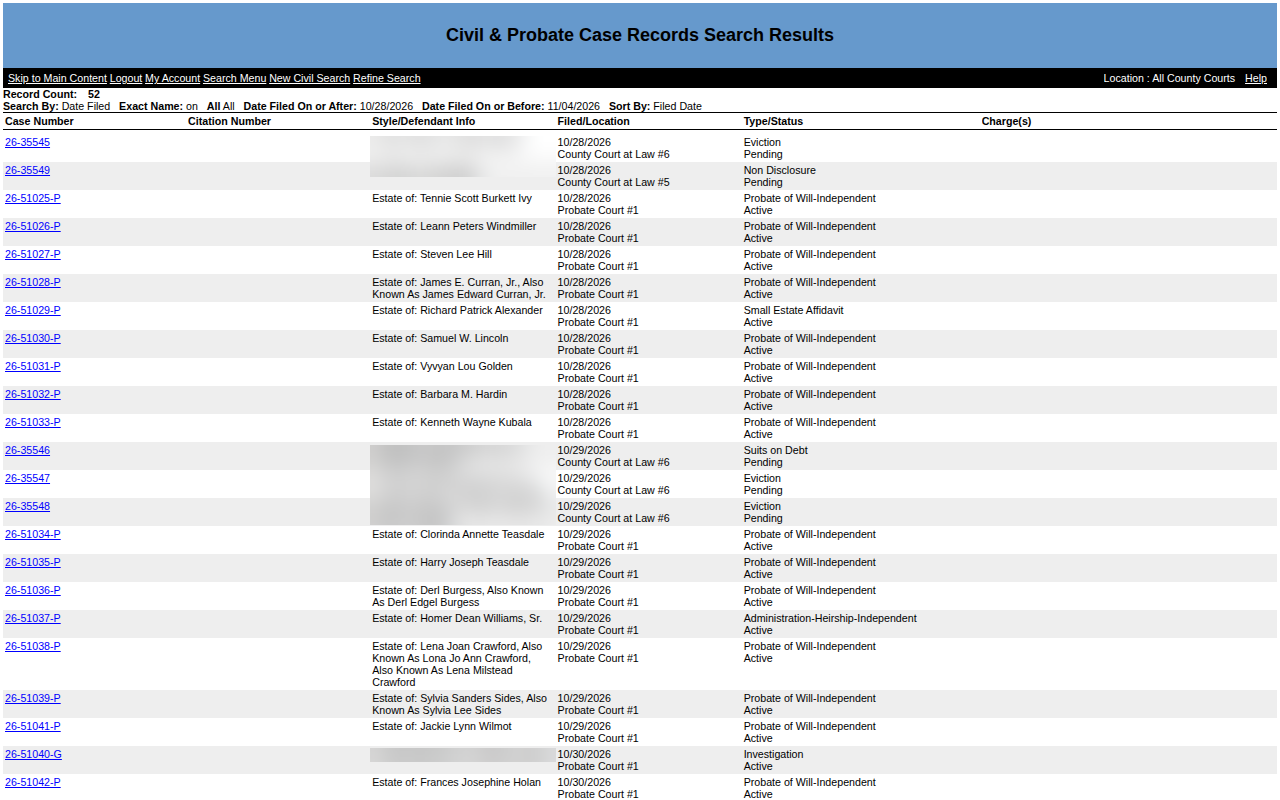 Enlarge
-
Open a case
Click the case number. Copy the Applicant name and address, the Decedent name and the date of death (DOD).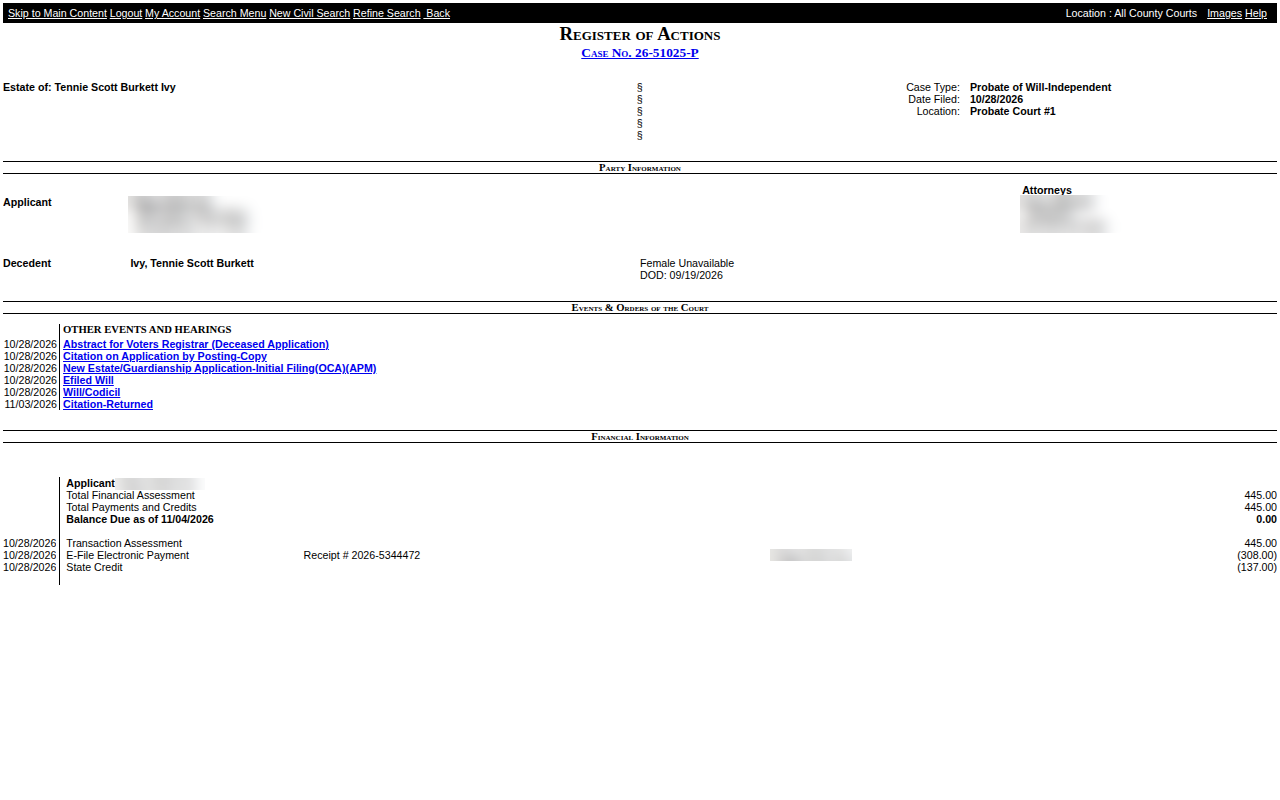 Enlarge
-
Save your list
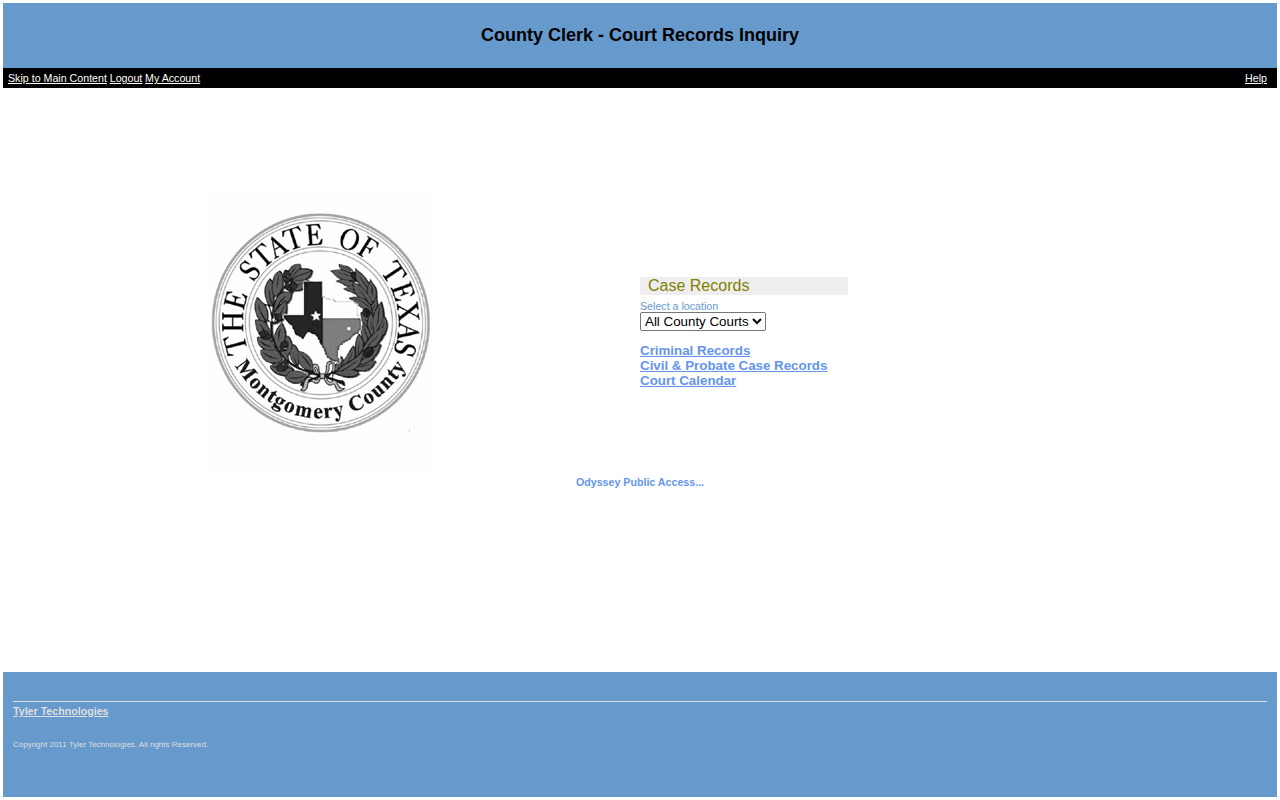
Paste the record into your spreadsheet. Click Back and open the next case. There is no export button, so copy each case.
Watch out for these
- Skip GUARDIANSHIP OF cases and cases that end in -G. Those are not estates.
- Eviction and debt cases appear in the same results. Use only the -P cases.
- The case page does not list the property address.
Common questions
Do I need to log in?
No. The Logout and My Account links show at the top, but we searched without an account.
Other lists in Montgomery County
Estate SaleMontgomery County, TX
ForeclosureMontgomery County, TX
HeirshipMontgomery County, TX
Lis PendensMontgomery County, TX
Substitute TrusteeMontgomery County, TX
More Texas guides
Probate in other states
See every guide
Do not want to do this by hand?
CountyPull pulls this list for you automatically.
Start free
100 free rows each month