How to Pull Code Violation County Data for Hamilton County, OH
A code violation list shows cases a city opens when a property breaks local building or safety rules. To find code violation records for Hamilton County, Ohio (OH), use City of Cincinnati Open Data. No account is needed. It is free to use. No VPN is needed. You can download a CSV file.
Also known as: code enforcement, code enforcement cases, building code violations.
What you need
What it is
Code enforcement complaints, inspections and violations from the City of Cincinnati, on homes and businesses. It includes abandoned vehicles, building code, demolition, property and zoning cases.
Why it matters
An order means the city told the owner to fix a problem. These owners may be open to selling.
The fields you get
- Case number (NUMBER_KEY)
- Complaint type
- Sub type
- Entered date
- Status
- Status class
- Neighborhood
- Full address
- Link to case
The page says daily. The newest entry date we saw on November 4 was November 2, 2026.
Follow these 6 steps
-
Open the Code Enforcement page
Go to City of Cincinnati Code Enforcement. The page shows when the data was last updated.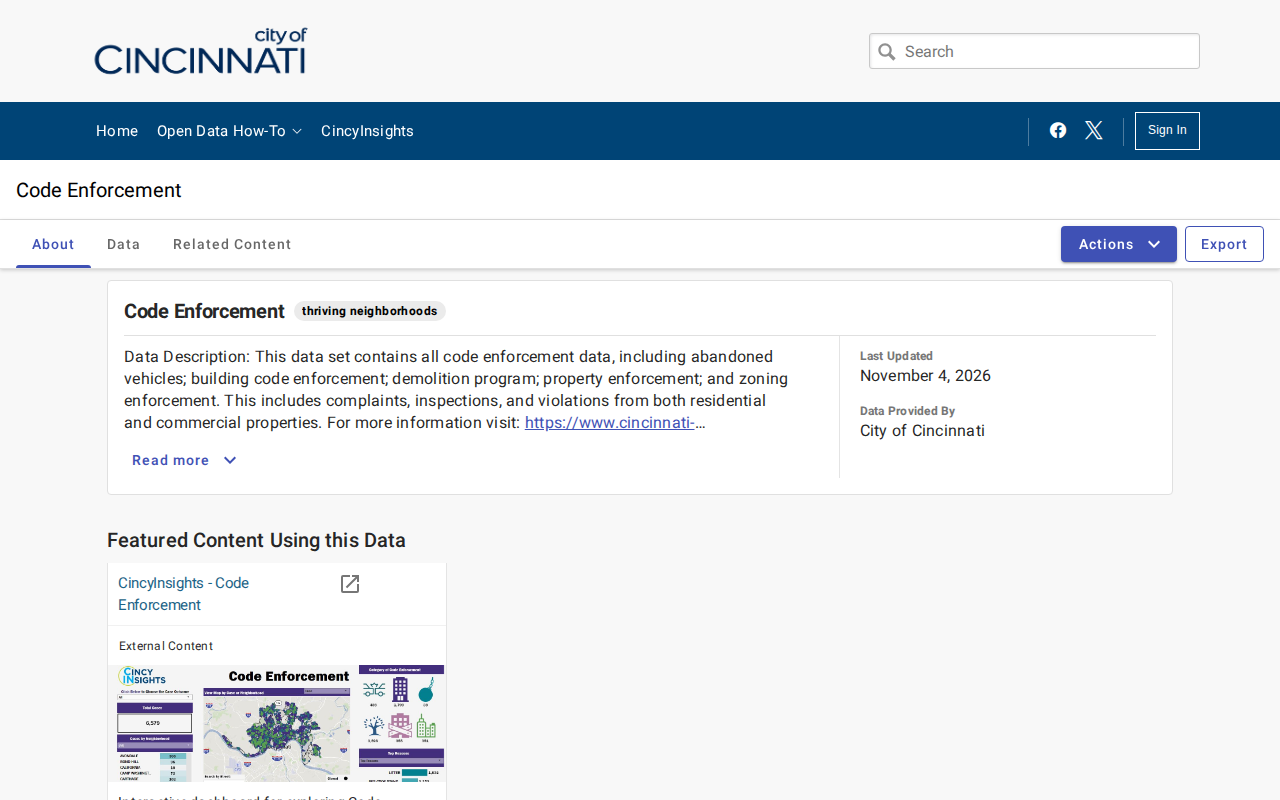 Enlarge
-
Open the query screen
Click the Data tab. Click the Actions button, then click Query data. A table opens with a Filters panel under it.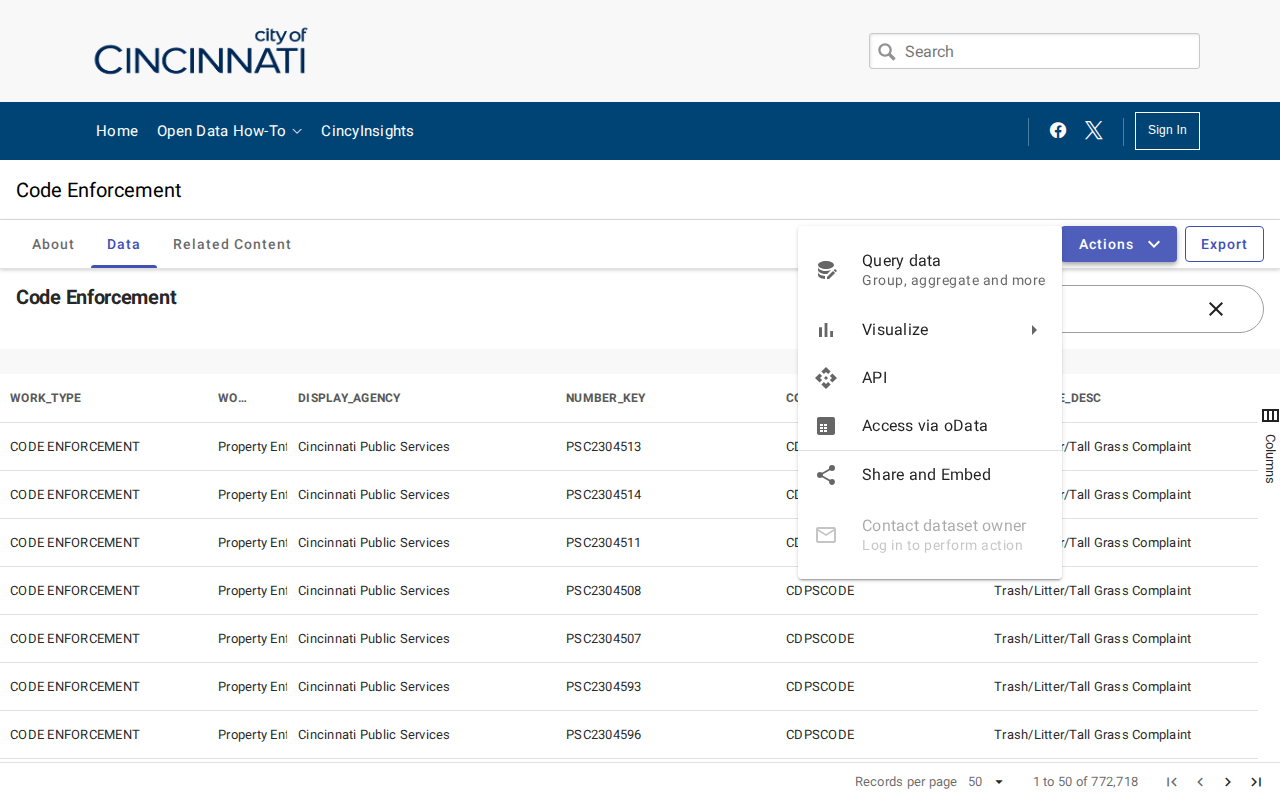 Enlarge
-
Filter the list
Pick DATA_STATUS_DISPLAY in the box Select a column to filter. In the value box type Orders Issued and tick it. Click Apply. The row count drops to the orders.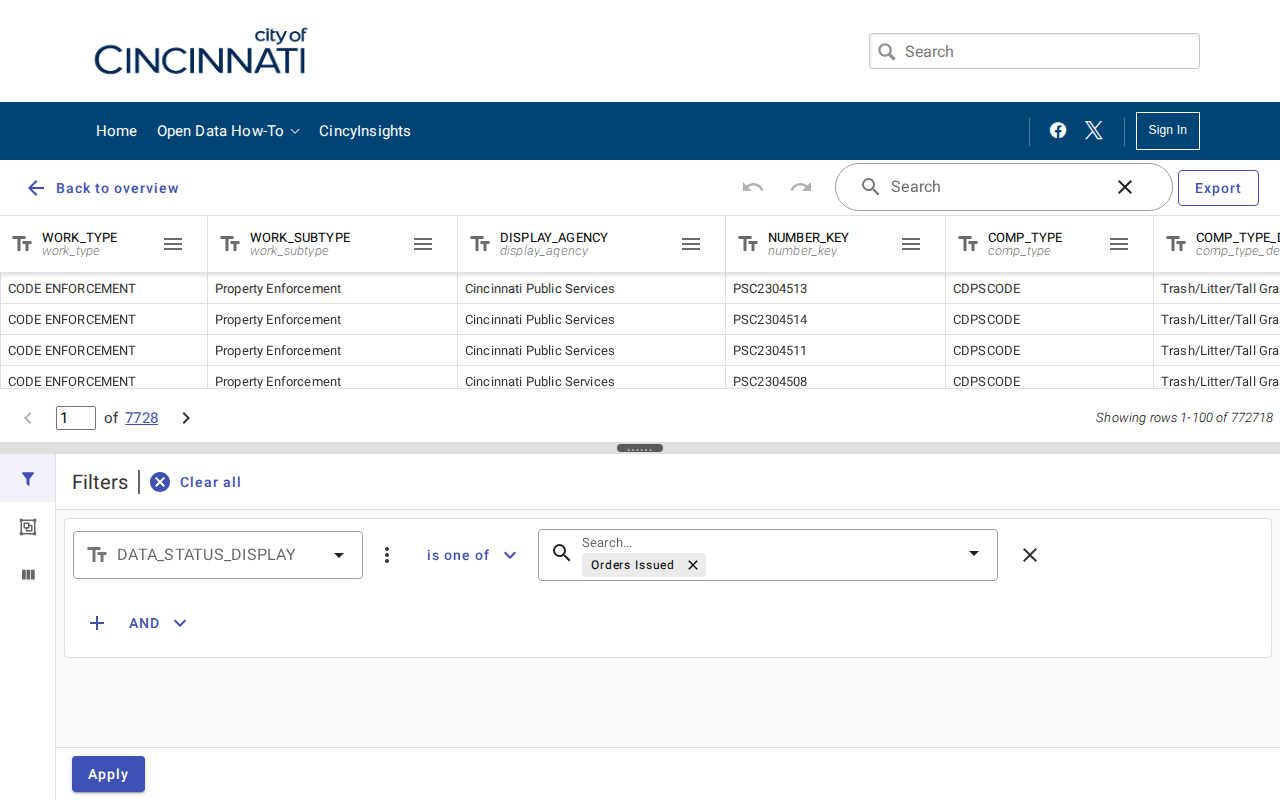 Enlarge
-
Put the newest records first
Find the ENTERED_DATE column. Click the three lines next to its name, then click Sort descending.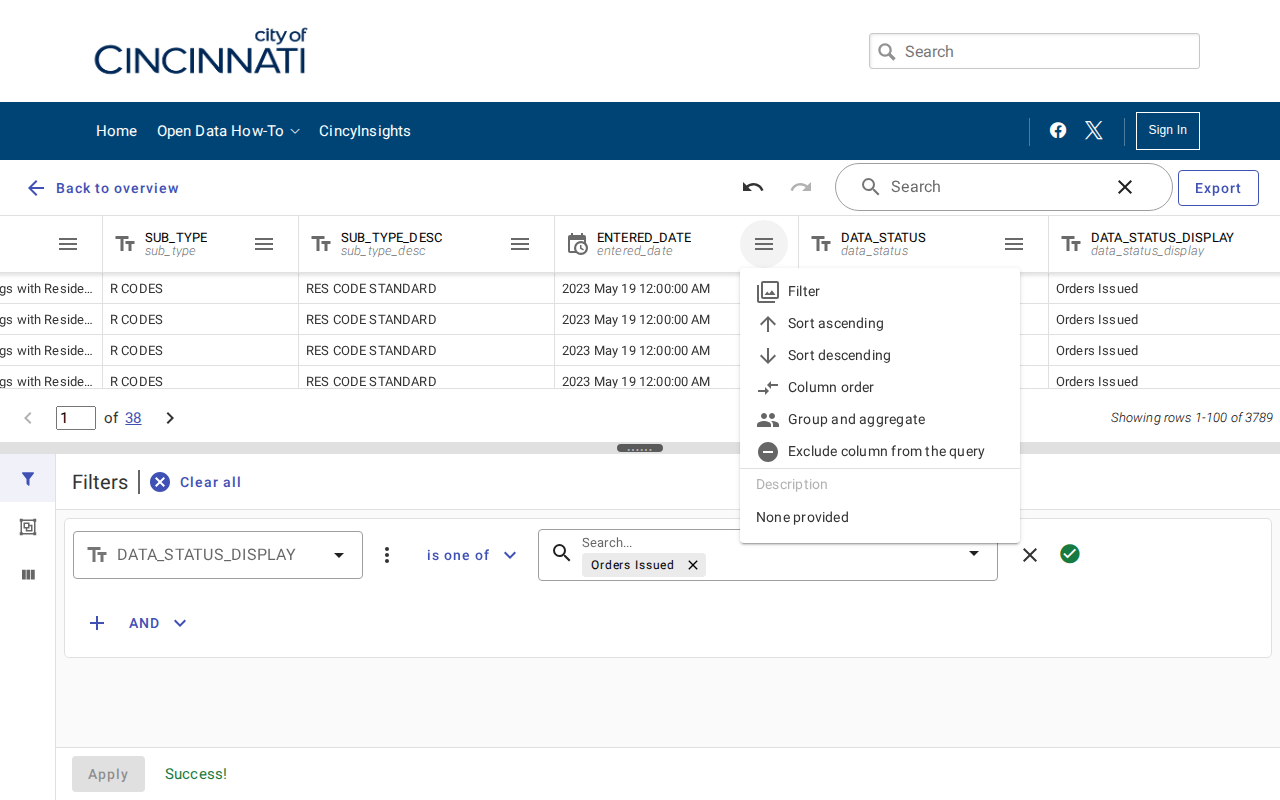 Enlarge
-
Download the file
Click Export. Keep Download file and CSV selected. Click Download. Only your filtered rows go in the file.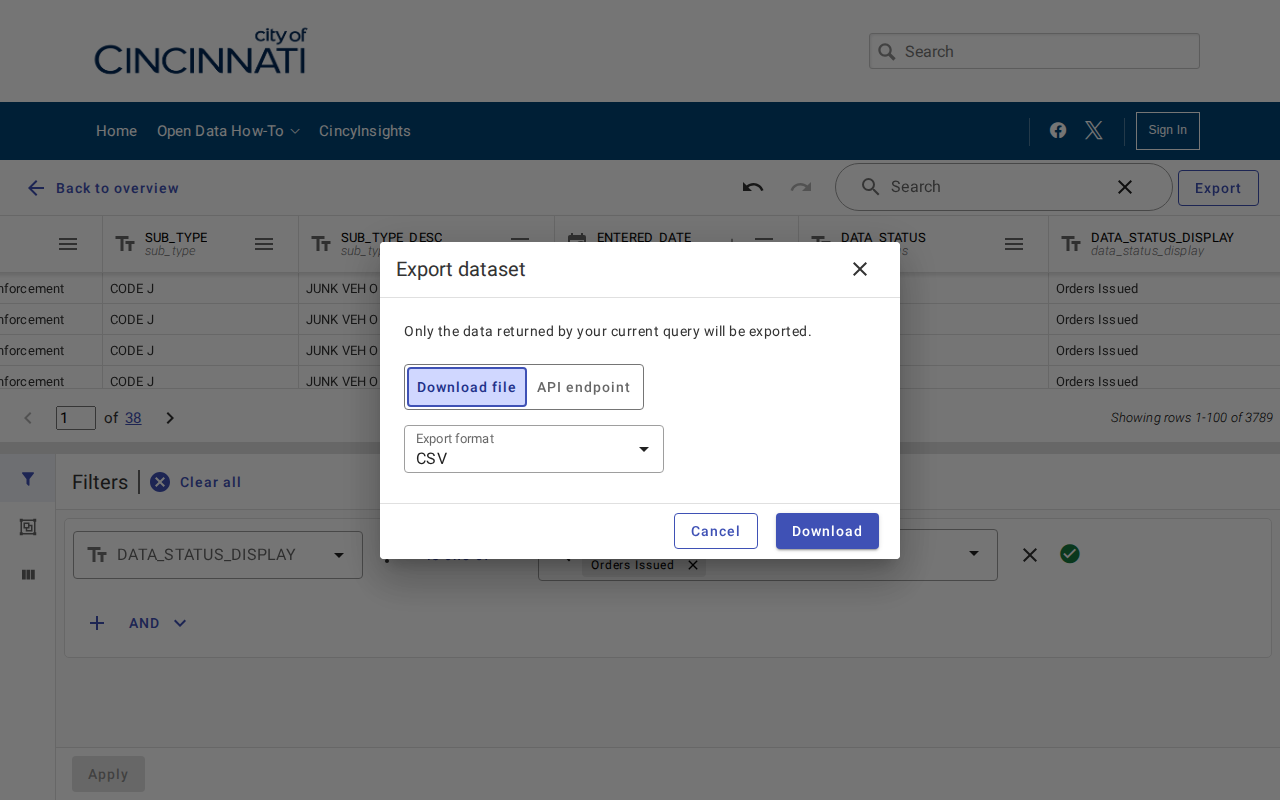 Enlarge
-
Check your records
Open the CSV in Excel or Google Sheets. We saw 3,789 rows on November 4. Keep NUMBER_KEY, COMP_TYPE_DESC, SUB_TYPE_DESC, FULL_ADDRESS and ENTERED_DATE.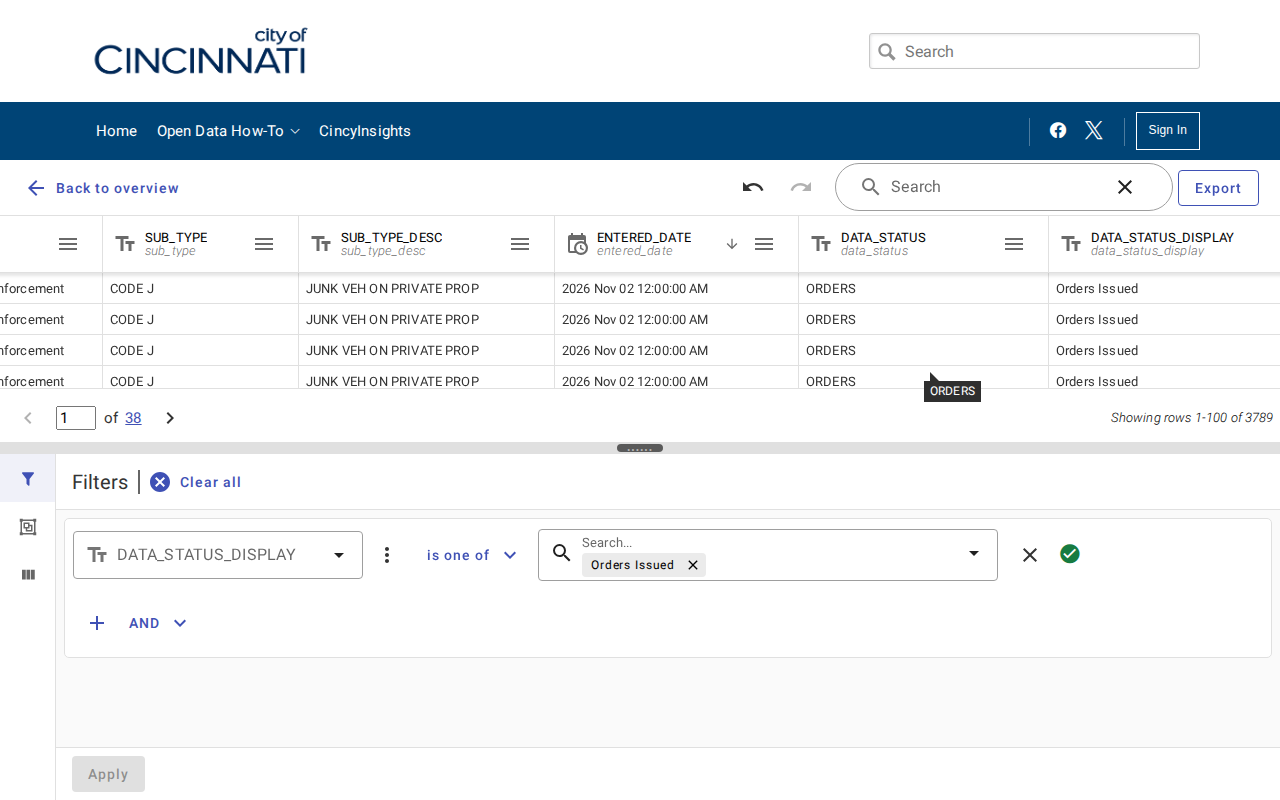 Enlarge
Watch out for these
- The list has about 773,000 rows and many are closed or duplicates. Always filter first.
- Other useful status values include Citation Issued and Refer to Abandoned Property Program.
- Some rows are abandoned vehicles, not buildings. Filter COMP_TYPE_DESC if you only want property problems.
- There is no owner name. Use the address on the Hamilton County Auditor site.
- This is a City of Cincinnati list, not all of Hamilton County.
Other lists in Hamilton County
Code Violation in other Ohio areas
More Ohio guides
Code Violation in other states
See every guide
Do not want to do this by hand?
CountyPull pulls this list for you automatically.